Try Weglot for free




The debate about whether to use AI to translate websites is over. AI models can produce strong first drafts quickly and cheaply, especially when you pair them with review and brand guidance.
Now there’s a new question: do you build an AI translation workflow yourself using an agent like Claude, or pay for a dedicated SaaS translation tool instead?
This article offers an honest comparison of both methods. You’ll learn what DIY and purpose-built AI translation workflows look like, what works, what doesn’t, and how to choose the right solution.
Both agentic and SaaS approaches to translation broadly follow a similar pattern.
Note: Agentic AI doesn’t just answer a question. It works through translation tasks step by step, calling APIs, writing files, and making independent decisions.
Whichever one you adopt, your solution will need to complete a similar list of tasks.
The table below shows what a good AI translation workflow looks like:
While most AI translation workflows follow a similar approach, they can vary widely in development time, maintenance workload, and cost. You’ll get help finding the best AI translation tool at the end of the article.
Yes. If you’re technically minded (or have someone on your team who is) you can build an AI translation workflow using a translation engine, a coding agent like Claude Code, and several APIs.
Below is a rough idea of what it takes to create an AI workflow from scratch.
Your site’s content needs to live somewhere a translation engine like DeepL can read it.
If you’re on a custom-coded site, your content lives in internationalization (i18n) files. Several i18n frameworks exist, including:
But if you’re on WordPress, Shopify, or Webflow, you’ll extract content via API instead – which is what the n8n workflow in Step 3 covers.
Create an account with a translation engine like DeepL, Google Cloud Translation, or Microsoft Translator.
Generate the API credentials your workflow will use to send text and receive translations.
Using a coding agent like Claude Code, you can build a script that reads your source file, sends the untranslated strings to your engine’s API, and writes the results back.
The script will look something like this:
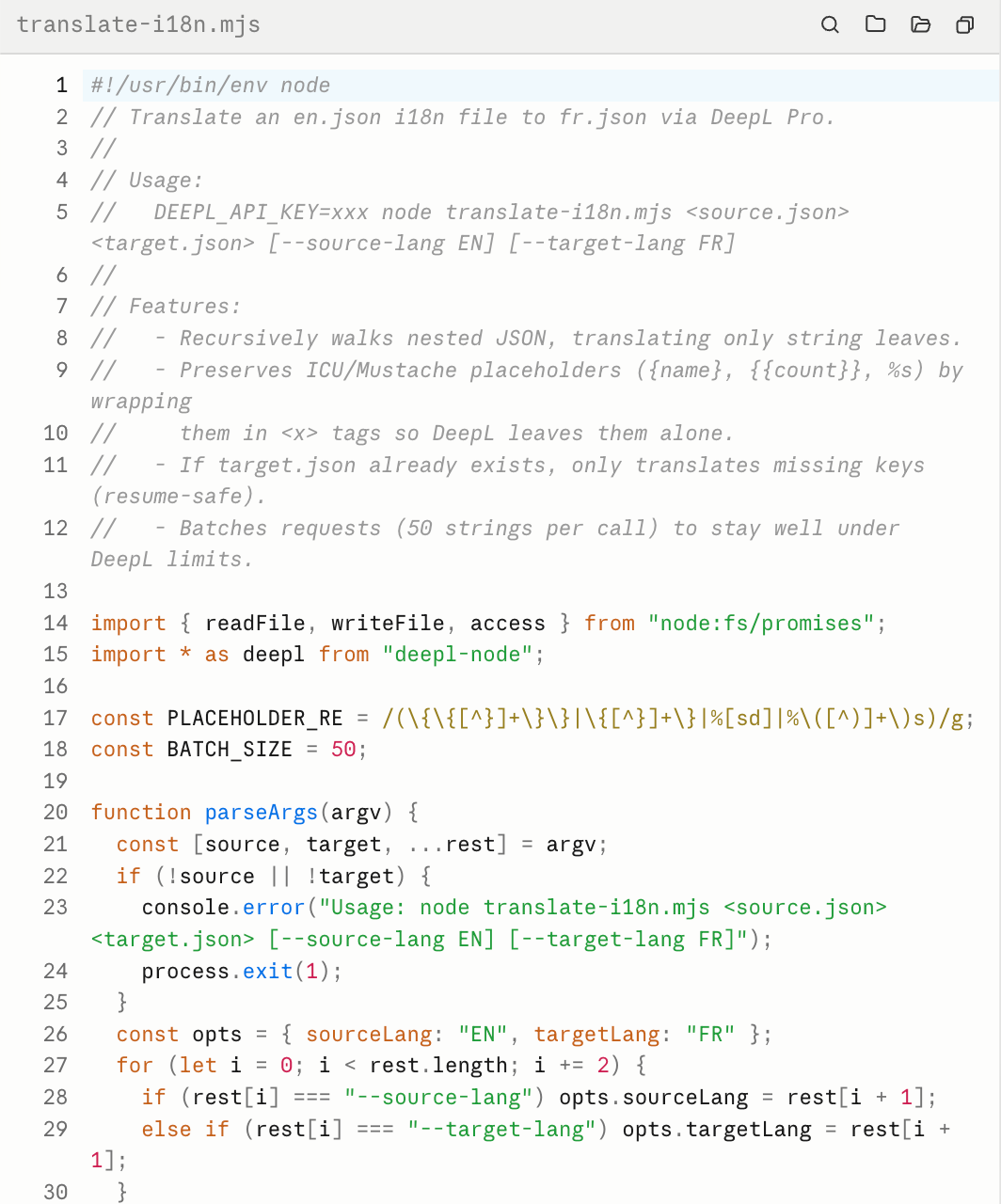
Even if you use Claude, you’ll still need experience writing code. That’s because you’ll need to test the script and validate the output – guiding Claude to make changes if necessary.
Alternatively, use an AI orchestration platform like n8n to visually build an AI workflow using pre-built connections with CMS platforms and translation engines.
As this Reddit user explains, you can create a workflow that:
To make your AI translation workflow automatic, you’ll need to create a trigger event.
A common way is to use a GitHub Action that runs whenever your i18n files change. Alternatively, use a webhook that fires when you publish new content in your CMS.
The trouble with AI translation models like DeepL and Google Translate is that they don’t optimize translations for multilingual SEO or GEO (generative engine optimization).
You can partially address this with localized keyword research. A keyword and SERP data API like DataForSEO lets you identify the terms your target audience actually searches for in each market – which often differ from a direct translation of your English keywords.
Before your workflow runs, use that research to build a glossary of preferred local terms, then feed it into your translation prompts so the output uses market-relevant language from the start. This is a manual step, but it improves how your translated pages perform in local search.
Even if you have the technical ability to create a DIY translation workflow, there are several potential issues to solve.
Translating your website into another language is only the beginning. You’ll also need to take steps to ensure target audiences can find you both in Google and, increasingly, in the LLMs that recommend brands in chats.
Agentic translation workflows often struggle to handle the technical SEO and GEO elements that help search engines and AI platforms find, index, and cite your content in the correct language for each user.
These tasks include:
Addressing these issues is vital to the ongoing success of your multilingual site. Weglot’s own analysis of 1.3 million citations found that translated websites gain up to 327% more visibility in Google AI Overviews than single-language sites.
Modern websites are full of dynamic text and hidden strings that often get missed by i18n files and translation engines.
Examples include:
Picture translating your online store into Spanish but leaving the checkout flow in English. That’s not an experience likely to convert Spanish-speaking shoppers. And it’s exactly the kind of half-baked translation that quietly costs you sales at the moment a customer is closest to buying.
Translation engines, and especially LLMs, are effective at producing fluent language, but not at respecting file structures.
They sometimes translate the keys within i18n files, mess up variable placeholders like {name}, or %d, or return JSON that won’t parse.
Worse still, the file looks fine. You only find out when the file breaks in production.
One Reddit user got so fed up with maintaining JSON translation files that they hand-coded a script to solve the problem.
Unless you’ve specifically built your workflow to handle continuous translation, it will only translate what exists on your site today.
Every new blog post, product page, or campaign you publish will only get translated if you remember to run the workflow again or until your automation catches it.
Keeping a consistent brand voice across every language is harder than it looks.
Most DIY workflows don’t include a glossary or translation memory, which means nothing is enforcing how your key terms and phrases are translated from one run to the next.
While a DIY approach to AI translation may seem like the cheaper option at first blush, the true cost can quickly add up.
As well as the significant engineering time it can take to build the above workflow and the ongoing hours required to maintain the script and fix something when it breaks, you’ve got the token cost of the AI translations themselves.
Those running costs aren’t a one-time fee. Every time you publish or update content, your workflow runs again and bills you again.
Depending on the model you use, your new AI workflow can become surprisingly expensive to operate.
If you don’t want high maintenance costs or poor international SEO, a purpose-built tool is a sensible alternative.
AI translation and localization tools like Weglot offer a hands-free workflow that helps you launch high-quality multilingual sites in under 10 minutes, with no technical expertise required.
Weglot’s AI translation workflow follows these 5 steps.
It only takes a few minutes to create an account and install Weglot on your website.
Add a snippet of code to your website’s header, or use one of our native integrations for CMS like WordPress, Shopify, Webflow, and Wix.
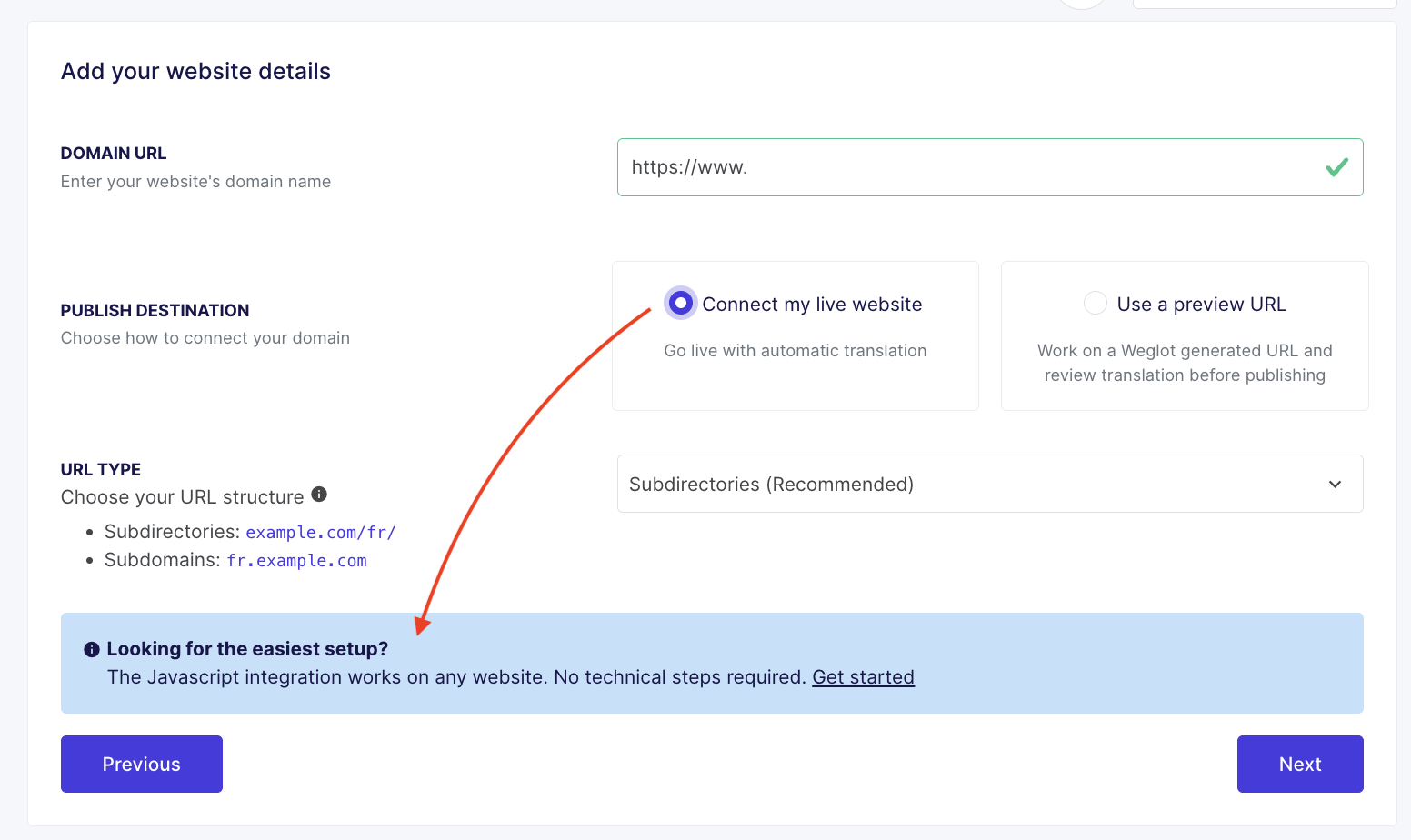
Once connected, Weglot will automatically scan your site and translate all your content. That includes elements like pop-ups, CTA buttons, and plugin strings that DIY workflows may miss.
While Weglot delivers publication-ready translations, you can refine the tool’s output using its Visual Editor.
The Editor displays translations in a live preview of your site, so you can easily spot formatting problems.
If you’re translating your site from English to German, the length of a heading might increase to the point where it breaks the site’s design.
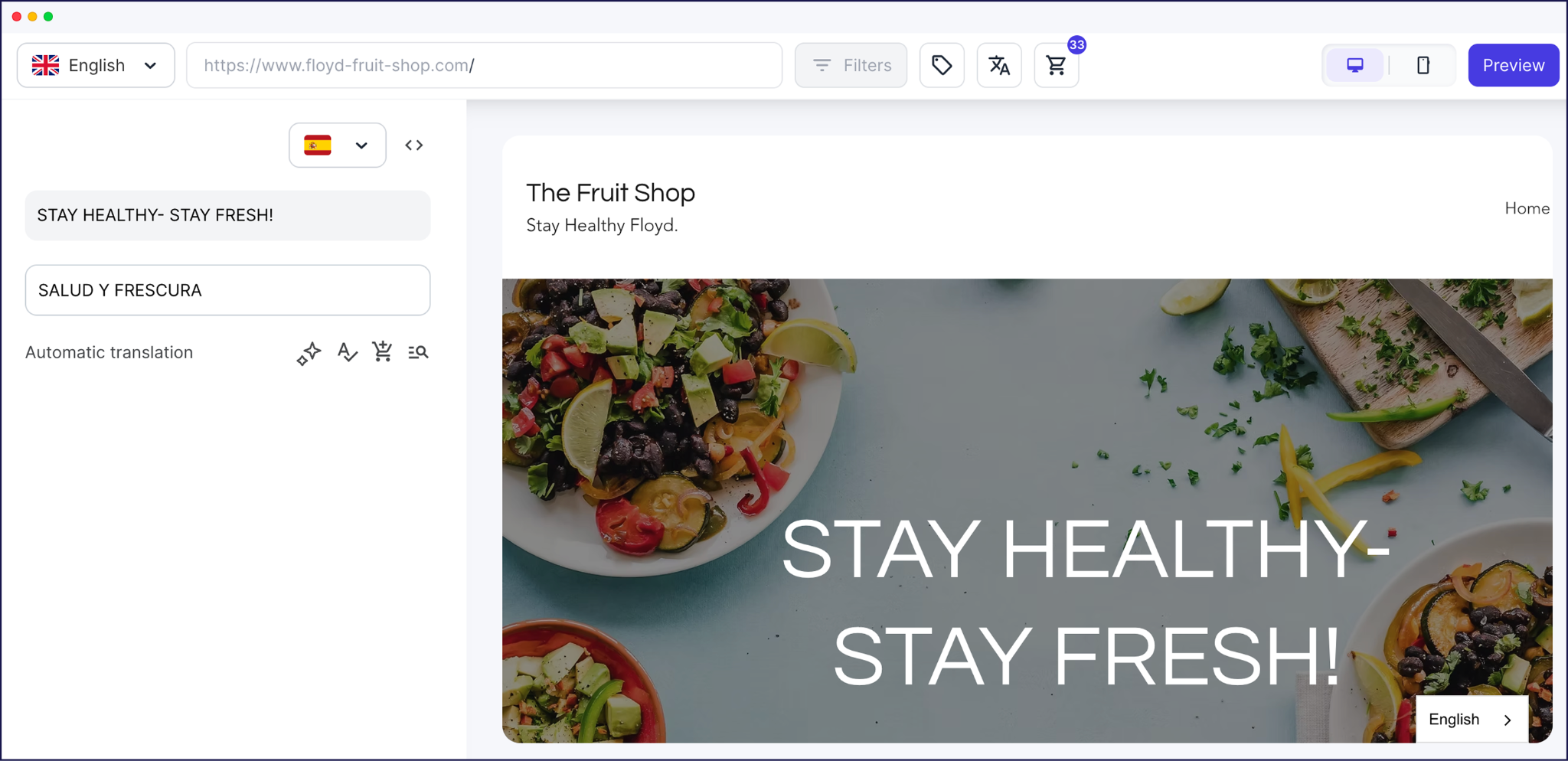
If that’s the case, you can edit the copy yourself, use AI to get a new heading suggestion, or order professional translations from a human – all without leaving the Editor.
Weglot offers 2 features, uncommon in agentic workflows, that improve the quality and consistency of translations over time.
The first is an AI Translation Model that learns from your brand guidelines, tone of voice, glossary terms, target audience, manual edits, and custom instructions to produce high-quality translations in your brand’s voice.
It builds an intelligent localization layer so that the more information you provide and the more edits you make, the more accurate, context-aware, and on-brand your future translations become.
The second feature is a built-in Glossary that lets you define how words and phrases are (or aren’t) translated.
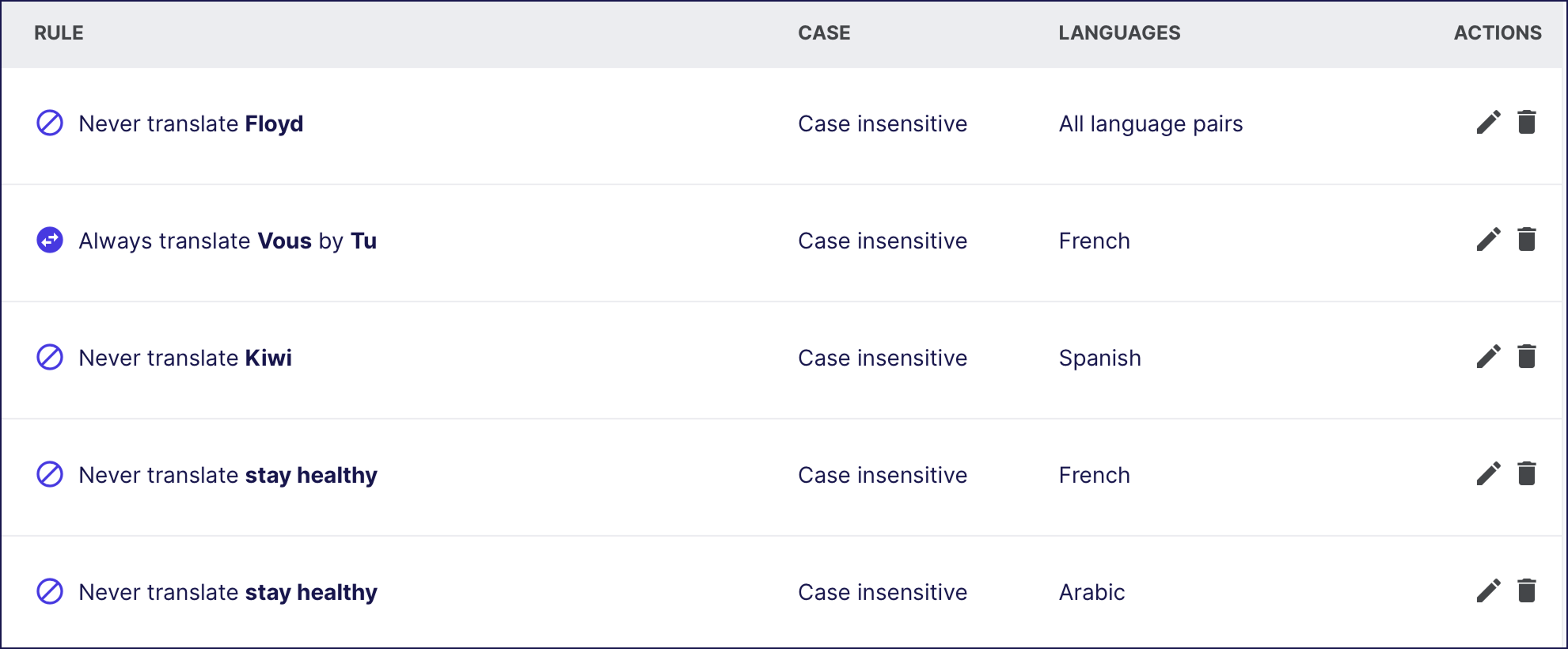
It lets you keep your product names, straplines, and CTAs consistent across your whole site, without manually editing them each time.
Weglot automatically publishes translated content to dedicated language URLs and handles the technical SEO and GEO requirements.
The SEO-friendly architecture Weglot creates can have an immediate impact on your site’s international rankings.
For the local SEO tool GMBapi.com, Weglot-translated content started outperforming the original English pages. Today, 80% of the site’s total site traffic comes from translated pages.
Weglot’s continuous translation feature constantly monitors your site for new or edited content and automatically translates it as soon as it detects changes.
It keeps your site up to date without you having to resubmit translation requests, copy and paste new content into Google Translate, or run a script.
It also helps small teams manage vast content websites. For example, French ecommerce store The Bradery uses Weglot’s continuous translation to launch 500 products a day in French, English, and Spanish.
Still need help choosing the right AI translation workflow?
Here’s how the 2 approaches compare:
Agentic workflows can work well for static websites or hobby projects. But they come with too many risks for commercial websites.
If you need to deliver a complete, end-to-end experience for international SaaS or ecommerce customers, a dedicated tool will deliver a clear return on your investment.
While you could build an AI translation workflow yourself, Weglot removes the need to.
Weglot delivers high-quality translations, manages technical SEO infrastructure, keeps your content up to date, and provides tools to continuously improve translation quality.
Ready to build a simple AI translation workflow? Try Weglot free for 14 days to see how easy it is to translate your site.

We’ll get your first languages live. You decide how far you want to go. Try Weglot for free today.
Trusted by 110,000+ global brands





Weglot is tested and trusted by brands worldwide since 2016. Join them today.


The best way to understand the power of Weglot is to see it for yourself. Test it for free and without any engagement.
A demo website is available in your dashboard if you’re not ready to connect your website yet.


Translate your website first. AI search engines prioritize sources that match the query's language, and our analysis of 1.3 million citations found that translated websites gain 327% more visibility in AI Overviews than single-language sites.
Then make each language version easy to retrieve and cite: give it a dedicated URL, hreflang tags, and translated metadata, and keep translations in sync as your content evolves. Weglot handles that technical layer automatically, so your visibility grows with every language you add.
For the full 5-step process, read our multilingual GEO guide.