Try Weglot for free





English reaches a minority of the world's population, yet nearly half of all websites are written exclusively in English. This means there's a big share of potential customers who land on your site, can't engage with it in their language, and leave. Studies frequently cite that most shoppers rarely or never buy from English-only websites, yet prefer to purchase from a 'native-language' site.
Translating your website is obviously the right call, but the process can seem daunting. However, our guide will walk you through every stage to cover where the work happens, along with highlighting where your own judgment still plays a role. And, most importantly, where AI can ease the pain points.
To kick off, let's make sure you understand the distinctions between translation and localization:
For most websites, a well-implemented translation is the bedrock layer and localization builds on top. The two work best together, most people underestimate the scope of what needs translating on a typical site.
The obvious content (such as your home page, product descriptions, and blog posts) are important, but a complete translation project also covers page titles and meta descriptions, form labels and validation messages, error messages, checkout flows, image alt text, and dynamically loaded content from third-party apps and plugins.
There are a few ways these layers matter:
All of this can often make website translation feel like a developer project. However, with the right underlying tool you can use your current resources to restructure your site, work on translations, localize your content, and even coordinate human translators for each language.
Weglot's website translation tool is best-in-class for its workflow just as much as the technical side. After signing up for an account, Weglot will automatically detect, translate, review, optimize everything for SEO, and go live, turning your site multilingual in an instant.
The difference from a manual translation project is that most of these stages happen without your input.
Let's run through what each stage involves, then talk about when you might need human intervention.
The first step is connecting Weglot to your website, for which the process will vary slightly depending on your platform, but all CMS integrations involve no developer input and take under 10 minutes to complete.
You can check out all our integration guides for more information.
One decision worth making at this stage is your URL structure. Weglot supports three integration types: JavaScript, subdirectory, and subdomain. For SEO purposes, the subdirectory or subdomain integration is the right choice as it creates dedicated URLs for each language version (such as yourwebsite.com/fr/).
The JavaScript integration is better suited to development, staging environments, or internal apps where SEO indexing isn't a concern yet or even required.
Once Weglot is connected, it scans the HTML source of every page on your site and finds all translatable content. Because it reads the page structure rather than just the visible text, it picks up your site's metadata as well as body copy in a single pass.
It's worth noting that if the same paragraph appears on multiple pages (maybe a shared footer description or a recurring product callout), Weglot generates the translation once and associates it with all of the relevant URLs, so there are no duplicate translations to manage or edit.
Weglot will not only automatically detect your content, but it also instantly translates your entire site with AI.
Weglot draws on three of the leading AI translation providers (DeepL, Google Translate, and Microsoft Translator) and automatically selects the engine that produces the most accurate result for each specific language pair. So, you get the best available baseline for every language you add.
Next, customize your AI Translation Model, connected to Gemini and OpenAI to improve your translations based on your brand guidelines, tone of voice, custom instructions and any glossary rules you’ll upload. This is a hands-off way to take your translations to the next level so they actually sound on-brand in your new markets.
If you want, you can edit your translations further with human review through Weglot’s Visual Editor, which provides you with a live preview of your website so you can edit in context.
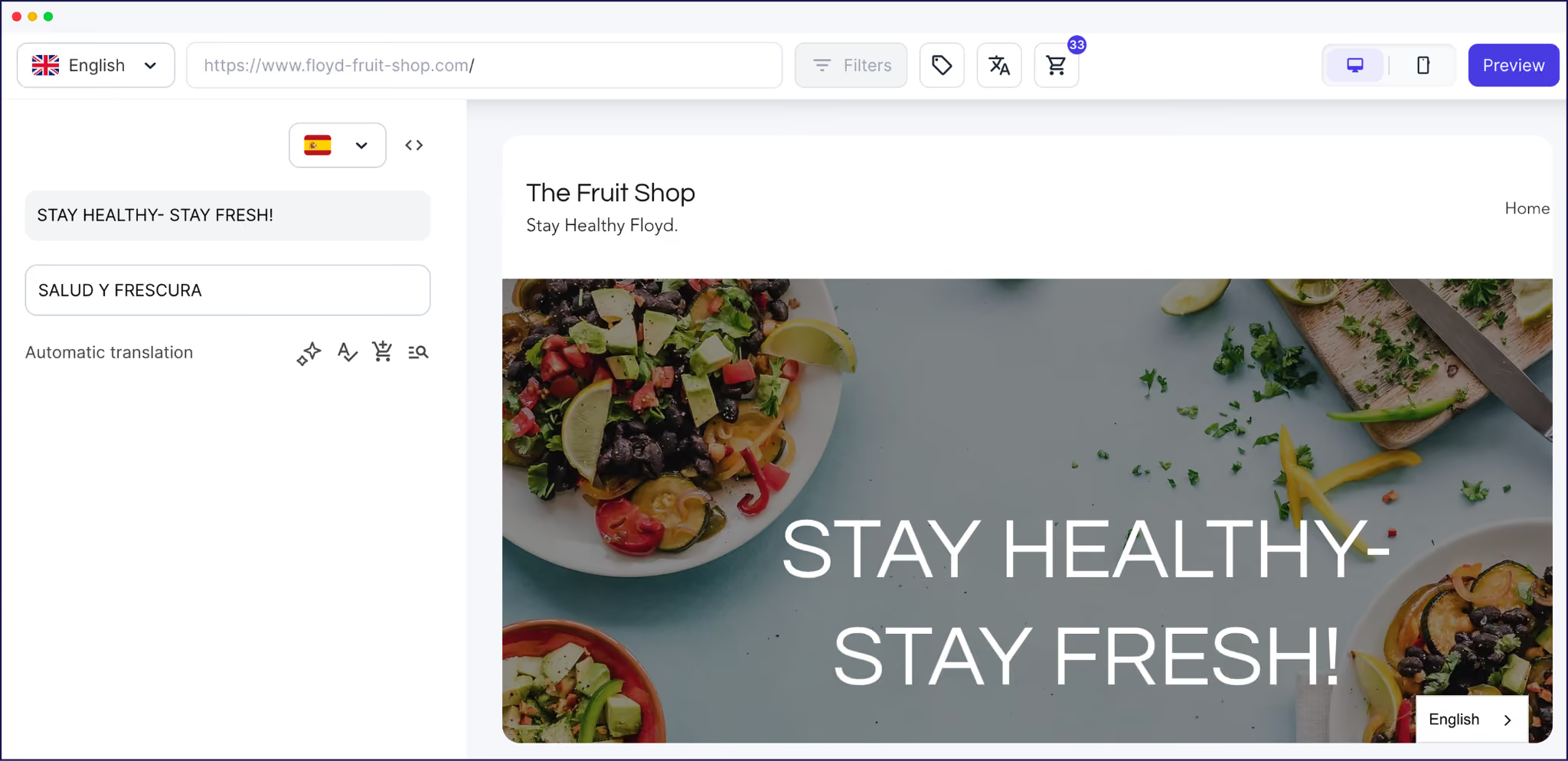
There are two more tools to help you maintain consistency:
Weglot automatically handles both the technical translation and the SEO setup that a manual translation project would need you to configure. While the multilingual SEO specifics depend on the integration type you choose, the more common subdirectory and subdomain installations come with a raft of tweaks:
In a nutshell, fixing a poor URL structure after launch will be much harder than implementing the right one at setup. Weglot's automatic implementation covers all of this without the need for additional configuration.
With translation, SEO, and your URL structure in place, your multilingual site is almost ready. Thanks to the automatic redirection, Weglot will re-route visitors to the correct language version of your site.
However, Weglot also adds a language switcher to your site automatically. By default, it appears as a floating button on your site's front-end.
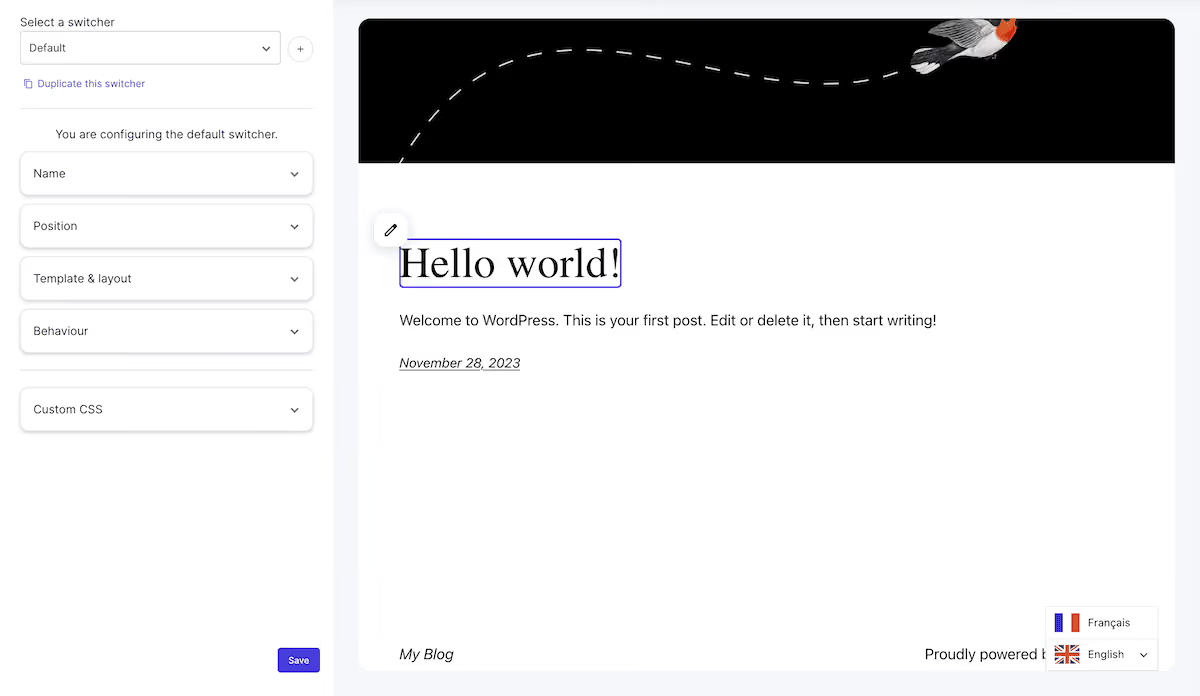
You're not stuck with the default positioning or presentation though. There are several ways to customize the switcher:
Our advice while designing your switcher is to first place it somewhere it will be found: the header and footer are both strong choices; a navigation menu item works well on smaller screens. Also, pick and choose your languages with care as this can clutter the switcher menus and give your visitors a poorer experience.
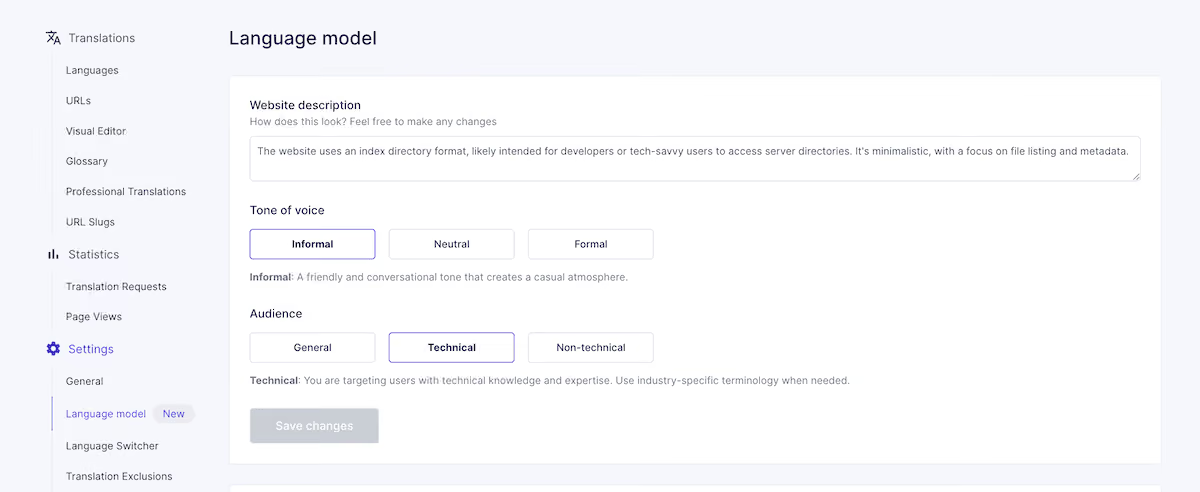
Earlier, we talked about what the first layer of AI translation gives your entire site. The AI Translation Model can be a step further than standard AI translation in a few ways:
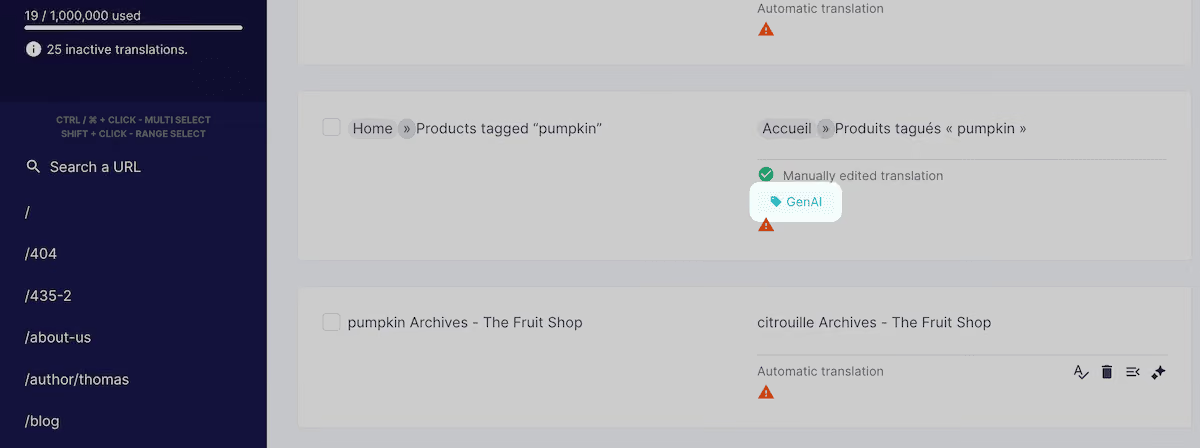
You can see exactly which translations have been processed by the AI Language Model because each one is tagged in the Translation List. That makes it straightforward to filter, review, and manage AI Language Model translations as a distinct group.
When it comes to deciding where to apply a human review of your content, you may consider the following tiered approach:
Ultimately, you get to choose what content uses the AI Translation Model, such as a single page, a specific section, or your entire site in bulk. This is great for choosing what level of care you take over your most brand-critical content.
One of the most overlooked parts of website translation is what happens after launch. Publishing new content will essentially create a gap between your original content and every translated version. Without a system to catch and fill those gaps, a multilingual site's content quality will degrade over time.
Weglot handles content synchronization automatically:
The distinction between launching and maintaining a multilingual site will help you plan your resources. Many Weglot users note how quick the maintenance aspect is, such as The Bradery:
“The biggest win for us is the time we’ve saved. It takes us about ten minutes twice a week to double-check everything is running how we want it. Everything else is done by Weglot.”
If you came to this post unsure of what the website translation process involves, now you know how it works, how much technical work it requires, where AI fits in, and what your team's role looks like.
The process is more structured and more automated than most people expect, but Weglot covers the entire scope. Your job is to shape the output where your brand voice matters most, configure the AI Translation Model to reflect your tone from the start, and keep an eye on new and updated content as it moves through your queue.
If you're ready to translate your site and get back to other business-critical tasks, start your 14-day free Weglot trial and see how far the process takes you.

We’ll get your first languages live. You decide how far you want to go. Try Weglot for free today.
Trusted by 110,000+ global brands





Weglot is tested and trusted by brands worldwide since 2016. Join them today.


Translated versions of this page received 0 visits in the last 90 days

The best way to understand the power of Weglot is to see it for yourself. Test it for free and without any engagement.
A demo website is available in your dashboard if you’re not ready to connect your website yet.


Translate your website first. AI search engines prioritize sources that match the query's language, and our analysis of 1.3 million citations found that translated websites gain 327% more visibility in AI Overviews than single-language sites.
Then make each language version easy to retrieve and cite: give it a dedicated URL, hreflang tags, and translated metadata, and keep translations in sync as your content evolves. Weglot handles that technical layer automatically, so your visibility grows with every language you add.
For the full 5-step process, read our multilingual GEO guide.