

Try Weglot for free


Enterprise translation workflows don’t have end dates. You write the content, get it translated, publish in a few languages, and think you can move on. But then a product page changes or a campaign launches, and the process repeats.
When you’re working with multiple international markets, stakeholders, and sites, these repeats add up fast. Marketing or localization leads know the struggle: copying translations into the CMS by hand, waiting on developers for small updates, or building pages in languages they can’t speak.
In this post, you’ll discover what real enterprises say about where the time goes and why “quick fixes” fall short. You’ll also learn what to use instead for a faster, simpler translation workflow.
Manual, file-based workflows, laggy tools, and hidden costs all waste time that enterprise teams don’t have. So they turn to AI systems and hope more automation will fix it.
But faster translation alone can’t fix broken processes.
Here’s what real teams told us about their flawed setups before they changed how they work.
The classic setup (export content, send to a translator or an agency, wait, review, and publish) takes a long time. Then you have to do it all again for every new language, update, or change.
One team described the middle of the loop like this:
“Manual process sucks. We’d send it out to the translator, they’d send it back, we’d QA it, and then my boss and I are manually copying and pasting every tiny thing. It took forever.”
What stands out is that translation itself isn’t the pain point here. As another team put it, “the issue is getting the translation into the website”. Every handoff adds time, while every manual intervention is an opportunity for error.
And the size of the change doesn’t make much difference to the time spent. One company pointed out that even minor updates still needed a ticket, which was “still sort of a pain”.
Tailoring every page for each language drains content and marketing teams’ time and resources, especially with the volume of sites and target markets enterprises deal with. Add 9 stakeholders with differing opinions, and a simple launch becomes a bunch of parallel builds.
One team summed it up in 4 words: “It’s just not productive.”
Another team was building pages in languages their marketer doesn’t speak, with no way to QA them. The result was “lots of manual work we want to cut back on”.
Many teams rely on colleagues who speak the language, often in sales or engineering. But reviewing copy is “not their job”, so pages sit in a queue until someone finds the time. And the results read like a word-for-word language swap that misses cultural nuances rather than a localized adaptation.
When translation doesn’t keep up with source content production, visitors land on pages that are half-correct or outdated. While your primary-language site moves on, other markets’ websites fall behind.
As one organization shared:
“Right now, half of the stuff is not translated into what we have on our English version.”
The same goes for the SEO layer. Meta titles, descriptions, and hreflang tags have to be kept up to date in every language, and one team that switched plugins found their translated pages weren’t indexed at all.
Incomplete translations can also keep readers from finding your site at all. Our research shows that AI search favors results in the user’s query language, so untranslated or out-of-date pages are less visible.
Going all-in on AI and automated translation workflows isn’t a clean fix either. Fully automated tools with no quality checks, localization process, or review steps produce pages that are technically translated, but not always accurate. One team even switched off automations after German customers complained about translation quality.
When every translation has to go through developers, your content calendar ends up tied to the scarcest resource on the team.
One team described engineers exporting translation keys and pasting them into the code by hand. They called it the “biggest pain” of the whole setup.
Review processes were also disjointed, with text lacking UI context, so reviewers checked strings without knowing where they’d appear on the page.
Another company said that working with an outside provider meant extra dev work to get translations onto the site. Nobody’s primary role is to handle repetitive tasks like pasting files into a codebase (what a job that would be), so launches inevitably get delayed.
The full cost of huge volumes of manual translations rarely shows up on a single invoice. When you don’t have visibility into each cost, small inefficiencies add up quickly.
For example, one team translating 29 million words blamed their workflow confusion on a lack of cost transparency:
“Are we reusing the word, or are we paying for the same word again and again? Are we overpaying?”
All they wanted was better quality at a lower cost.
Another organization called the price of their 100% human translation platform “hefty”, with hours spent gathering the details, files, and specifications for the job. They then ended up using less than half of what they paid for.
Enterprises tend to believe the remedy for slow, manual workflows is a plugin or built-in CMS tool. But these “quick fixes” often end up multiplying small glitches across every page, language, and site.
Here’s what real enterprise teams told us they tried before looking for something better:
| The Fix They Tried | Where It Broke Down |
|---|---|
| Plugins and CMS-native tools | Teams called them “slow, glitchy, hard to audit” and “very slow, very messy”. One plugin was “not at all” user-friendly, with every custom page and meta field ID copied in by hand. Another team’s machine translation step broke page formatting and jump links. |
| Google Translate widgets | One team called it “honestly, a band-aid”. Another couldn’t add languages because the dropdown had been deprecated, and one found it unavailable in China. |
| Switching tools | Teams were afraid of losing approved translations they’d already fixed, so moving off a tool that wasn’t working felt risky. |
| Raw AI translation with no review step | Quality was “not so good” without human expertise. Brand names got translated, and one team didn’t have the resources to proofread 600 articles one by one. Another kept seeing “the same mistakes over and over again” because their set terms were deleted with updates. |
| Provider support | There’s often a “lack of human services”, meaning teams can’t get help or advice even after multiple issues. One team described onboarding as “rocky”. |
An effective translation workflow needs the speed of AI, plus the control to review and fix its output.
Adding Weglot to your enterprise workflow removes manual processes, so your team can spend time improving translations and controlling what goes live.
Take a fictional software enterprise that publishes multilingual content across a marketing site, docs hub, and help center in 11 languages. Here’s what its workflow looks like with Weglot.
When the team publishes a release page or support article, Weglot detects the new content and translates it automatically.
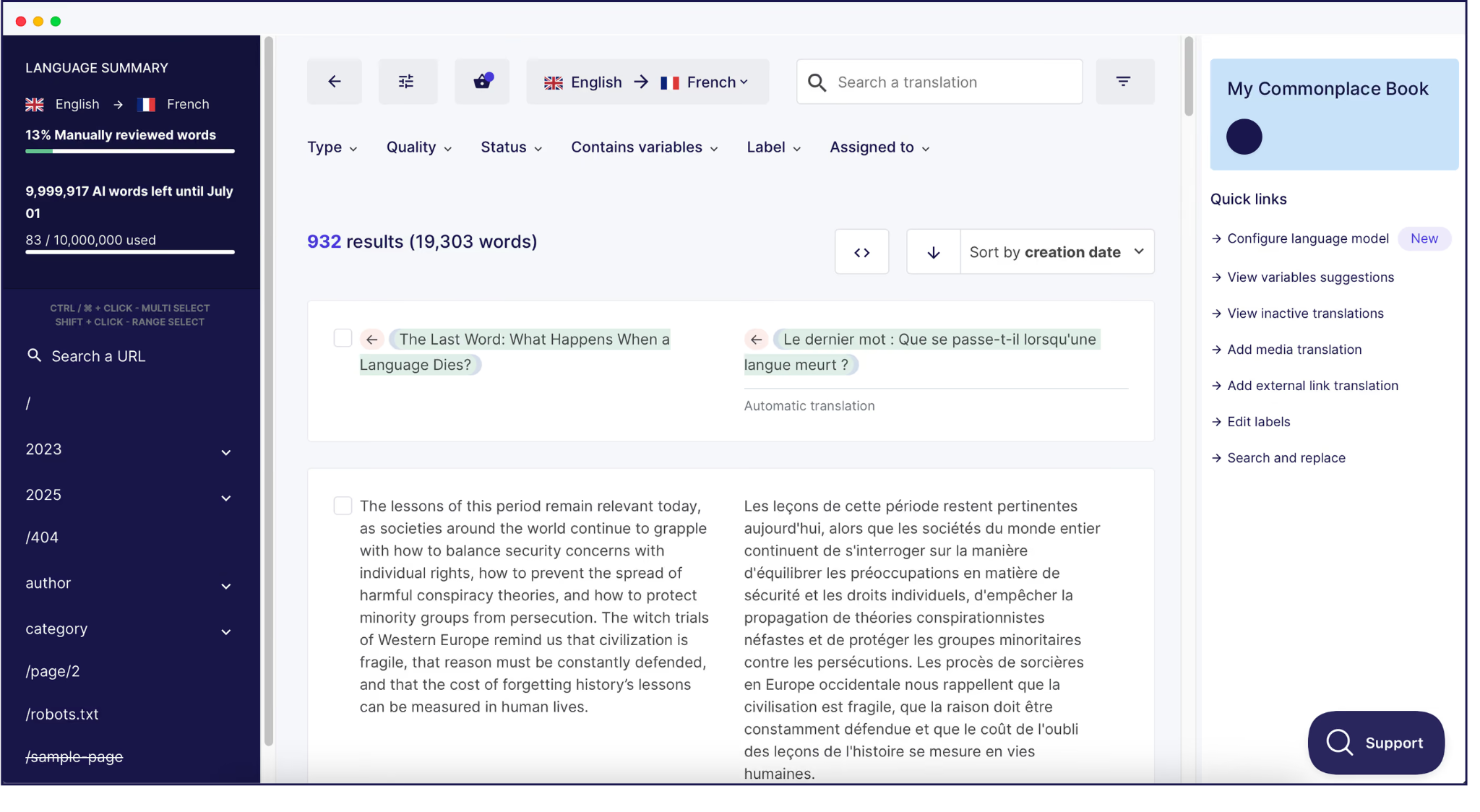
That means the team skips the exports, the copy-and-paste, and the developer ticket.
Every page starts with Weglot's AI translation. For pages that need more of the brand's voice, the team improves them using the generative Weglot AI Translation Model, which learns from their brand description, glossary, and past edits.
The team then edits what matters (e.g., “too literal” landing pages that need a more nuanced brand tone or context).
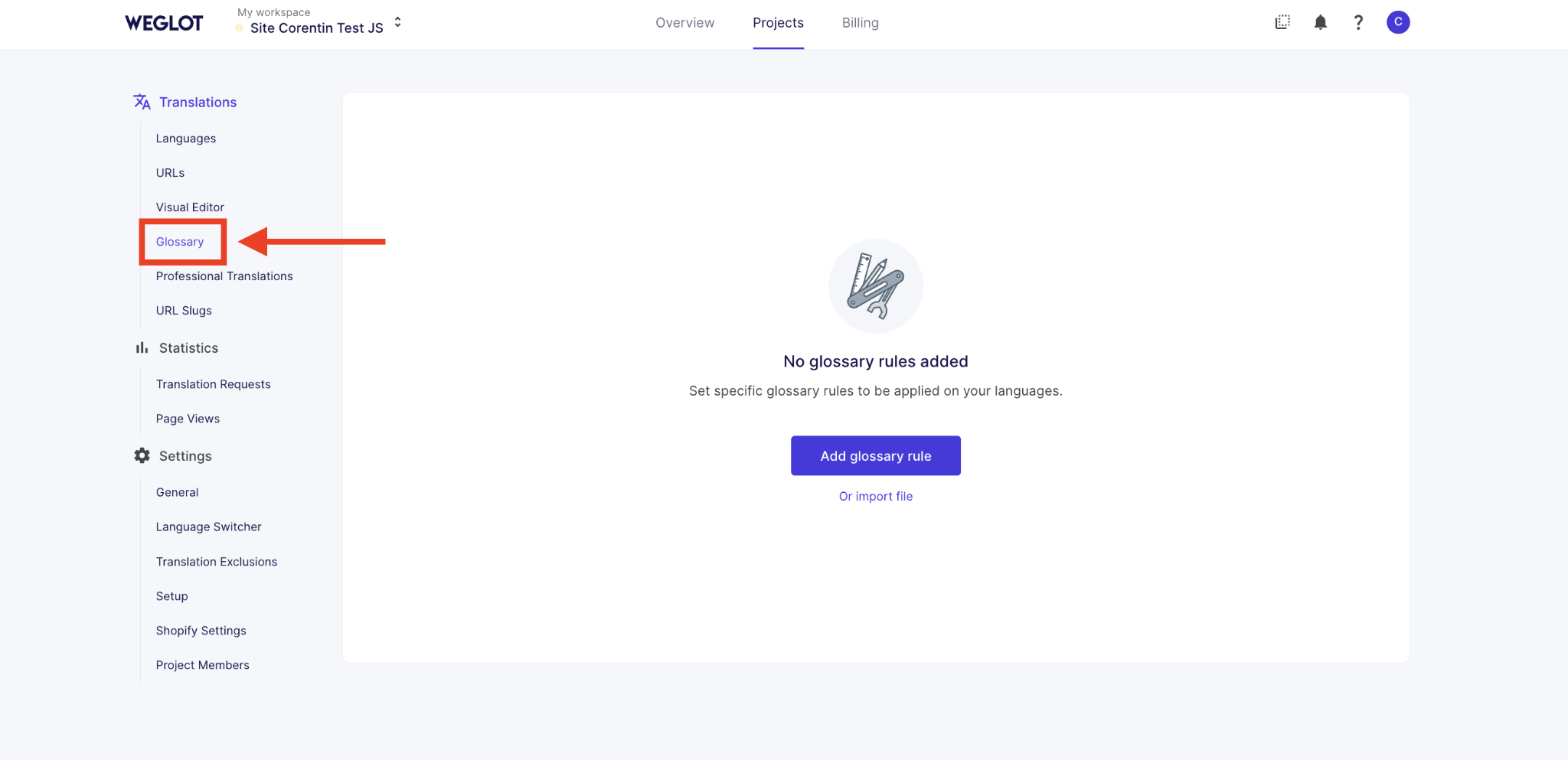
Brand language and product names (e.g., “Flowboard”) go in the Glossary once for terminology management. That way, Weglot always translates support and marketing materials consistently or leaves them alone.
Our example company adds native speakers in Berlin and Tokyo to Weglot as teammates with roles and assigned tasks. Think of them as language captains. AI does the first pass, so these employees only review the pages assigned to them – in context – and fix what matters.
It fits into their week instead of becoming a second job.
These teammates edit in the Translation List or Visual Editor. Nobody has to touch any code repositories.
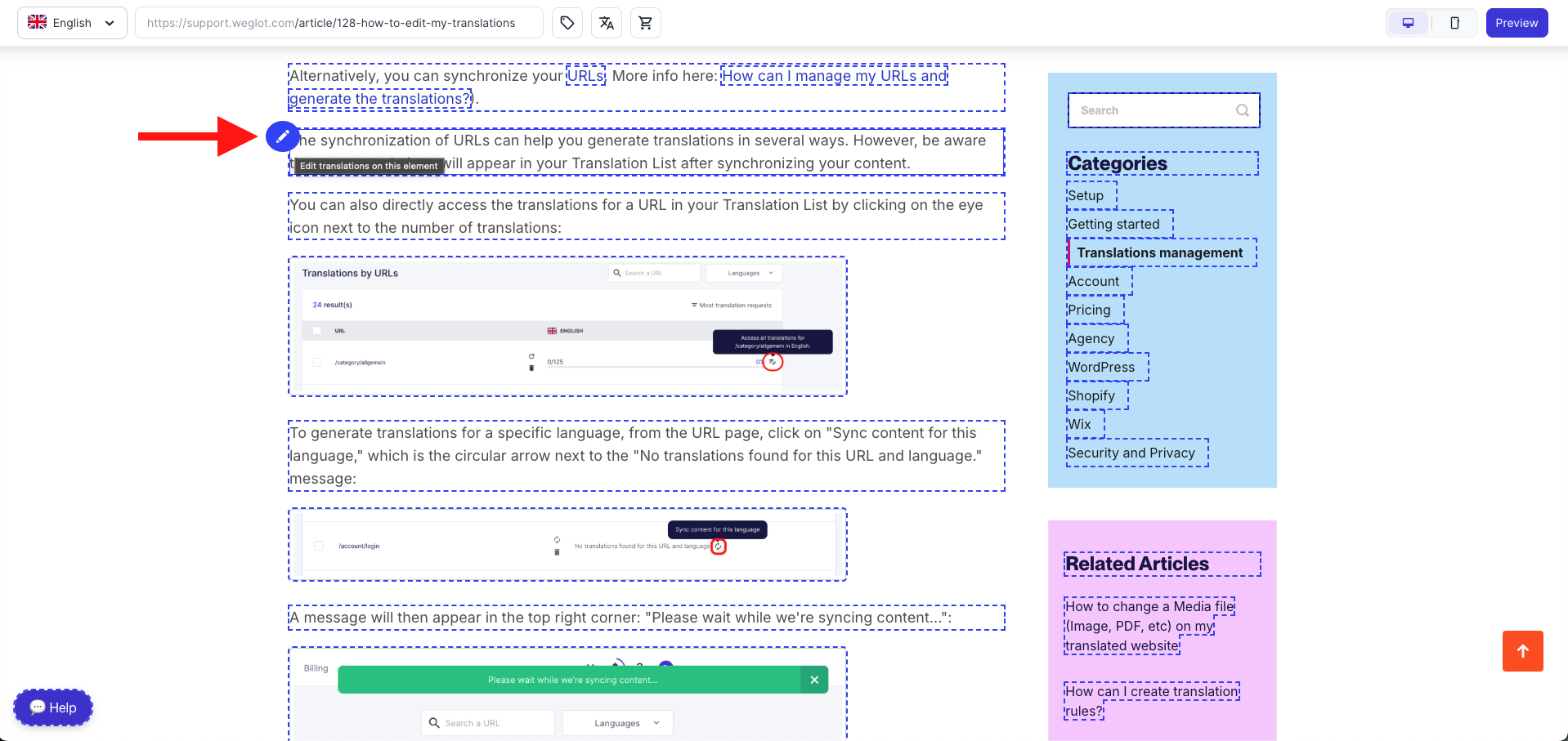
Everything lives in one Weglot Dashboard, so the team can review translations, SEO metadata, and media files together. Weglot also translates SEO metadata and adds hreflang tags automatically, so nobody has to maintain them by hand.
Finally, the organization can control the time and resources spent on different types of translations.
Translation Exclusion allows the team to designate specific words, blocks, or URLs (e.g., code snippets) that should remain untranslated.

Weglot’s translation variables feature controls word count by merging similar, repetitive strings into a single template translation, rather than counting each as a new word.
Routine pages like release notes or internal communications can get a light touch from the AI translation. And high-stakes pages, like legal or pricing pages, go to a specific human reviewer or professional translator.
Real-world example: Learn how Fortune 500 company NCR launched 12 languages on Webflow in under a month, adjusting only around 40% of the overall content.
Not sure how your current translation workflow management setup measures up? A few questions can help you pinpoint your biggest bottleneck.
For example:
Say your bottleneck is getting updated translations onto the site. Look for automatic content detection and sync, so updates don’t wait on exports or tickets.
Or maybe you’re paying more than you’d like for repeat content. In that case, ask your provider how they handle translation memory and exactly what you’re being charged for.
Helpful KPIs for tracking workflow performance include:
| Enterprise Translation Workflow KPI | What It Tells You |
|---|---|
| Turnaround time | How long it takes from a source change to the translated page going live |
| Translation coverage | The share of your site that’s translated and up to date |
| Time per update | Hours spent per update and how many people are involved |
| AI correction rate | The share of AI-powered translation that needs human correction |
| Cost per repeat word | What you pay for previously translated content (if you work with agencies) |
Check these numbers regularly to measure any change in your process’s efficiency. Start with a couple to keep things simple. For instance, turnaround time and translation coverage are easy metrics for gauging whether things are improving.
Start by identifying your translation pain points. Pick one page that changed recently, then trace it from the source edit to the live translation. Write down every handoff, who touched it, and how long it took.
This one trace will show you whether the problem is getting accurate translations onto the site, controlling quality, or knowing what you’re paying for. And it usually confirms what the real teams quoted in this post found: the problem is the workflow.
When you’re ready to drop the manual steps, talk to our team about Weglot for Enterprise. We’ll walk you through what a better automated translation process looks like.

We’ll get your first languages live. You decide how far you want to go. Try Weglot for free today.
Trusted by 110,000+ global brands





Weglot is tested and trusted by brands worldwide since 2016. Join them today.


0 visits from translated pages in the last 90 days.


Most are manual and file-based: export the content, send it to a human translator (or multiple translators) or an agency, run quality assurance (QA) on the results, then copy it into the site.
Many teams add a plugin or content management system (CMS) tool to their existing tech stack. But updates still need handoffs, so pages end up untranslated or out of date.
Yes. Even with AI-powered translation workflows, professionals should be involved where human translation expertise matters most, like pricing, legal content, and key campaign pages, or anywhere cultural references call for extra care.
For everything else, AI translation with additional human oversight is usually faster and cheaper.
It isn’t essential for high-quality translation projects, but it’s hard to keep up at enterprise scale without it. A first layer of AI quickly gives you a usable version of every page.
If you’re worried about translation quality, our 2022 study of 5 neural machine translation engines found that website translations mostly need minor editing. The key is maintaining quality and control through a glossary, review, and human judgment.
It depends on the number of sites, languages, and reviewers. But multilingual content doesn’t have to take months with the right enterprise automation tool.
For instance, NCR launched 12 languages on its Webflow site in under a month with 6 in-country marketers editing.
Not always. A TMS manages translation projects by automating content routing and project tracking across many content types, like document translation and software localization.
If most of your content lives on sites, a website translation tool like Weglot can detect, review, and publish it without the extra layer of files and handoffs.