Try Weglot for free





There's a persistent idea that going multilingual takes time, money, and needs developer input to be optimal. In fact, this misconception shapes how many businesses think about international growth and keeps them from acting.
However, despite there being a little truth in this at times, for most situations, it's based on an old version of reality.
Website translation can be a huge project that involves commissioning duplicate sites, coordinating with professionals, handing the result to a developer who has to wire it together, and ongoing maintenance. Every new page or product update essentially restarts the cycle.
This model isn't the default anymore, though. The reality is that you can take your website from monolingual to multilingual in a single working day using Weglot, without changing your site's architecture or writing a line of code.
Ask most marketing teams why they haven't launched in a second language yet and you'll hear some version of the same concerns:
Every one of these concerns is a reasonable reaction, especially when you consider a typical (or traditional) approach to website translation:
When you look at the whole workflow and required maintenance, it's easy to consider it a burden convincing enough to make the investment not worth pursuing. In reality, the decision to go multilingual is often made in principle, gets pushed back, and then deprioritized over other business-critical tasks.
Meanwhile, the opportunity cost keeps building. Research shows that a majority of shoppers hardly ever buy from English-only websites, and would also pay more if a site supports their native language.
Looking at the opportunity in front of you and combining this with a typical workflow, you can get an idea of what a suitable solution looks like:
This is exactly what Weglot does, and it's why a multilingual launch is now a day's work rather than a quarter's project.
Before you jump in with both feet, it's worth spending a few minutes thinking about some decisions to make the setup more useful from the start:
If you're launching your first additional language, subdirectories are typically the right default. Of course, you'll also need a Weglot account. The 14-day free trial requires no credit card and you can have your site live in new languages before you commit.
To launch a multilingual website in a day, you need a solid structure. We're going to run through what the morning, midday hours, and afternoon can look like.
In fact, the first part of the day could be all you need, so here's what your morning has in store.
Once you register with Weglot, you'll see the onboarding wizard. This runs you through the project setup steps in sequence.
Weglot is compatible with any CMS, for which there are a number of guides within the Resources Center. There's also a general integration guide, which covers the basics of the onboarding wizard.
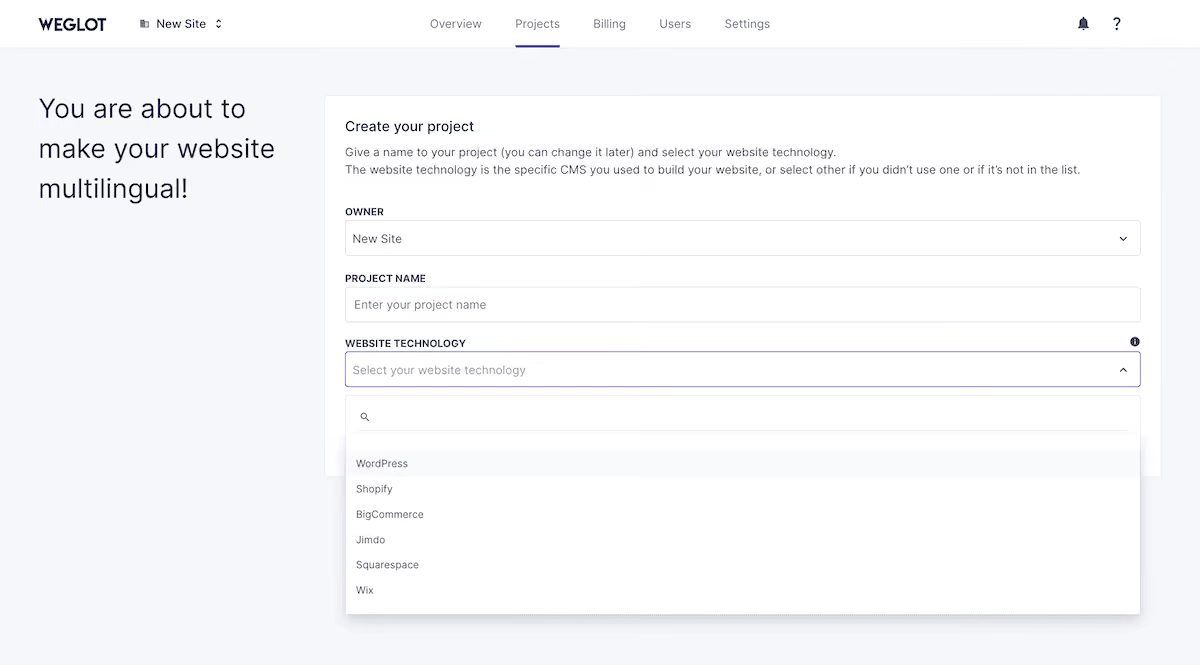
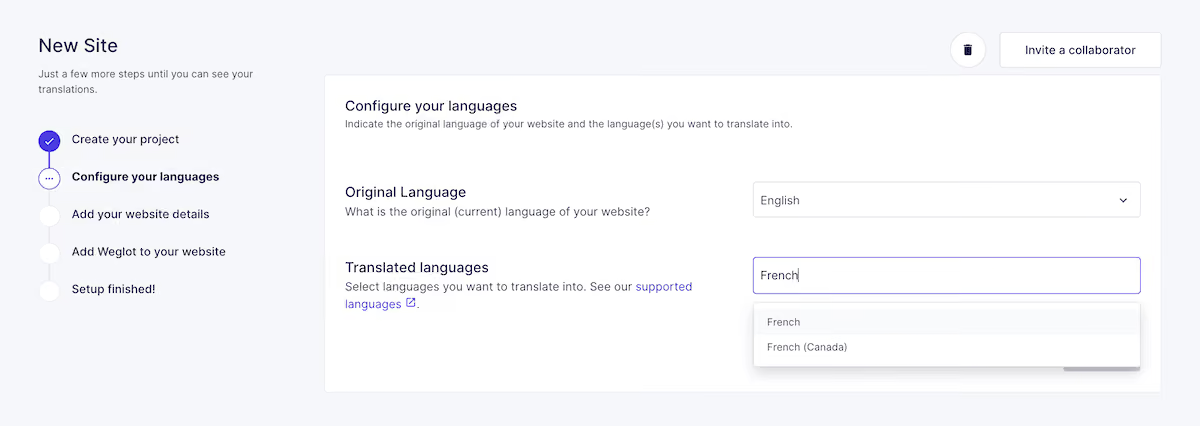
The following screen is where you set up your domain and URL structure. There are a number of permutations and options here, but given that we're building a multilingual site in a day, stick with connecting to a live site and choosing the subdirectories structure. In fact, it's important to make a deliberate choice over your structure here rather than changing it later, as reconfiguring it all after the indexed pages exist creates unnecessary redirection work.
The final part of the onboarding wizard is to enter the Weglot DNS entries into wherever you host your domain name, then copy the JavaScript snippet for the next step.
Connecting Weglot to your site takes a few minutes for almost all platforms and won't require any changes to your original site's code or structure. For WordPress, grab your API key under the Settings > Setup screen within Weglot, which connects it to your site.
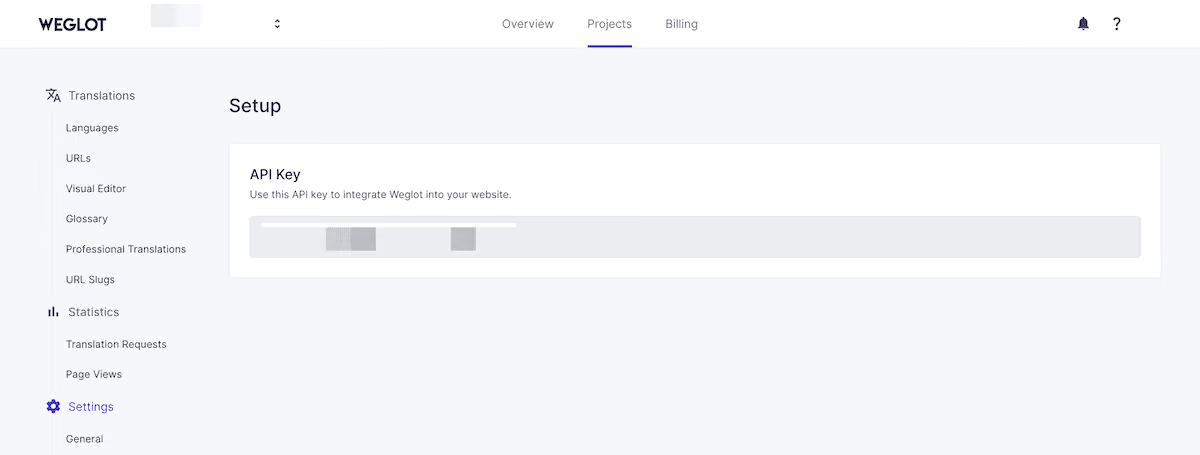
It goes directly into the plugin settings, but for all other platforms, it's embedded in the JavaScript snippet Weglot generates for you. This lives in your HTML <head> tag.
Once Weglot connects, it scans your site and translates everything it finds. This also covers the content that often gets overlooked, such as page titles and meta descriptions, image alt text, form labels and validation messages, checkout flows, error messages, and content loaded dynamically by third-party plugins.
The translation engine draws on a combination of DeepL, Google Translate, Microsoft Translator, and Weglot selects the best engine for each language pair.
Rather than translating strings in isolation, it scans the entirety of your site, translates it, and displays it live on dedicated URLs, with hreflang tags and translated metadata already in place.
"We've seen undeniable time-saving through Weglot's instant translation. If a modification is made on a product page, we know that it's automatically translated and live on our multilingual pages." – Sophie von Kirchmann, E-Store Manager, Polaar
At this point, your site's new languages are live. The translation is AI-generated, and it's a complete, indexed, and SEO-ready set of language versions. You can set your translations to private mode and start editing, or if not, your site is ready to be visited by international customers!
From here, the work is about refinement and translation quality. But before that, though, there's one more step to complete for the morning.
It’s at this point, your morning hasn’t even begun, and you’ve already got your multilingual website live…in less than 10 minutes.
If you look at the front end of your site, you'll spot a language switcher. It's fully functional and visitors can click it to switch between language versions. However, taking a few minutes to configure it properly can make a difference to your international visitors' experience.
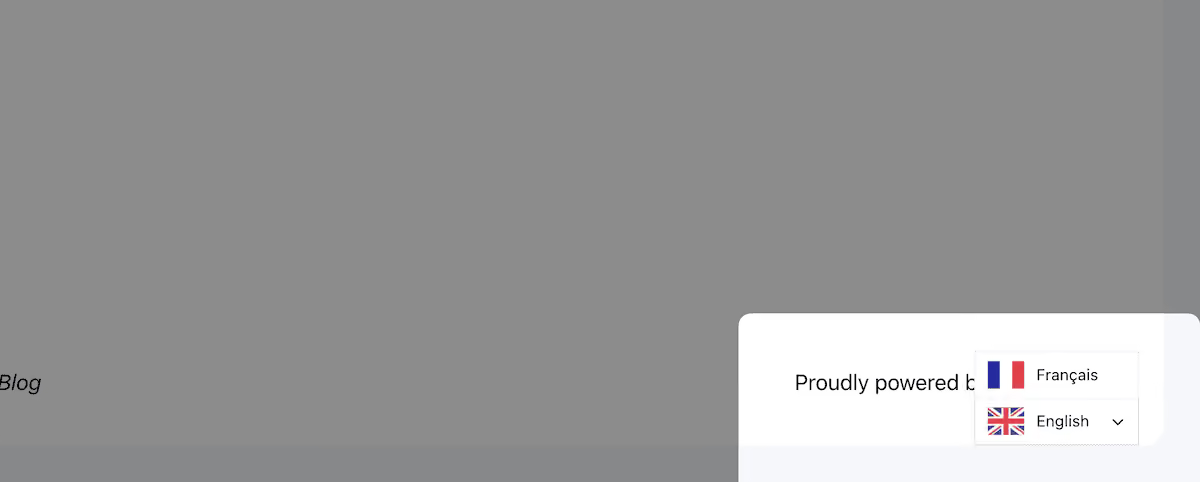
To customize it, head to Settings > Language Switcher > Switcher Editor within Weglot. This takes you to a live preview of your site where you can drag and drop the language switcher and select from a variety of visual aspects to change the appearance. There are a few common options to work with:
If you want to take the design further, such as matching typefaces, colors, or button styles, you can employ custom CSS. There's also a dedicated language switcher visual editor if you prefer to drag the switcher to your chosen position on the page and preview design changes in real time.
With your site translated and your language switcher live, you could stop here and move onto other tasks. For many sites, this will be perfect in many cases.
However, there's more you can do to refine your translations and presentation. This midday session is about making sure the pages driving conversions are working in an optimal way.
A key setup task of the midday session involves Weglot's AI Translation Model. This uses OpenAI and Gemini to learn from your brand description, tone of voice, target audience, and any custom instructions you define.
Configuring it now means you can instantly apply it across your site (or on specific pages) for an improved translation output starting immediately.
Your custom AI Translation Model suggests, learns, and implements your brand voice to give you translations you can trust and, importantly, ensure you sound like your brand in every language, without needing to add human review into your workflow.
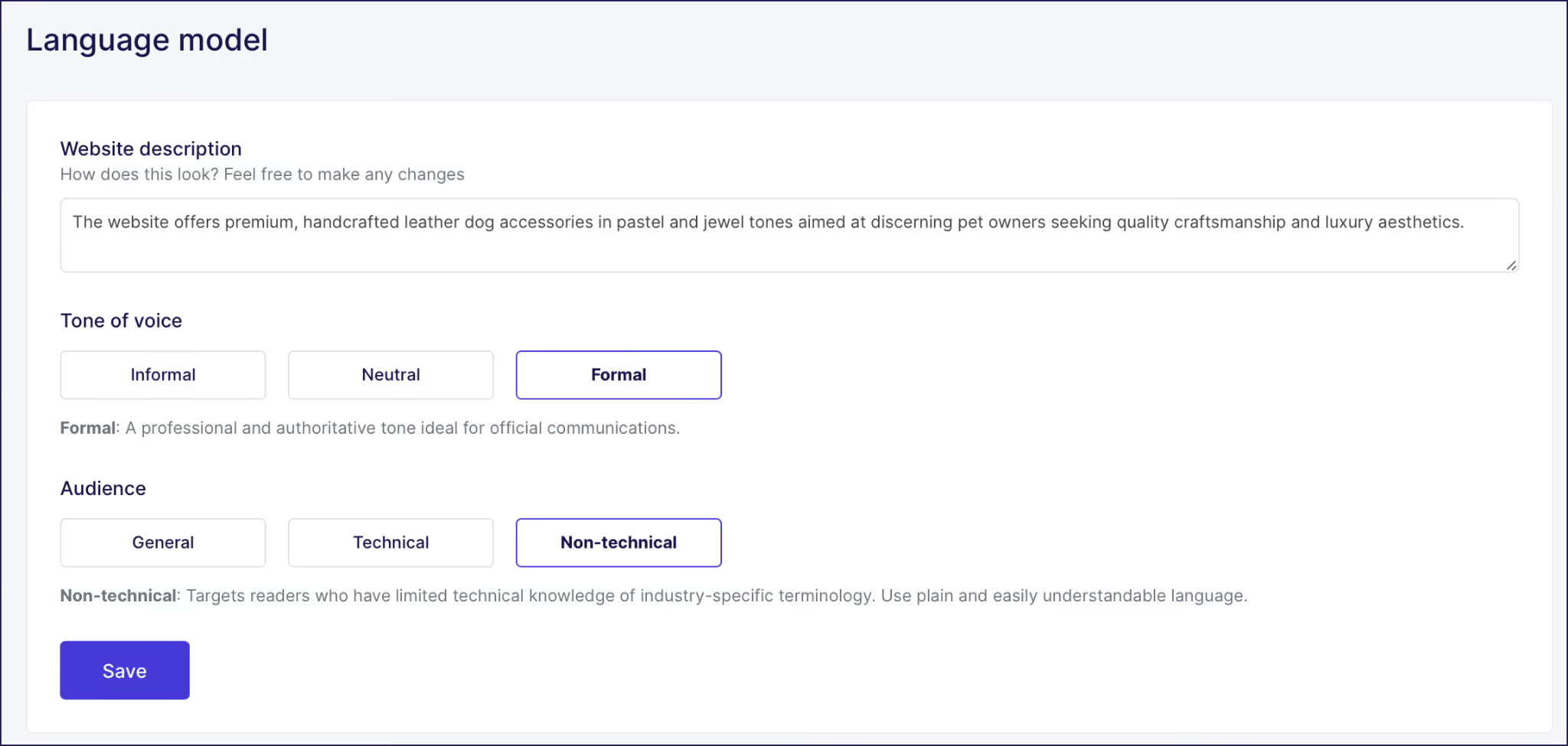
To set it up, head to Settings > Translation Model. Weglot pre-fills an initial brand description based on your website's content that you can refine, add your tone of voice instructions to, and incorporate your Glossary rules with.
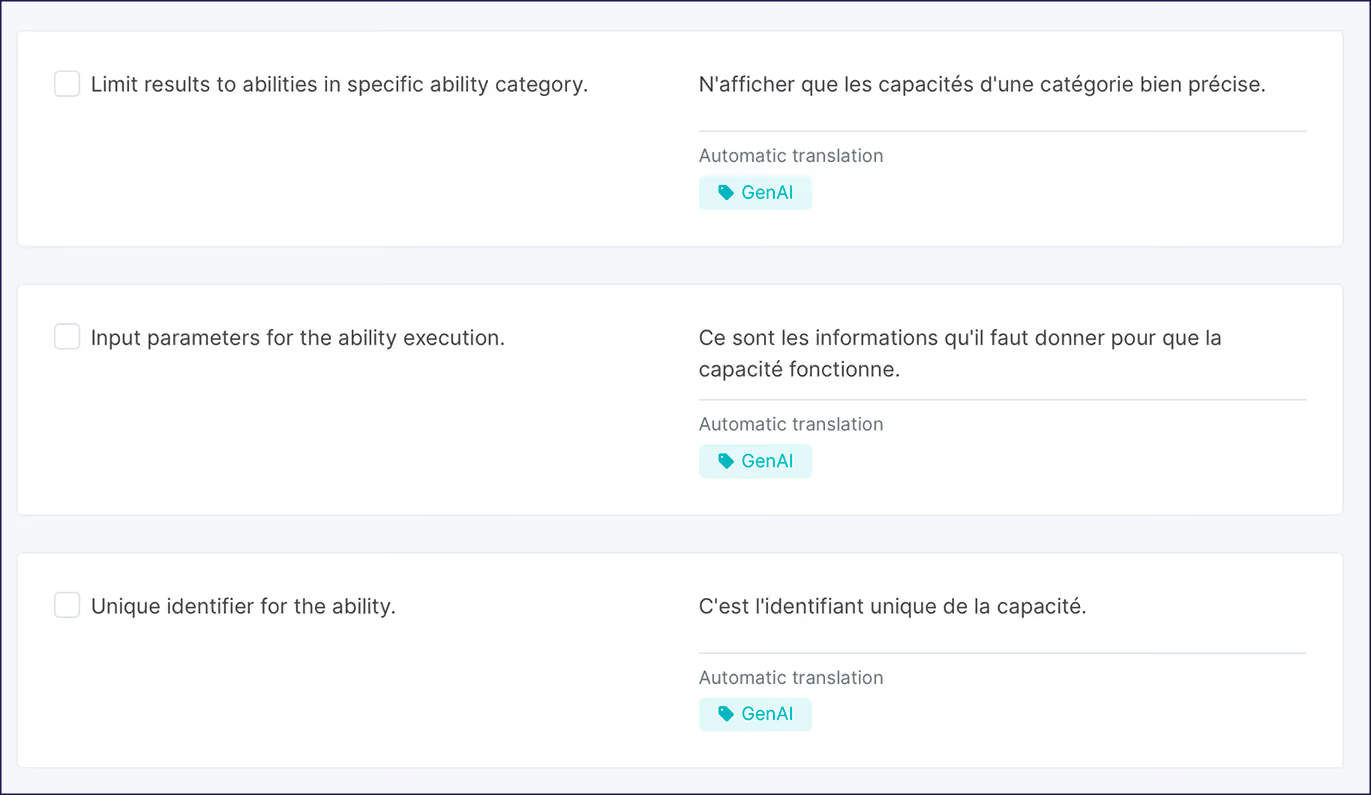
You can also apply the model to existing translations in bulk from the Translation List by selecting strings and clicking Improve with AI:
If you want to add a human review layer, we suggest taking a layered approach. Start with the highest-converting pages, such as the home page, primary product or service pages, and your landing pages, and put your best efforts into the revenue pages.
The Translation List shows every translated string line-by-line. You can filter by URL here to focus on a specific page, edit strings inline, flag them for a second review, or send them to a teammate. This is the ideal tool for working through a large number of strings.
The Visual Editor shows a live preview of your site, so you can navigate through your site and make changes on key pages, knowing exactly where the content lives.
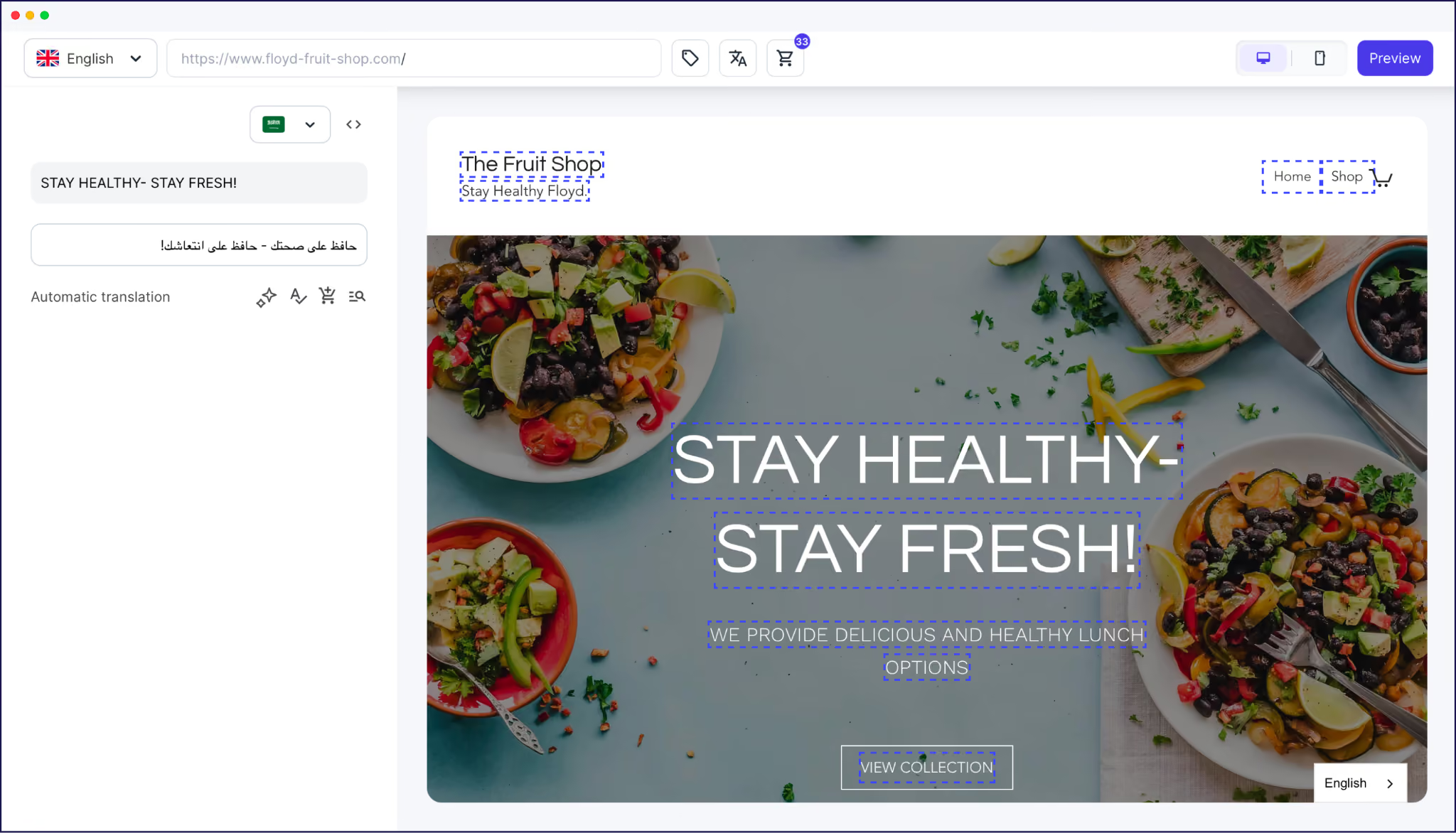
The Translations List gives you a different view, filtered by URL. Use the option you feel most comfortable with; they both allow you to edit with the same functionality.
There are two more tools that help you protect your brand's voice at the level of specific words and content blocks:
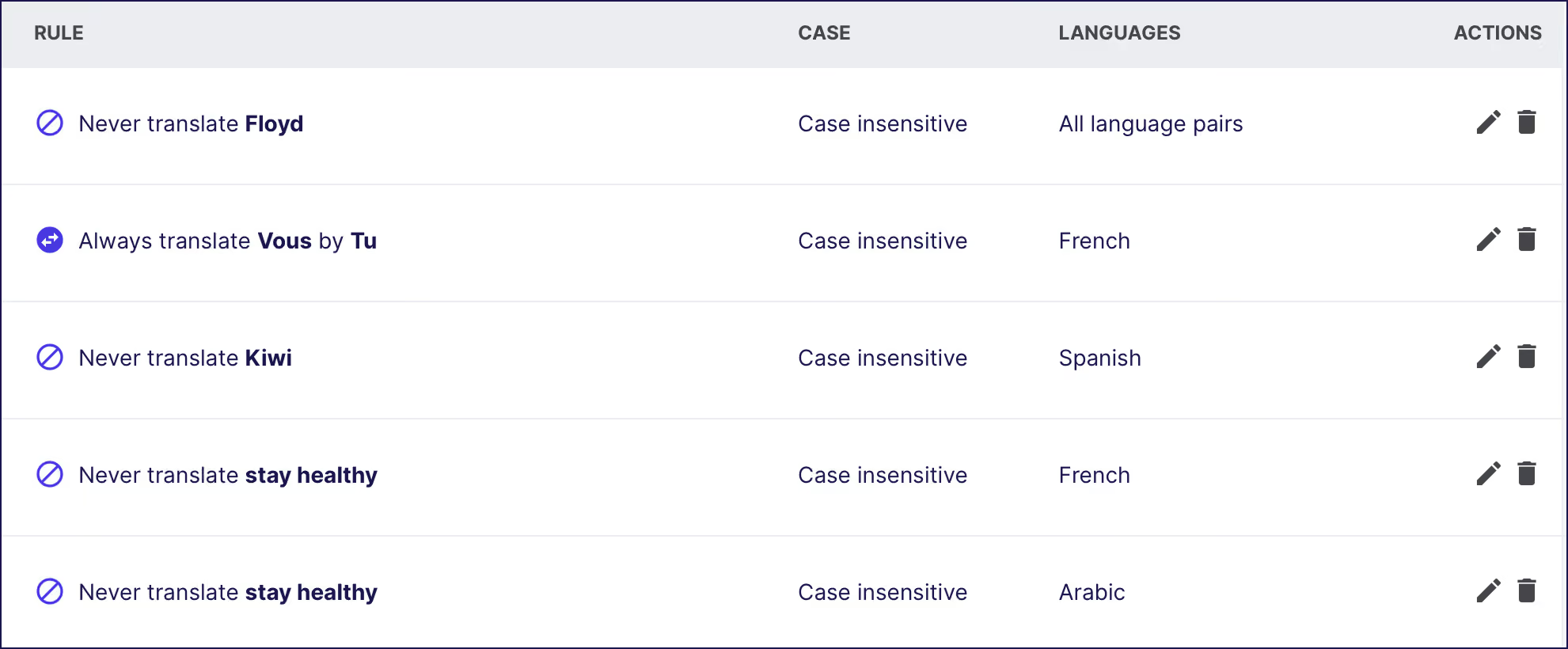
For each Glossary entry, you set one of two rules: always translate using an approved equivalent you specify, or never translate at all. Rules you set apply retroactively across every existing page and automatically to any content you publish in the future.
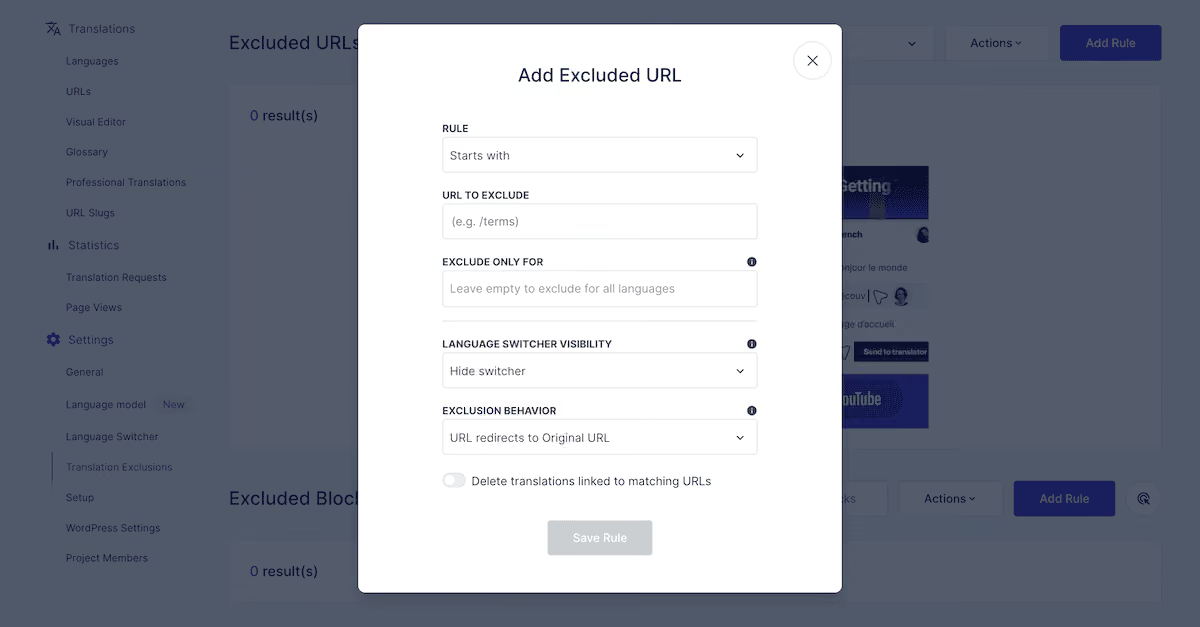
You can find Translation Exclusions under Settings > Translation Exclusions. You're able to remove an entire page from translation, protect a section of your layout using a CSS selector, or block specific content from being picked up.
Most of the hard work was done during your morning session, but testing the site as a real visitor still needs your attention to walk through every path that leads to a conversion.
For an ecommerce store, this involves selecting a product, reviewing the description, adding to cart, and completing a purchase. For service businesses, it means looking over your pricing page, the sign-up flow, and any onboarding or support content a new customer encounters early.
"Our company grew rapidly, which means our target markets multiplied faster than expected. The only way to keep them engaged was to localize our website into multiple languages as fast as possible. And Weglot did all of that for us with minimal effort on our part."
— Polina Usynina, Respond.io
As you go, you're looking for three specific categories of issues:
Once you're satisfied, you can submit your updated sitemap to Google Search Console, then confirm pages render andreflang tags appear correctly. This 'baseline record' is useful when you start tracking organic performance from your new markets and want a comparison point.
With the verification complete, you can start to announce your new language additions to your visitors. A good starting point is to post to your social media channels and send out a newsletter.
If you already have customers in the target market, a short direct message in their language carries more weight than a general announcement.
However, it's your maintenance and refinement that determines how much value these translations generate. Of course, Weglot detects and translates new and edited content into all active language versions without any manual trigger.
However, in the first few weeks after launch, you'll notice patterns emerging. For example, specific terms might translate inconsistently. Each of these is a Glossary rule or AI Translation Model instruction waiting to be defined and will deliver more value based on what you view during this crucial period.
Also, if you're seeing more impressions from a new country in your analytics, direct customer requests, or strong conversion performance in your first target market, this might be a good time to enter a new market. You can simply start part of this workflow again, which will take even less time now you have the infrastructure in place.
Going multilingual is now on its shortest timeline than ever before. What once required months of coordination now fits into a working day. In fact, it could fit into your morning without cutting any corners.
Weglot handles the technical infrastructure that makes multilingual content discoverable in search, the first-pass translation of every piece of content on your site, content syncing that keeps language versions current, and the tools to build translation quality over time. Your job is to bring market knowledge along with knowing which pages to prioritize and how your brand should sound in a new language.
If you have a live website and a market in mind, Weglot's 14-day free Weglot trial is available without the need for a credit card.

We’ll get your first languages live. You decide how far you want to go. Try Weglot for free today.
Trusted by 110,000+ global brands





Weglot is tested and trusted by brands worldwide since 2016. Join them today.


The best way to understand the power of Weglot is to see it for yourself. Test it for free and without any engagement.
A demo website is available in your dashboard if you’re not ready to connect your website yet.


No! Weglot creates separate URLs for each translated language version, which means your original site's content, rankings, and performance are entirely unaffected. Translated pages build a ranking history once they're live.
Yes! All target languages selected during setup go live when the first translation scan completes. There's no requirement to stage the rollout by language, though starting with one or two and expanding is a practical and sensible approach.
Start with the pages closest to conversion: your home page, product or service pages, pricing, and any active landing pages.
Weglot detects changes and re-translates the affected strings automatically. Manual edits and Glossary rules are preserved and applied to the updated translation.

.avif)