Try Weglot for free





Choosing a multilingual website platform starts with deciding on the type of tool you need. Solutions fit into three main categories – CMS platforms, website builders, and specialized translation tools. Each offers global business different workflows, feature sets, and levels of control.
Pick the wrong route and you’ll find problems instead of the answers you were looking for. It’s common to hear of plugin conflicts, broken URLs, and zero impact on international SEO – negatives that are usually avoided simply by doing your homework. But choose well and your translations stay searchable, editable, and portable as you grow.
This decision framework gives you the knowledge needed to invest in a platform that matches the needs of your own organization. Read on to be able to make your choice with confidence – and be able to justify your investment both now and in the future.
Multilingual website platforms are tools for publishing and managing content in multiple languages. As we’ve seen, they fall into three categories:
Let’s take a look at these three options in greater detail:
Content Management Systems (CMS) give you deep control over multilingual sites, but each one takes a different route. WordPress relies on translation plugins and tools, which means huge flexibility, lots of integrations, and very different UX depending on what you install.
Drupal and Joomla ship with multilingual features already included, so languages, menus, and content types tie into a single configuration model rather than separate plugins. Headless CMS tools such as Contentful and Storyblok add more flexibility, but they need developer time to ship a complete multilingual frontend.
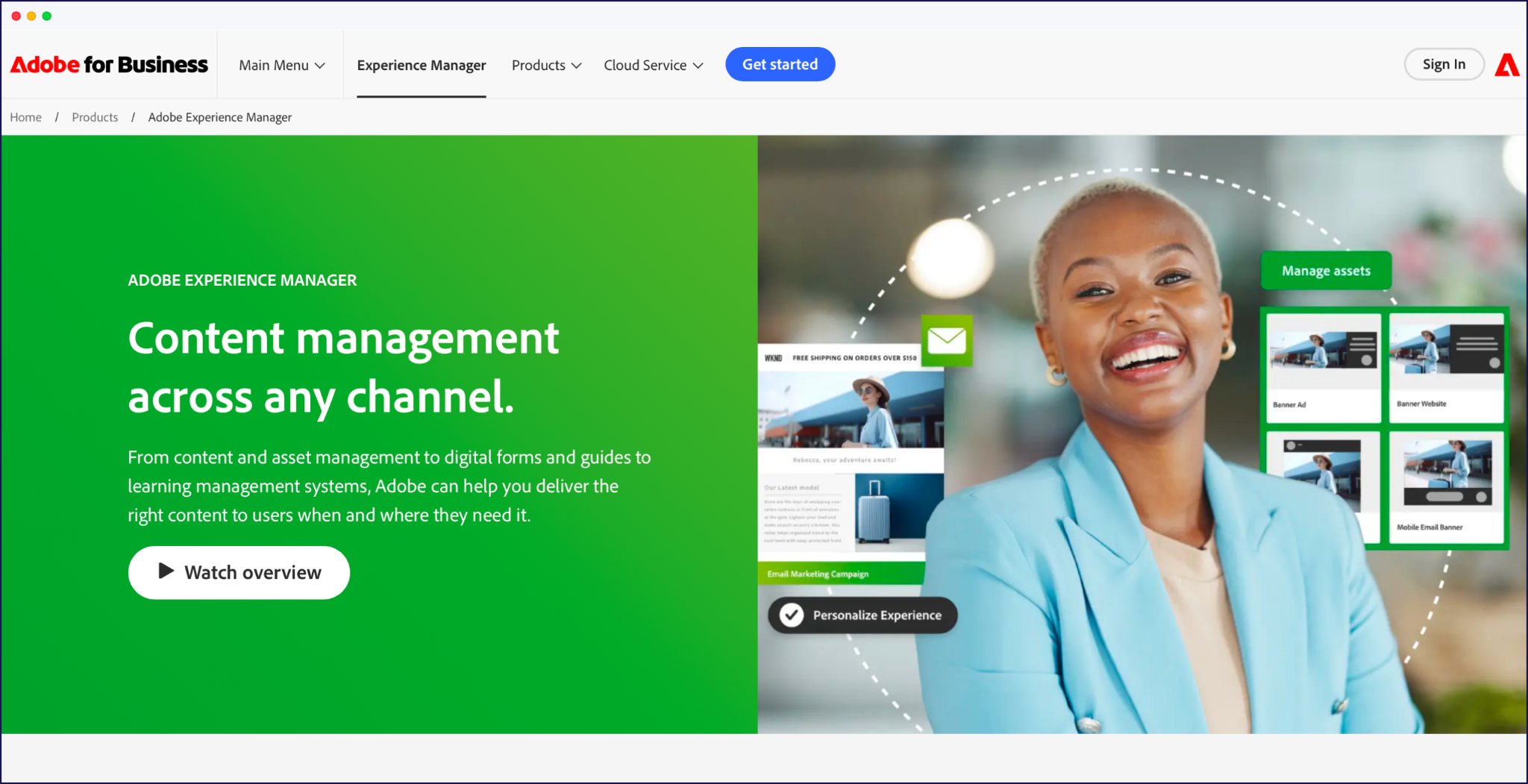
For many teams, WordPress wins on ecosystem, choice, and available support, while Drupal and Joomla offer more customization options ‘out-of-the-box’. At the enterprise end, platforms like Adobe Experience Manager and Optimizely add granular workflow, approvals, and localization rules across large content libraries, but they need specialist teams to run them.
Best for: Content-heavy sites and teams that want deep control and don’t mind some setup. If you’re on WordPress, your route is a translation plugin for WordPress.
Website builders make multilingual sites feel approachable, especially if you’re already managing everything inside a visual editor. The main players with multilingual features are Wix, Squarespace, and Webflow, each handling languages in a slightly different way.
Wix leans into built-in language tools and apps that let you duplicate pages, route visitors, and manage translations from the same dashboard.
Squarespace focuses on clean structures and language-aware navigation, but if you choose the Squarespace native multilingual option, you’ll handle a lot of duplication and content updates yourself as you grow.
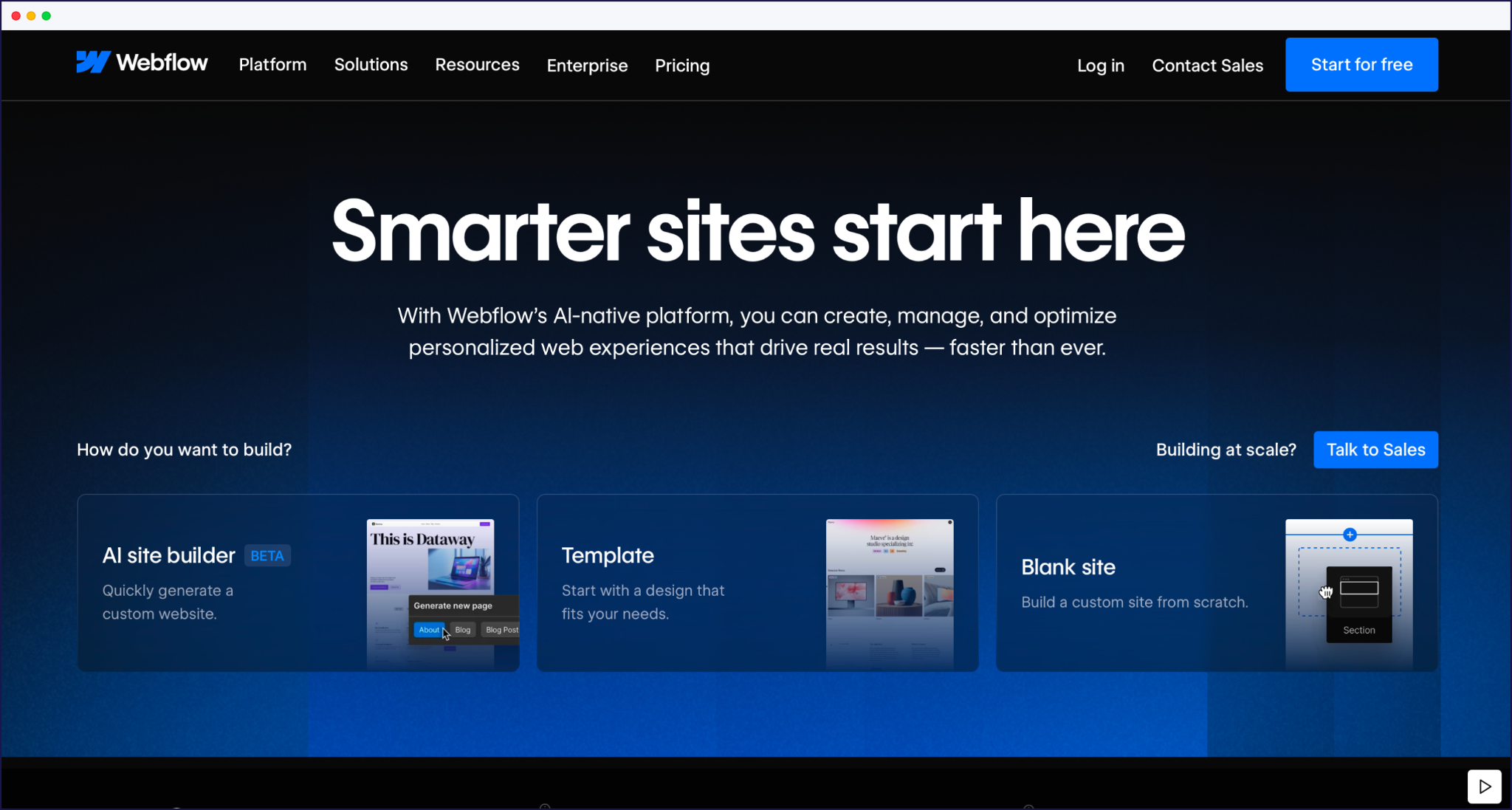
Webflow offers strong control over structure and design, with multilingual features and integrations that appeal to designers and developers.
The trade-off with builders is convenience versus lock-in. Native multilingual features are quick to set up, but your URLs, content model, and translation workflow are tied to that platform’s rules. If you later move to another CMS or introduce a separate ecommerce stack, you’ll likely need to rebuild your multilingual setup from scratch.
Best for: Small teams on Wix, Squarespace, or Webflow who want a simple bilingual or tri-lingual site managed inside one visual editor.
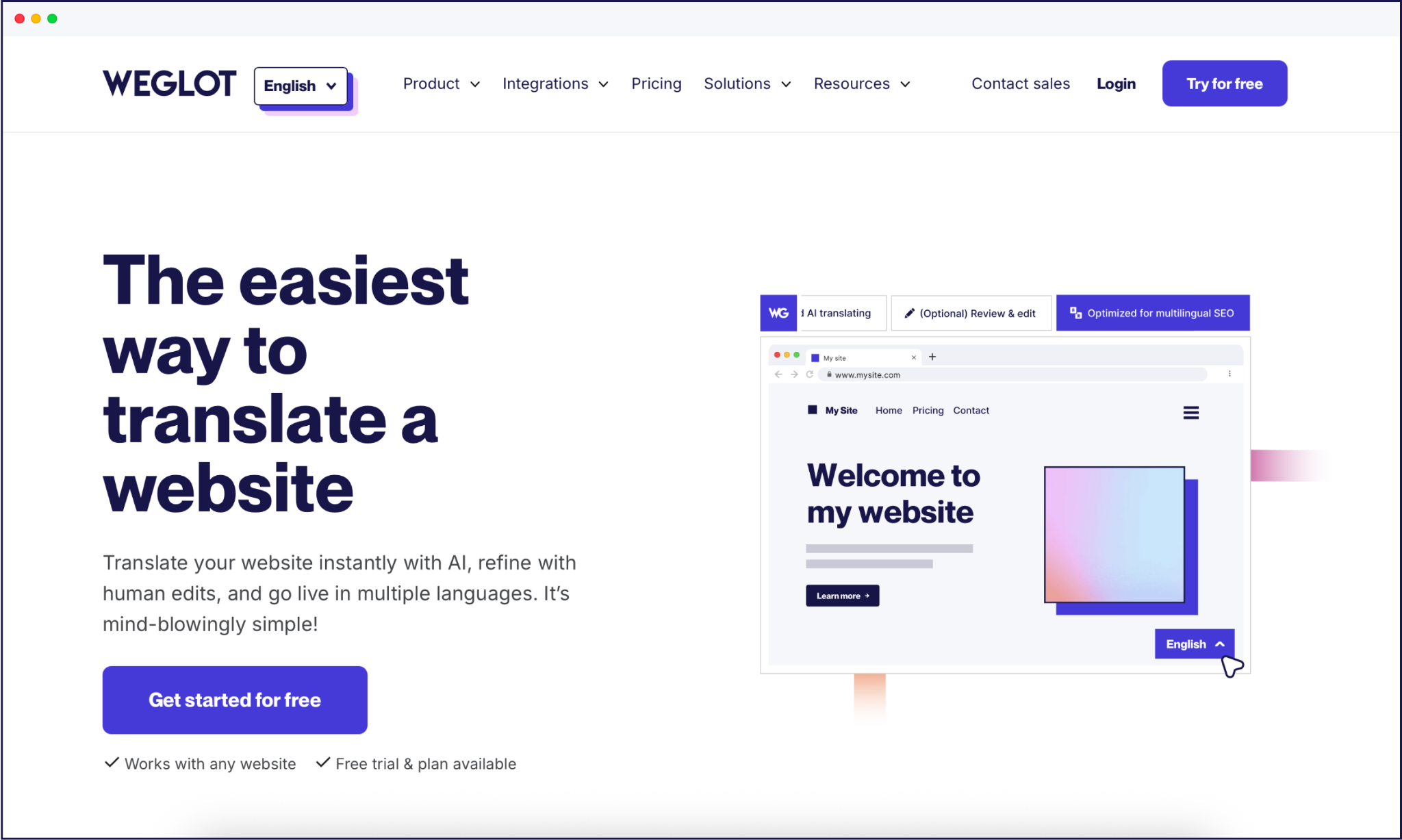
Unlike choosing a brand-new CMS or website builder, specialized translation tools work by layering directly onto your existing platform to handle the multilingual heavy lifting.
They sit between your site and visitors, detecting content on the fly, generating translated versions, and taking care of language-specific URLs, hreflang tags, and language switching across many environments.
Weglot is a website AI translation tool built for speed and cross-platform consistency. It plugs into WordPress and connects to all other CMS platforms (and custom-built sites) through lightweight integrations, then uses AI translation to translate your site in minutes. You manage everything from a central dashboard, with visual editing, a translation glossary, an AI Translation Model, and multilingual SEO handled for you. That keeps maintenance low, even if you juggle several sites or CMSs.
Weglot 2.0 builds on the Weglot you know. Its AI Translation Model works from your Brand Voice and Translation Guidelines, so your pages read like you in every language, and your brand stays consistent from market to market, down to how it shows up in AI search tools like ChatGPT and Perplexity.
Other leading tools include WPML, Polylang, and TranslatePress – all of which keep translations inside your database.
This approach gives you strong data ownership but more work configuring post types, taxonomies, and menus. There’s generally a much longer setup time needed when using a database over a cloud plugin, and they may require more manual intervention when managing your translations.
Best for: Anyone who wants to add languages to an existing CMS or website builder site fast, on any platform, without a complete rebuild. For a wider view of the category, see our roundup of localization tools.
{{quote-image-banner}}
Whether you’re working with a CMS like WordPress, running an ecommerce storefront on Shopify, or designing visually in Webflow, the underlying infrastructure dictates your translation workflow.
The matrix below compares how these core platform routes handle the logistics that matter most – from setup speed to international SEO – and shows how a cross-platform tool like Weglot integrates into each one.
| Route | Setup speed | Multilingual SEO (hreflang, URLs) | Data ownership | Scales to many languages? | Where Weglot fits |
|---|---|---|---|---|---|
| WordPress | Plugin-based; varies by the plugin you choose | Strong, handled by your translation plugin | High – translations sit in your database (plugin route) | Yes, though large sites can get complex | Connects in about 5 minutes as a translation plugin for WordPress, with SEO handled for you and Weglot 2.0 AI translations that already sound like your brand |
| Shopify | Native "Translate & Adapt" app, or a third-party app | Language URLs and hreflang via Shopify Markets | Held in Shopify; native language support is limited | Workable for ecommerce; manual translation lags on large catalogs | Adds new languages and AI translation across products, apps, and checkout in minutes |
| Webflow | Native Localization, or a third-party tool | Localized URLs and hreflang | Held in Webflow | Strong design control; native localization cost rises with each language | A cross-platform option that translates the whole site with AI, without per-language add-ons |
| Custom build | Developer time to build internationalization | Whatever your team builds | Full – you own everything | As scalable as you build it to be | Sits in front of any custom stack through a lightweight integration, so there’s no rebuild |
There isn’t a single ‘best’ multilingual platform type. When making your decision, start with five variables:
If you’re on WordPress and have developer support, a specialized translation solution in the form of a multilingual plugin gives strong data ownership and fits in with your custom templates. But if you’re running a straightforward Wix or Squarespace site with a small team, native multilingual tools usually cover a simple bilingual or tri‑lingual setup (although they’re usually built for micro-sites only).
Those with a need for speed, fast global growth, and overall translation management generally benefit most from cloud-based tools like Weglot. Integrations with both your CMS and ecommerce platforms like WooCommerce are simple, AI translation keeps new content covered while you decide what to refine, and all technical SEO is taken care of. No matter where you’re launching in the world, local search engines and potential customers will be able to find your site. With Weglot 2.0, your brand also comes across the same way in every market, and your translated pages are ready to show up in AI search tools like ChatGPT, Perplexity, and AI Overviews.
{{ai-banner}}
Free multilingual options can work, but they’ll usually cost time instead of money. You can of course use the likes of Google Translate to copy and paste your content piece-by-piece, but this isn’t a good option for scale or multilingual SEO, as you’ll have to create your own URL structure and add hreflang tags for international indexing.
A better bet is to try a free tier or demo of an established plugin option. Here are a few popular options to try for starters:
As we’ve touched upon, international SEO is a priority feature when comparing multilingual website platforms. If search engines can’t see and understand your language versions, your work goes to waste.
Next up, we’ll detail the most vital areas of SEO to keep in mind. A platform that can handle all of these areas automatically will save you vast amounts of time and reduce the chances of errors occurring.
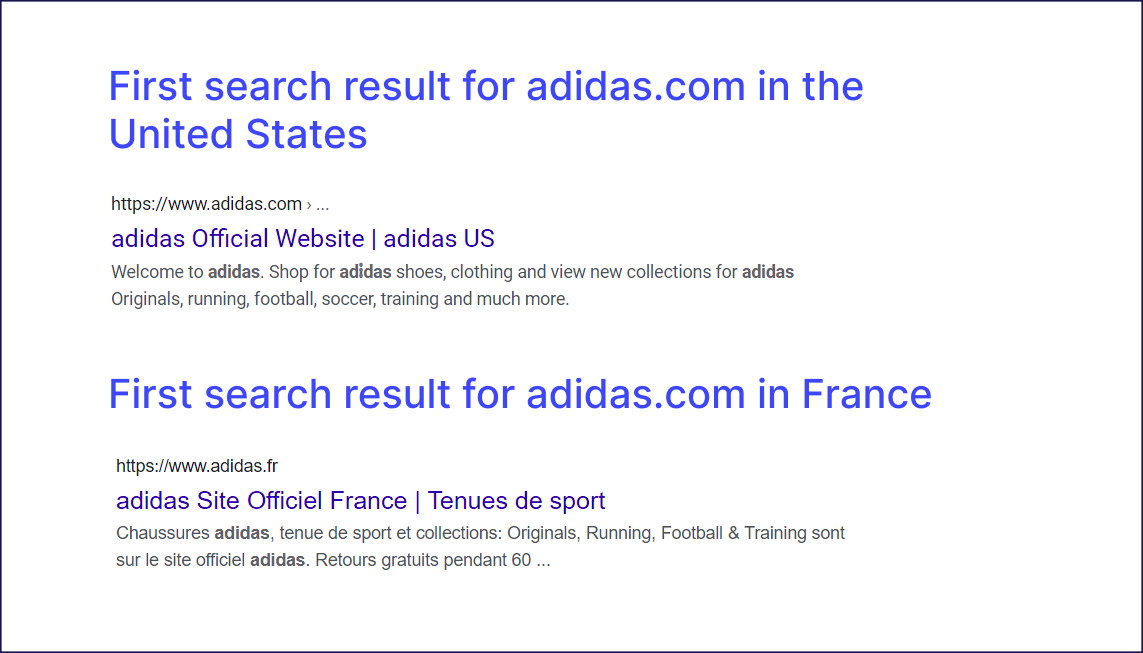
Hreflang tags (see above example) tell search engines which language or region a page targets, and which alternatives exist. Without them, your French visitors may see English URLs, or your localized pages may look like duplicate content instead of the ‘right’ result.
Your URL structure has to match that logic. Subdirectories like /fr/ or /es/ keep authority on one domain and are usually easiest to manage. Subdomains work too but behave more like separate properties, which means extra tracking and SEO housekeeping. In both cases, every variant needs its own URL, hreflang entry, and place in your sitemap.
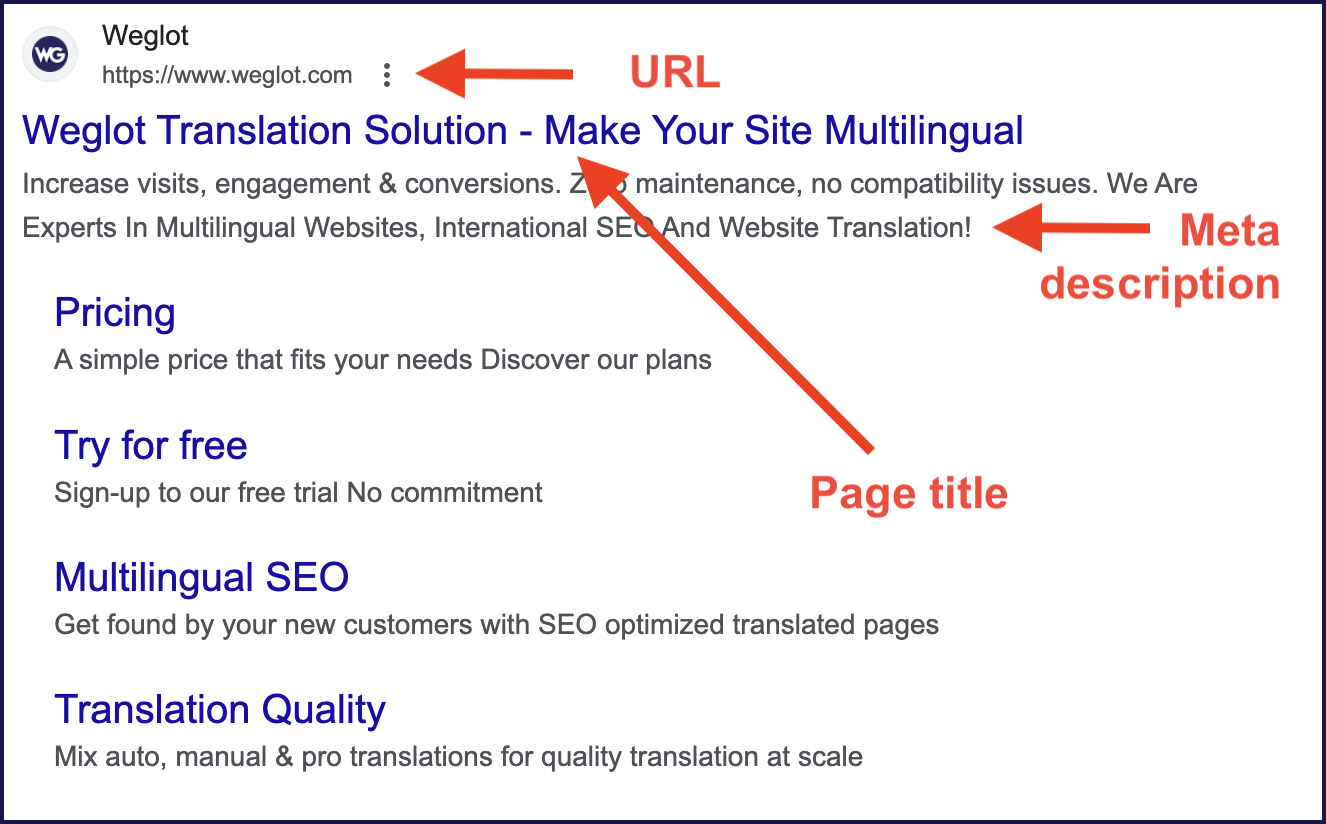
On-page, treat each language like its own SEO project. Research keywords per language, localize titles and meta descriptions, and create language-specific sitemaps. Plan for text expansion in your layouts and ensure your designs can handle Right‑to‑Left (RTL) scripts if relevant to your chosen market.
“With an AI translation tool like Weglot, subdirectories, hreflang tags, and multilingual sitemaps are generated and updated for you, instead of maintaining them by hand in your theme or templates. Every new page uploaded in your native language is AI-translated, with all the necessary SEO done for you.”
– Elizabeth Pokorny, Head of Brand and Content at Weglot
A scalable translation workflow employs both AI and human expertise. AI translation gives you instant coverage across your site, which is perfect for support content, long-tail blog posts, or UX copy that changes often. This is much more sustainable than paying a human translator to translate a whole site on a per-word pricing model.
Some brands may prefer adding a human translator for content refinement, or relying on Weglot 2.0’s AI Translation Model, which works from the Brand Voice and Translation Guidelines you set during setup.
A hybrid approach – using AI and humans – keeps quality where it matters most, without destroying your go-live deadlines. For example, legal content, brand messaging, and high-converters like pricing, checkout, and core landing pages often need local expertise to refine word choices so their message connects with your intended audience.
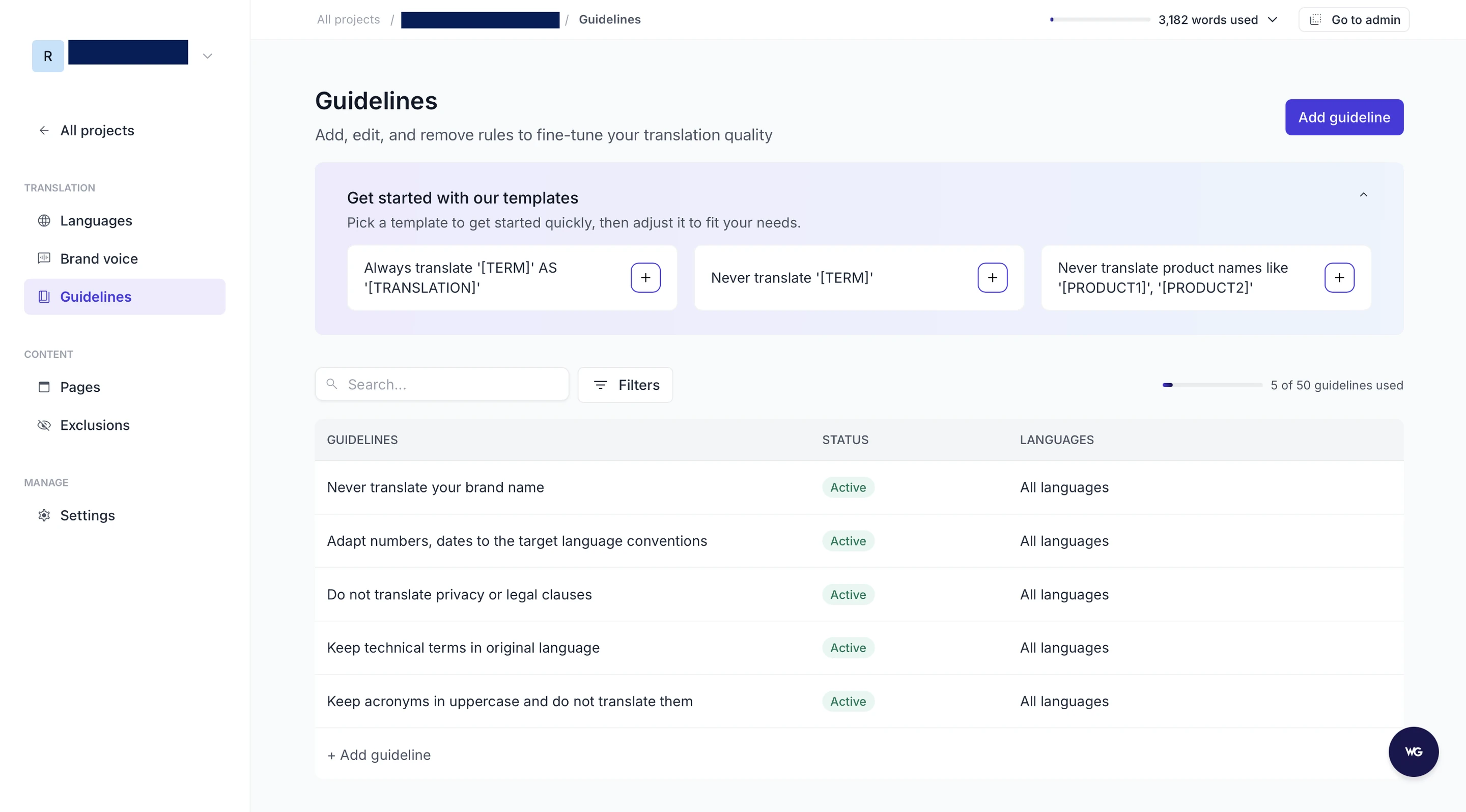
Added to this, solutions like Weglot include translation memory, so future translations ‘learn’ from your previously published content. Our AI Translation Model combines leading AI models with your brand context for a more human output, and a Visual Editor allows you to see translations in frontend context, ensuring different languages still fit your existing layouts.
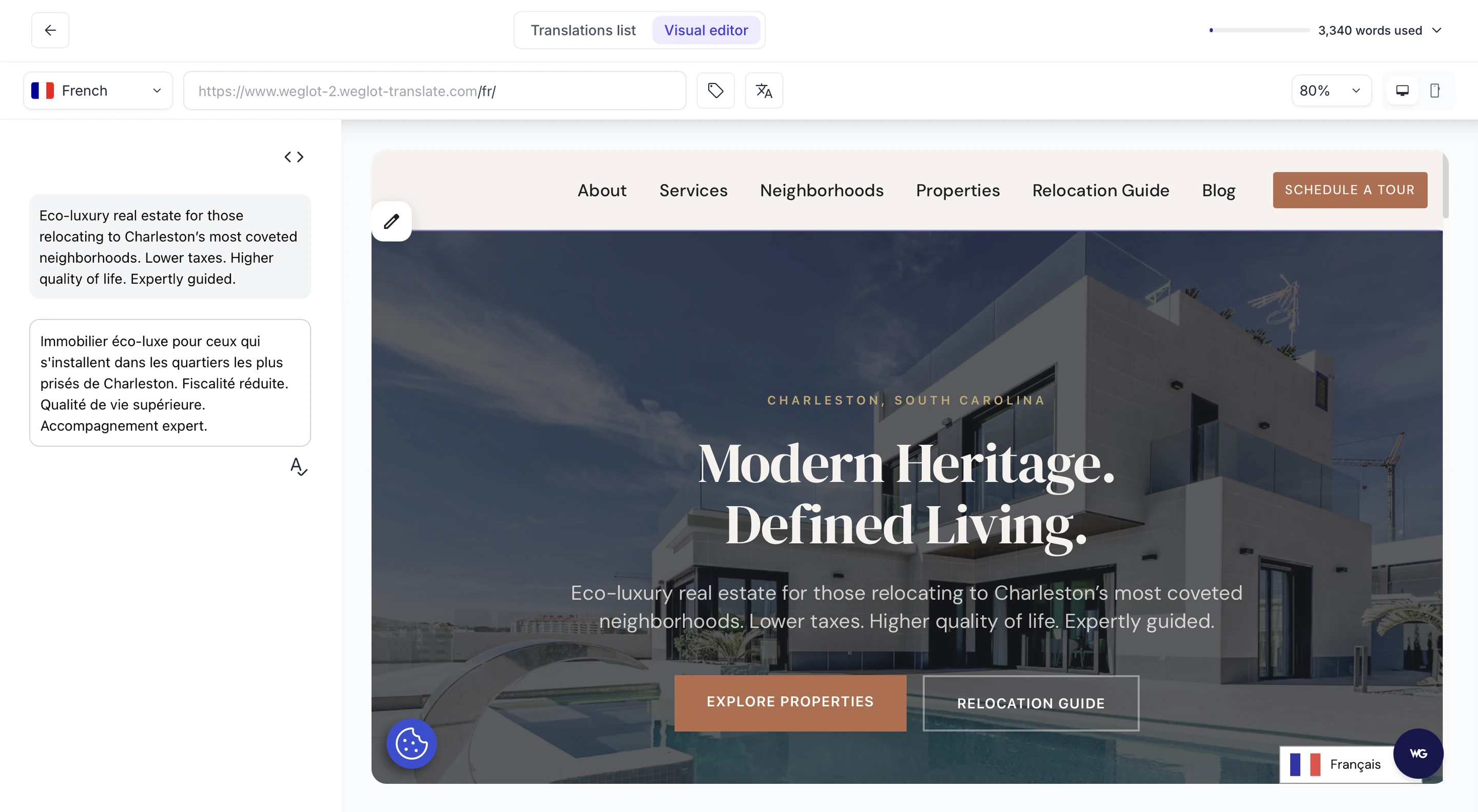
This hybrid workflow allows you to scale to new languages without reviewing every sentence, while your highest-impact pages always get the human attention when you want it.
Some mistakes can impact the success of your launch, even when the translations look fine and your site looks ready.
One of the biggest faux pas is forcing auto‑redirects based on geolocation, instead of letting visitors choose their language. Offering users a language switcher that’s clearly visible on all pages resolves this problem easily.
Weglot automatically adds a language switcher to the bottom right of your site, but you can then make changes through the Language Switcher Visual Editor, or add custom CSS for something more in line with your branding. Take a look at Weglot’s own version below:
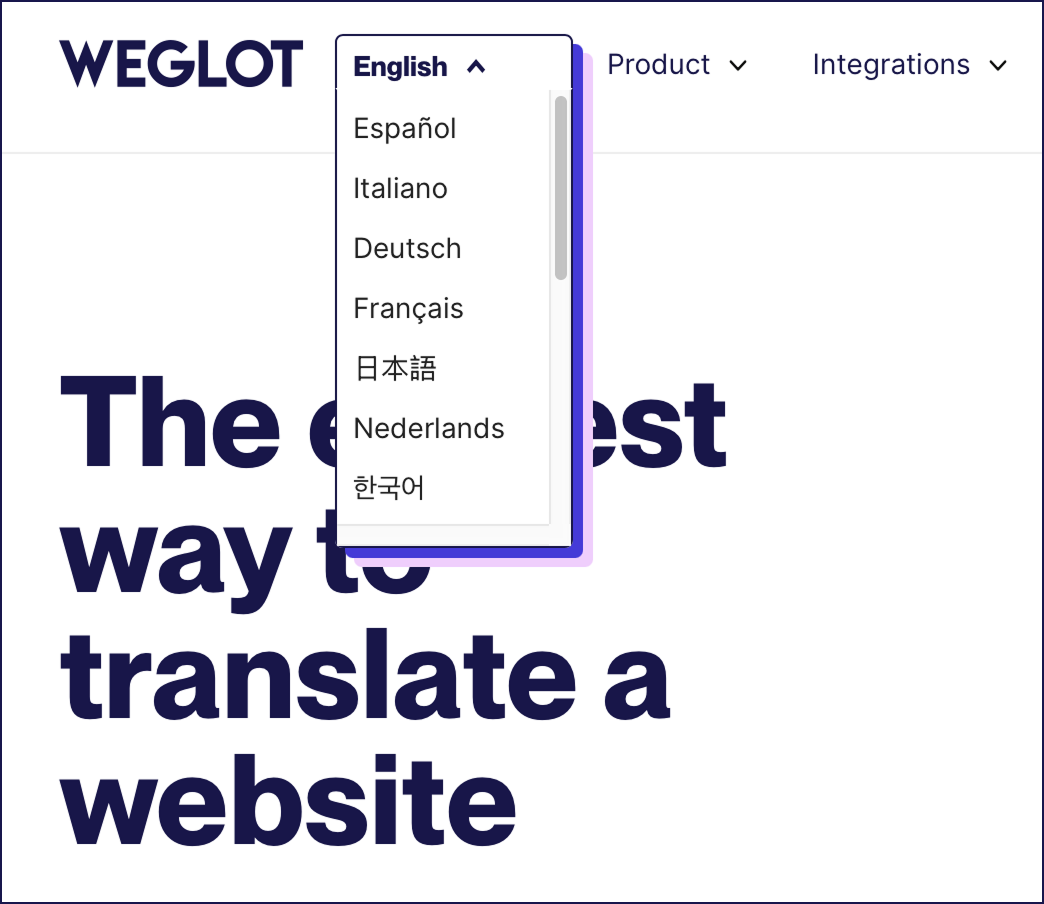
Design and content choices cause problems too. Ignoring text expansion breaks layouts when German or Arabic strings are longer than your English UI. Skipping metadata translation means your localized pages never compete in search, even if the on-page copy is great. And letting default AI translation handle legal pages, brand messaging, or critical CTAs all on its own is also risky, because such pages have little or no room for error.
“Many potential problems can be eradicated by testing, testing, and testing again. Imagine you’re a global user, and spend time ensuring all navigation works as it should. Check all of your checkout and subscription forms work with international addresses, names, and phone formats. Once your international pages are live, look at your analytics through GA4 and Search Console and refine your content as necessary.”
– Eugène Ernoult, CMO at Weglot
The best approach to having a multilingual website is to find the solution that suits you best. Look beyond your current setup and consider platforms with your long term goals in mind. Get your platform choice right at the start, and you’ll save yourself trouble later on.
Of all the options we’ve covered, a specialized translation solution offers the most flexibility, and Weglot gives you the fastest route to the multilingual finish line. Our website translation tool connects to your existing site, detects content automatically, and uses AI translation to get every page live in minutes. With Weglot 2.0, those translations are ready to publish without a rewrite, and your brand feels unmistakably yours in every market. You keep full control with human edits, and as your brand grows, Weglot scales with you.
If you’re ready to launch your multilingual site, start your 14‑day free Weglot trial today.

We’ll get your first languages live. You decide how far you want to go. Try Weglot for free today.
Trusted by 110,000+ global brands









Weglot is tested and trusted by brands worldwide since 2016. Join them today.


The best way to understand the power of Weglot is to see it for yourself. Test it for free and without any engagement.
A demo website is available in your dashboard if you’re not ready to connect your website yet.


Translation swaps words from one language to another, while localization adapts everything around those words – tone, references, formatting, and UX. That can mean changing specific parts of content, imagery, and CTAs so they feel native in each market, not copied from your original site.
By way of example, recipe weights would need converting from grams on European sites to cups or ounces in the US. And car images would need to show driving seats in line with local laws i.e. right or left side. Research everything from color meaning in different cultures to the kind of marketing images that connect with local people. Get this wrong and you can alienate the very people you’re trying to attract.
For a deeper dive, check out Weglot’s step-by-step guide to website localization.
Pick your approach first – CMS plugin, website builder features, or specialized translation tool. Set a clear URL structure with subdirectories or subdomains for every language and configure hreflang tags. Then define your translation workflow, localize metadata, and add a visible language switcher in your header and mobile navigation. Before launch, test navigation, forms, and key funnels in every language, including emails and system messages.
For a deeper dive, check out Weglot’s step-by-step guide to create a multilingual website.
Put your language switcher in the header where users expect it, and mirror that placement on mobile with accessible control. Use clear labels like language names instead of flags alone, and always show the current language state. Avoid simply offering auto-redirection by geolocation – offering visitors more choice can help your brand build trust.
Using a free tool like Google Translate might seem like the fastest option, but it’s not ideal for professional websites. It can’t guarantee consistent terminology, brand tone, or SEO optimization, and it often requires manual setup or copying and pasting text.
In comparison, hiring a professional can give you accurate results, but come with lengthy timescales and expenses.
Specialized website translation tools like Weglot offer the best solution by providing high-quality AI translations shaped around your brand voice, with options for human editing. This combo gives you the speed of AI translation with the polish of human review, ensuring your site feels authentic in every language.
There’s no single best CMS, it depends on your team and your content. WordPress is the most flexible thanks to its plugin ecosystem, Drupal and Joomla handle languages natively, and headless options like Contentful suit developer-led teams. Whichever you choose, a translation plugin for WordPress or a cross-platform tool like Weglot adds the languages and multilingual SEO for you, and Weglot’s AI translations keep your brand sounding like itself in every market.
WordPress doesn’t translate sites on its own, so you'll add a plugin. Database plugins like WPML and TranslatePress keep translations in your site and give you fine control, while a cloud tool like Weglot connects in about 5 minutes, handles hreflang and sitemaps for you, and with Weglot 2.0 delivers AI translations shaped by your Brand Voice and Translation Guidelines from the very start. The right pick depends on how much setup and ongoing management you want to take on.
Shopify’s native ‘Translate & Adapt’ app covers a limited set of languages with manual or weekly-batch updates, which works for smaller catalogs. For more languages, AI translation across products and apps, and multilingual SEO handled for you, a cross-platform tool like Weglot adds those in minutes without changing your theme.
Enterprise sites usually need approval workflows, large content libraries, and tight governance, which is where platforms like Adobe Experience Manager, Drupal, or a headless CMS come in. These need specialist teams to run, so many enterprises pair them with a translation layer like Weglot for AI translation, editing control, and multilingual SEO, so the brand reads the same way in every market.
If you’re a small team without developers, lean toward speed and low maintenance over deep customization. Native builder features (Wix, Squarespace) can cover a simple bilingual site, and a tech-free tool like Weglot lets you launch more languages quickly with AI translations you can tune to your brand’s tone, and edit only where you want to, all from one dashboard.