

Try Weglot for free


WordPress translation has undergone a remarkable evolution in recent times. Old school methods have been replaced by accessible plugins that work with your existing tech stack.
With over 76% of global internet users preferring to buy in their native language, using a proper translation plugin is a business imperative. Sites with properly-implemented multilingual capabilities see up to 70% higher conversion rates from non-English speaking markets, compared to those relying on browser translation tools or no translation at all.
If you’re considering an expansion and are worried about the timescales, costs, and complexities of localizing your website, fear no more. We’ll explore how a translation plugin for WordPress like Weglot lets non-devs create multilingual sites, with AI translations that sound like your brand from the start.
Translating your WordPress site becomes remarkably straightforward with the right plugin. Our own, Weglot, is now Weglot 2.0: it builds on the Weglot you know, bringing AI translations built around your brand, a redesigned translation experience, and built-in multilingual visibility, so launching a multilingual website is accessible to everyone.

The installation process is refreshingly simple. First, install the Weglot plugin directly from your WordPress dashboard by navigating to the Plugins tab, select Add New, and search for Weglot.

After clicking Install Now and Activate, you’ll notice a new Weglot tab in your WordPress dashboard menu.
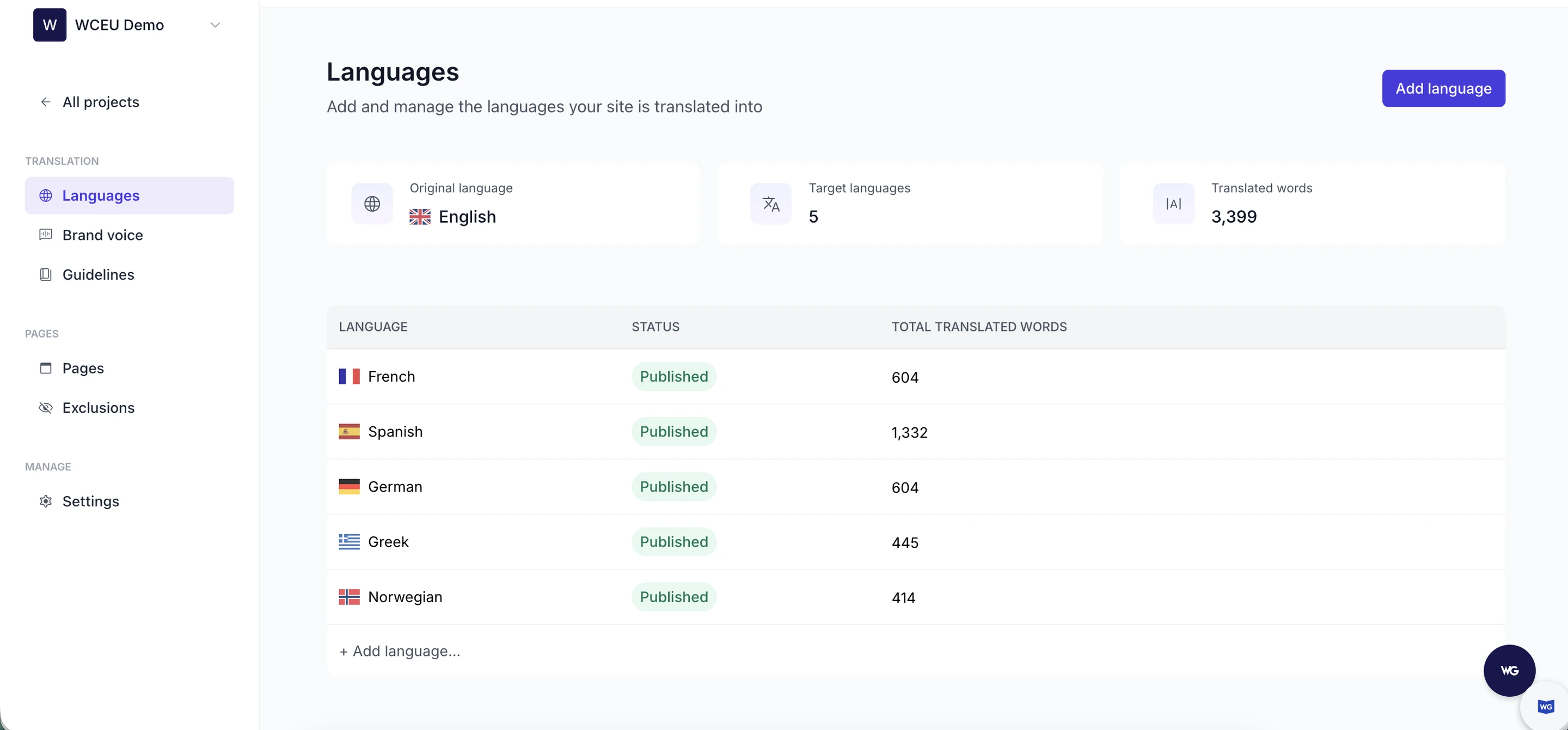
Next, you’ll need to create a Weglot account to obtain your unique API key. During setup, you’ll enter your website URL, select your website’s original language, and choose which target languages you want to translate into from over 100 options. You can also describe what your business does and how it should sound, and Weglot uses this to keep translations consistent with your original content.
This account serves as your translation management hub where you’ll handle all aspects of your multilingual content.
Once registered, copy your API key and paste it into the Weglot settings page in WordPress. Your original and target languages appear there too; to change them later, head to the Weglot Dashboard.
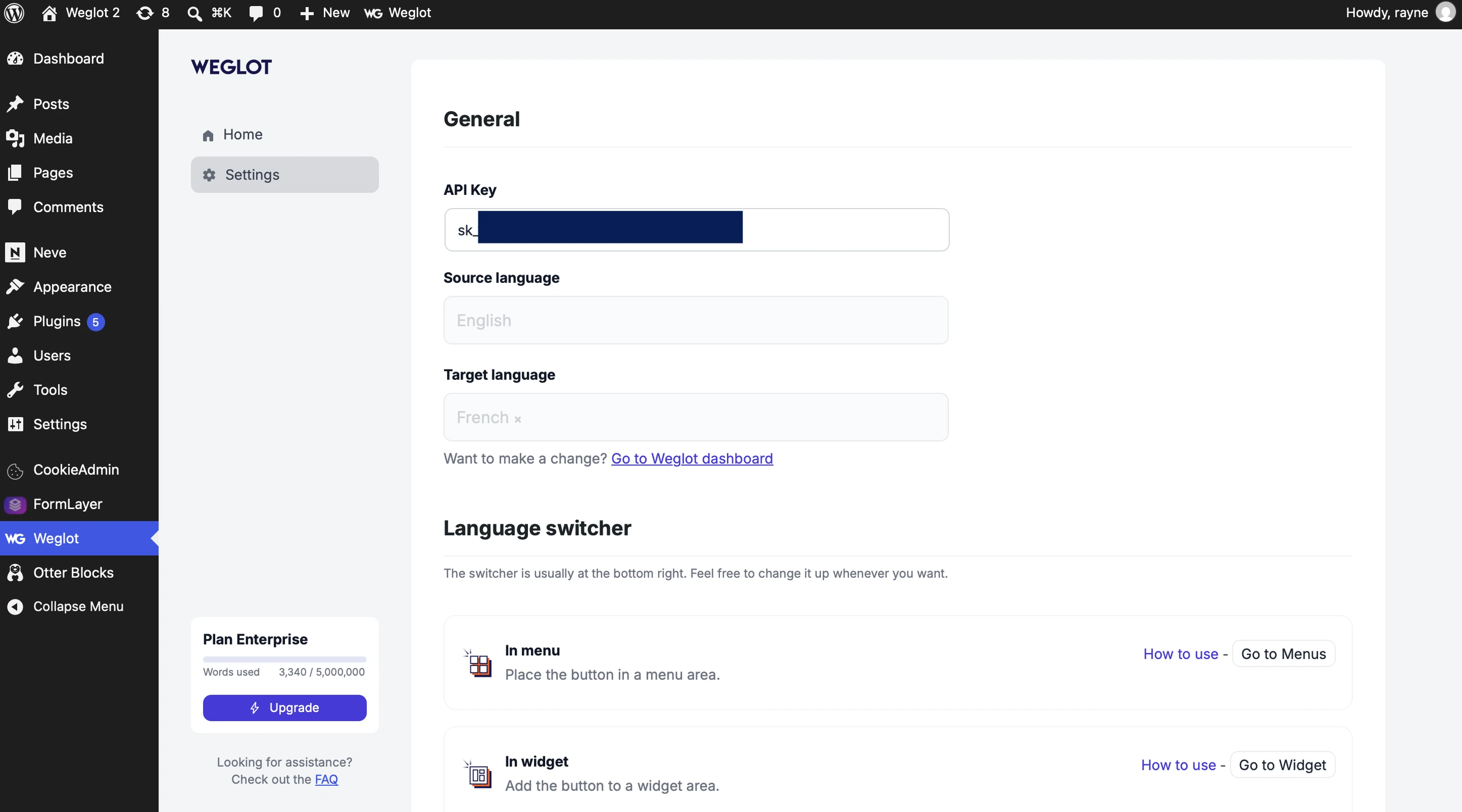
After saving these settings, your WordPress site instantly becomes multilingual, and the entire process takes less than 5 minutes.
What makes our translation plugin particularly effective is its approach to content detection. Weglot automatically scans and detects all website elements including:
The translation process pairs AI translations with human editing. Weglot’s AI Translation Model translates your content, and the redesigned Weglot Dashboard gives you complete control to refine translations, set guidelines, and add team members to review alongside you.
Behind the scenes, Weglot handles all technical complexity by:
While most translation plugins focus solely on content, Weglot’s approach of translating the entire user experience (including checkout flows, error messages, and form fields) creates a truly localized experience. As we’ve seen, localization can significantly boost international conversion rates compared to partially translated sites.
Our plugin integrates with all WordPress themes and is compatible with WooCommerce, membership plugins, and form builders.

Weglot automatically adds a language selector to your site, with extensive customization options to match your design aesthetic. Its placement is set in your WordPress admin (Weglot > Settings > Language switcher), and its design is edited in the Switcher Editor: open the Visual Editor, click the language switcher, and you get a live preview of your site as you make changes. Between the two, you can easily:
Consider A/B testing different language switcher positions based on your target markets.
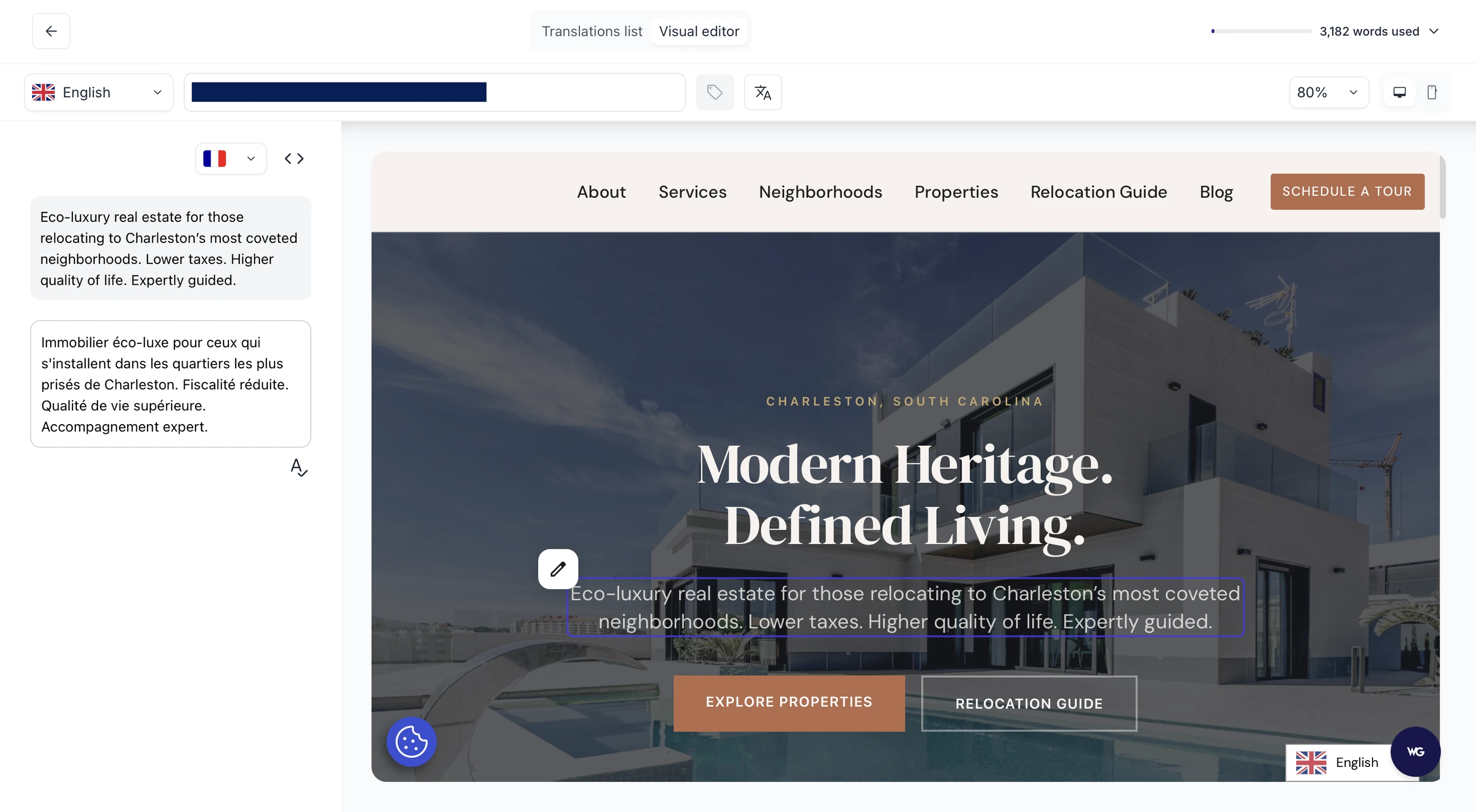
While AI translation provides a solid foundation, refining your translations ensures your brand’s voice remains consistent across languages. Weglot makes this process intuitive:

Translating your WordPress site introduces specific SEO challenges. While translated content is a must-have, SEO will determine whether international audiences can find your site in search results.
Weglot 2.0 handles these technical foundations automatically, so every language you add is ready to be discovered across search engines and AI-powered discovery experiences. It starts with SEO-friendly URL structures: the plugin can create language subdirectories, like www.site.com/fr/ for French. These preserve your domain authority while establishing distinct URLs for each language version. Alternatively, Weglot can create subdomains, like www.fr.site.com. In effect, these are like separate websites, each needing their own SEO strategy. They’ll often be preferred by large brands with multiple large sites.
Handily, Weglot also automatically implements hreflang tags in your source code. These technical markers tell search engines which language version to show users based on their location and preferences. They also help you to avoid duplicate content penalties by properly signaling to search engines that your translated pages are equivalent versions, rather than duplicates.

All SEO metadata elements are translated by Weglot, including page titles, meta descriptions, alt text for images, and social media tags. This complete approach to metadata translation is not to be underestimated! Many translation plugins overlook these elements, despite their significance for ranking in different language search results.
Unlike JavaScript-based translation solutions that search engines may struggle to index, Weglot creates fully indexable translated pages through server-side translation. Search engines will be able to correctly crawl and rank your content in all languages, avoiding the common pitfall where some content is missed.
Expanding your WordPress site globally doesn’t need to be a months-long project! With Weglot’s three-step implementation process, you can turn your site into a multilingual one without a developer, then review every translation in context with the Visual Editor before your visitors see it. AI translations that read on-brand from the first draft, plus human editing, give growing businesses the quality and speed they need.
When it comes to getting found online, Weglot’s SEO features are what you need. The plugin’s automatic creation of subdirectories ensures your multilingual content is properly indexed by search engines. What’s more, built-in hreflang tags make it easy to serve the right language versions to the right users.
Come join the 110,000+ global brands already using Weglot to reach international audiences! Whether you’re launching in two markets or ten, the path to global success starts with proper translation. Begin your global expansion journey with a free 14-day Weglot trial today.
Those making their WordPress site multilingual have two primary pathways: translation plugins and browser-based translation.
While browser translation tools offer convenience, they create temporary translations that search engines can’t index. Plugins like Weglot permanently integrate translations into your site’s architecture, making them visible to search engines and essential for multilingual SEO success.
Dynamic translation converts your content in real-time when visitors access your pages. This approach ensures that any content changes are immediately reflected across all language versions without additional work.
Static translation pre-generates and stores translated content in your WordPress database. This approach delivers faster page loading speeds and creates permanent, indexable URLs that search engines can discover – essential for multilingual SEO. The downside is that you’ll need to update translations whenever you modify your original content.
Manual translation plugins provide dedicated interfaces where you or professional translators input translations for each content element individually. This approach gives you full quality control and is ideal for brand-critical content where cultural nuance and precise messaging matter. However, it can be extremely time-consuming and expensive for large websites with thousands of pages.
Automatic translation plugins connect to AI or machine translation engines to instantly translate your content. This approach reduces time and cost, making it feasible to translate large sites with minimal investment. Any tradeoff here is found in translation quality, although recent advancements in AI translation have significantly narrowed this gap.
The most practical solution for most WordPress sites comes from hybrid translation plugins like Weglot, which pair AI translations with your own review and editing.

We’ll get your first languages live. You decide how far you want to go. Try Weglot for free today.
Trusted by 110,000+ global brands





Weglot is tested and trusted by brands worldwide since 2016. Join them today.


0 visits from translated pages in the last 90 days.


