

Try Weglot for free


.avif)


With the right plugin, you can create a multilingual website using WordPress in very little time. However, offering content in more languages also means that you need to optimize your website’s performance, since you’ll be expecting a lot more traffic.
Optimizing performance means ensuring an intuitive, smooth experience for every user. When you know what issues to look for in multilingual WordPress sites, you can decrease loading times, maintain reliable uptime, and direct visitors to the right page immediately.
We’ve optimized multilingual performance across 70,000+ WordPress sites using our AI translation tool. Sites using cloud-based translation architecture like Weglot consistently maintain sub-2-second load times even with 5+ languages. In contrast, database translation approaches can slow down performance with every language added.
In this guide, we’ll cover technical SEO requirements (hreflang tags, sitemaps, URL structures), speed optimization strategies (caching, CDN, image compression), and plugin architecture choices that impact performance.
For those launching their first translated site or optimizing an existing multilingual store, the following five strategies will help you maintain fast loading times across all languages.
Translation involves a lot of work. If you want to translate your WordPress website 'by hand', you would have to create unique subdirectories or domains for each language. For each subdomain, you’d need to recreate your full website and convert its content into your target language.
Depending on your website’s depth and your expertise, the entire process can take days, weeks, or even months. If you hire a professional, then you’re looking at thousands of dollars in costs.
WordPress translation plugins enable you to sidestep most of these roadblocks.
Translation plugin architecture determines server load and site speed. Different storage methods create distinct performance profiles:
Pre-created post systems usually generate separate posts for each language. A 100-page site in five languages creates 500 total posts, which can bloat the WordPress admin interface.
This architecture handles large multilingual sites without performance penalties, putting cloud-based systems firmly in the ‘lightweight’ plugin class.
Setup is usually much quicker too. Using a cloud storage system like Weglot, you can connect your WordPress website to the platform via the official plugin, then simply select which language you want to translate your website into.
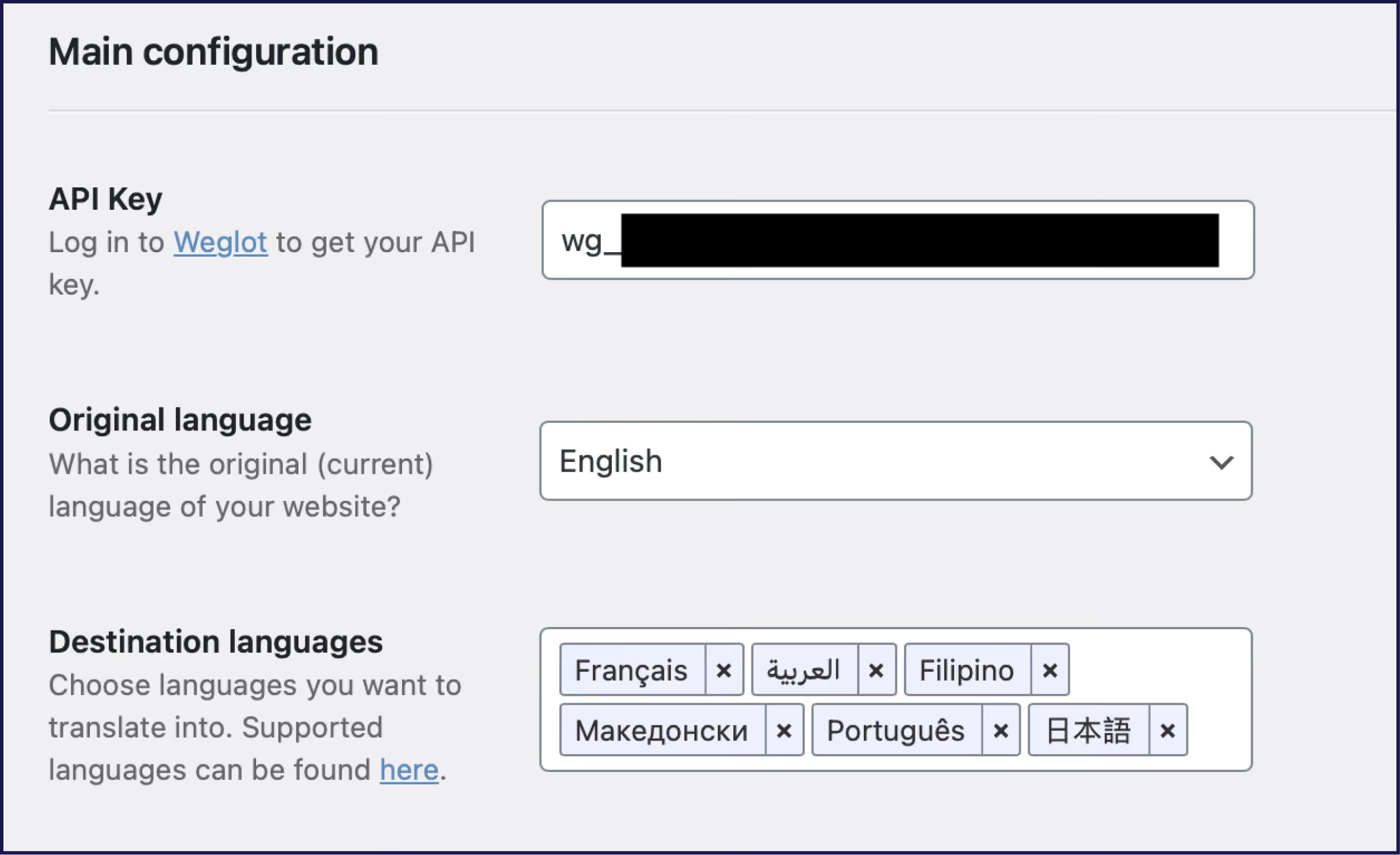
Time taken – five minutes! And yes, that’s your whole WordPress site translated into another language.
What’s more, Weglot provides AI translation powered by leading providers (DeepL, Google Translate, Microsoft Translator). You can refine these translations manually using our Visual Editor or order professional human translation directly through your dashboard.
For even higher quality, our AI Language Model powered by OpenAI learns from your edits and brand guidelines to generate translations matching your exact tone and style. Our client REVIEWS.io experienced a 120% traffic increase from German visitors after implementing our plugin, with no impact on page load times.
Technical SEO ensures search engines index each language version correctly, improving your site’s performance in international search results. Quality translation plugins automate these technical requirements, eliminating manual configuration errors that harm multilingual SEO.
Hreflang tags tell search engines which language version to show each user. These HTML attributes prevent duplicate content issues across language versions. The best translation plugins generate hreflang tags automatically.
Manual hreflang implementation requires adding tags to each page’s head section, a time-consuming process that’s prone to errors. Automated hreflang implementation eliminates these errors, allowing you to spend your time on growth related-pursuits instead of tech fixes.
Multilingual sites need a clear URL structure. Subdirectories organize languages as website.com/fr/ for French content. Subdomains use fr.website.com instead.
Subdirectories typically perform better for SEO and site management, and your translation plugin should handle URL structure automatically. Consistent URL patterns help search engines crawl all language versions efficiently.
💡 Technical Note: Subdirectories (example.com/fr/) consolidate domain authority better than subdomains (fr.example.com) because search engines treat subdomains as separate sites. This matters for smaller sites building SEO authority. Read our guide to subdirectories and subdomains to learn more.
Sitemaps list every translated page on your site, so submit separate sitemaps for each language to Google Search Console. This helps search engines discover and index your translated content. Most translation plugins generate sitemaps automatically, and updated sitemaps improve crawl efficiency and indexing speed.

Metadata includes title tags, meta descriptions, and image alt text. Each language version needs translated metadata, as search engines use this information to rank your pages.
Never mix multiple languages on a single page. This confuses search engines and degrades the user experience. Keep each URL strictly monolingual for optimal performance.
Once every URL is clearly tied to one language in its content and metadata, the next step is to make sure your canonical and structured data signals point to the correct version
Canonical tags should naturally be self-referential within each language. Your French page’s canonical tag should point to the French URL, not the English version. Cross-language canonicals cause deindexing issues, so be sure to get this right! Schema markup should include inLanguage attributes matching each translated page’s language code.
Different plugins handle automation differently. Cloud-based plugins typically generate hreflang tags server-side during page rendering. Database-stored systems may require theme modifications or SEO plugin integration. Server-rendered solutions deliver crawler-friendly pages without additional JavaScript processing.
If you’re researching translation plugins, pay attention to the level of automation they provide for SEO. For example, Weglot handles hreflang tags at the same time as any page translation. Our WordPress plugin also translates all metadata elements during initial setup, ensuring complete SEO coverage across languages. It’ll take care of multilingual sitemaps too.
For a visual walkthrough of these multilingual SEO requirements, watch our complete guide covering URL structures, hreflang implementation, and how AI translation maintains SEO performance across languages:
One issue that some multilingual websites face is that users fail to realize that they can browse your content in their own language.
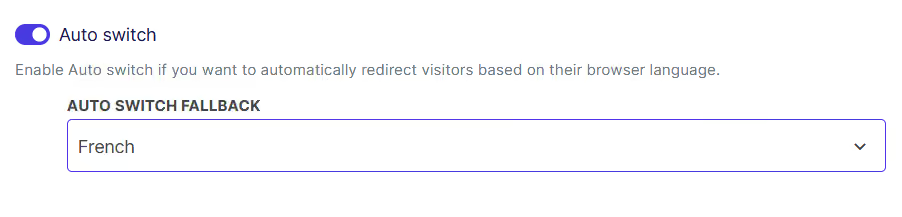
Automatic redirection detects visitor browser language and loads the appropriate translation. This feature improves user experience when implemented correctly. However, browser language settings can be unreliable indicators of user preference. Some visitors browse in English while preferring content in their native language.
To combat this, an integrated language switcher offers a perfect solution. Weglot automatically sets up a language switcher on your site, giving users all the language options they need.
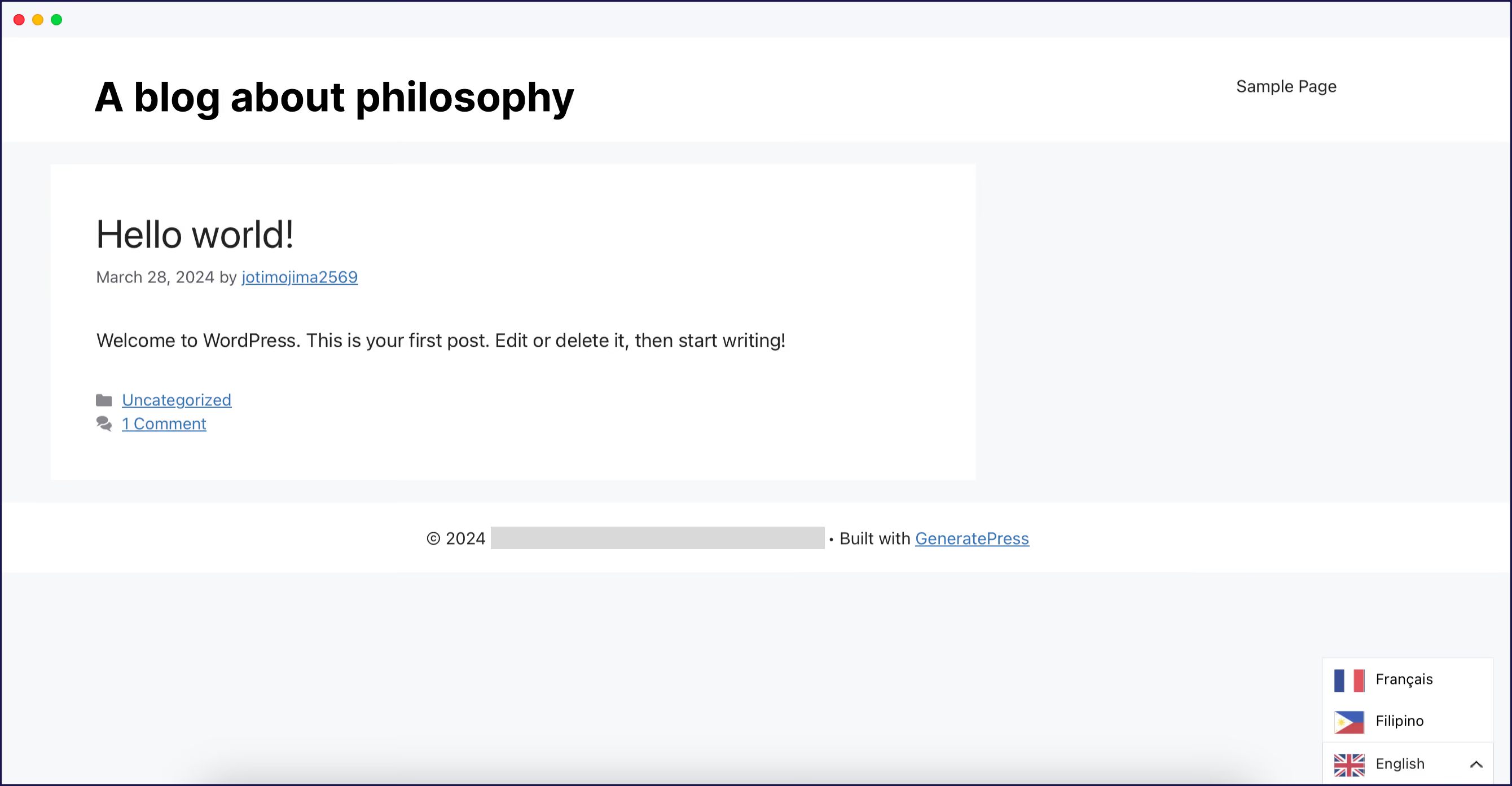
You can even edit your language switcher’s appearance using custom CSS and a variety of pre-determined settings.
%20smaller%20size.avif)
The best practice is to offer automatic redirection as an optional first-time prompt rather than forcing it. By offering automatic redirection, you should be able to cut down your website’s bounce rate. Visitors who don’t understand your site’s default language are less likely to leave without finding the switcher and they’ll be able to experience your content without any delays.
Weglot includes a configurable automatic redirection feature as well as a language switcher, covering all the options you need. This allows you to balance convenience with user control.
Truly optimized sites are localized, not just translated. This means going beyond main page content to:
Research your target market thoroughly and you’ll uncover information that can be vital in earning trust from your international customers. For example, color meanings vary across cultures – white signifies mourning in some Asian countries while representing purity in Western contexts. Paying attention to cultural traits throughout your marketing builds trust with international visitors, and reduces dropouts in your conversion process.
To see this in action, our client Respond.io added 15 languages and saw traffic double by implementing comprehensive localization alongside translation.
If you happen to run a WooCommerce website, adding new languages is arguably more complicated than with a regular WordPress project. Depending on your store’s size, you may have dozens or hundreds of individual product pages to translate – in addition to your other pages and posts.
Additionally, you’ll need to consider your WooCommerce store’s international marketing strategy. Multilingual SEO requires even more research and careful planning than tackling this task exclusively in English. Fortunately, there are many resources available to help you, including forums, like Reddit.
A lot of translation plugins are compatible with WooCommerce, so they’ll help you convert your product pages into other languages. However, be aware that some can also have an impact on your website’s performance due to poor optimization or not being able to manage a large library of content.
If you’re using Weglot, that won’t be an issue. The platform works perfectly with WooCommerce, as well as other ecommerce platforms such as BigCommerce or Shopify. For Weglot, translating WooCommerce pages works the same as with standard WordPress content, which means that you can have your multilingual store up and running instantly. And given Weglot is optimized for performance, your translated WooCommerce store should load just as fast as the original.
Our client The Bradery saved 100+ hours translating 500+ daily product updates using Weglot’s automated system for WooCommerce. Their multilingual store maintains consistent performance across all language versions despite frequent inventory changes. Without the use of an automation tool, The Bradery’s daily content schedule would simply be unmanageable!
To offer your international visitors the best possible experience, consider using a web host that offers top-notch performance and multiple server locations.
Ideally, you should host your website on a server that’s physically located as close as possible to your core audience. However, as you start adding new languages, your site’s traffic will probably increase, which can have an impact on a basic server’s performance.
A reliable web host will be able to keep up with increases in traffic and prevent it from affecting your website’s performance too much. At some point, you might need to upgrade your plan to handle your international traffic.
One of the top hosting options for WordPress is WP Engine. It’s a managed WordPress hosting provider, which means it takes care of basic optimization and maintenance for your website.
Our plugin integrates perfectly with WP Engine’s managed WordPress environment, allowing you to serve translated content quickly to global audiences.
CDNs improve multilingual site performance in a big way! A CDN consists of servers distributed across multiple geographic locations, so when a visitor requests your translated page, the CDN serves content from the nearest server. This reduces the chance of pages slowing down for international audiences.
Cloud-based translation plugins often include built-in CDN access. The CDN caches your translated content and delivers it faster than your origin server alone. Our client Bigblue reduced translation management time by 2.5x while doubling blog traffic through automated multilingual content deployment with our built-in CDN.
Site caching stores pre-built versions of your translated pages, and cached pages load faster because the server skips runtime translation processing. You can implement caching through your hosting provider or a dedicated WordPress caching plugin. Most managed WordPress hosts include built-in caching for multilingual sites.
Image optimization reduces loading times across all language versions, so be sure to compress images before uploading them to your WordPress media library. Always optimize for mobile as it’s the smallest screen size and favored device of many browsers.
Each image needs translated alt text for accessibility and SEO, so use descriptive alt text in each target language. This improves search engine visibility and page performance simultaneously – it also means that visitors using screen readers can understand your images. Weglot translates image alt text automatically, just as it does with the rest of your content.
Minimize HTTP requests by combining CSS files and limiting external scripts, as fewer server requests mean faster page loads for international visitors. These optimization techniques work together with your translation plugin to maintain consistent performance across languages.
Your translation plugin doesn’t operate in isolation of course. Plugin conflicts and compatibility issues create performance problems on multilingual sites, and each additional plugin increases the potential for conflicts.
Minimize your plugin count to essential tools only, and verify that your theme and critical plugins are actively maintained and compatible with your translation solution. Outdated plugins cause loading delays and stability issues that multiply across language versions, so test new plugins thoroughly before adding them to your production site.
Page builders, WooCommerce, and SEO plugins deserve particular attention. These plugins handle significant portions of your content and directly impact site performance, so choose solutions that document their multilingual support and receive regular updates.
While many translation plugins have a quick setup, think ahead – choosing one optimized for performance will prevent long-term slowdowns.
Install your plugin from the WordPress repository, connect it through settings, and select your target languages. A performance-optimized plugin will automatically detect and translate content without requiring manual page duplication or database modifications. This approach maintains site speed during and after implementation.
For detailed setup instructions and best practices, see our complete guide on how to set up a multilingual WordPress site.
Optimizing multilingual website performance requires balancing technical SEO, speed optimization, and user experience across all language versions.
From hreflang tag implementation to CDN configuration, each optimization builds on the others to create fast, crawlable multilingual sites. And given that multilingual websites experience significant traffic and conversion increases, speed and performance optimization are vital for ROI.
If you’re ready to optimize your multilingual WordPress site the easy way, get started with our 14-day free trial – no credit card required.
This guide was developed in collaboration with WP Buffs, WordPress maintenance experts. For hands-on WordPress performance optimization beyond translation, explore WP Buffs Care Plans.

We’ll get your first languages live. You decide how far you want to go. Try Weglot for free today.
Trusted by 70,000+ global brands





Weglot is tested and trusted by brands worldwide since 2016. Join them today.


The best way to understand the power of Weglot is to see it for yourself. Test it for free and without any engagement.
A demo website is available in your dashboard if you’re not ready to connect your website yet.
