Try Weglot for free





Website globalization is the process of turning your site into a repeatable, revenue-backed engine for serving multiple markets. By contrast, simple translation is just serving your original content site in another language.
Globalization combines three disciplines – internationalization, localization, and a business strategy that decides which markets you prioritize and why.
Translation sits inside all of this, but translation alone won’t fix mismatched currencies, wrong date formats, or keywords that no one searches for in your target market. Get globalization right, and you’ll be launching market-ready pages backed up by firm data.
This guide walks you through clear definitions, common pitfalls, and a practical framework you can take straight to your team.
Website globalization can be explained with a simple formula: g11n = i18n + l10n.
Internationalization (i18n) is the process of designing and developing a website or product to ensure it can support multiple languages and regions without requiring engineering changes.
This means using Unicode to handle all character sets, building flexible layouts that can cope with longer or Right‑to‑Left (RTL) text, and relying on locale‑aware formats for dates, numbers, and currencies. Here’s a side-by-side comparison of Left-to-Right (LTR) and RTL languages, from sports’ clothing brand Nike:
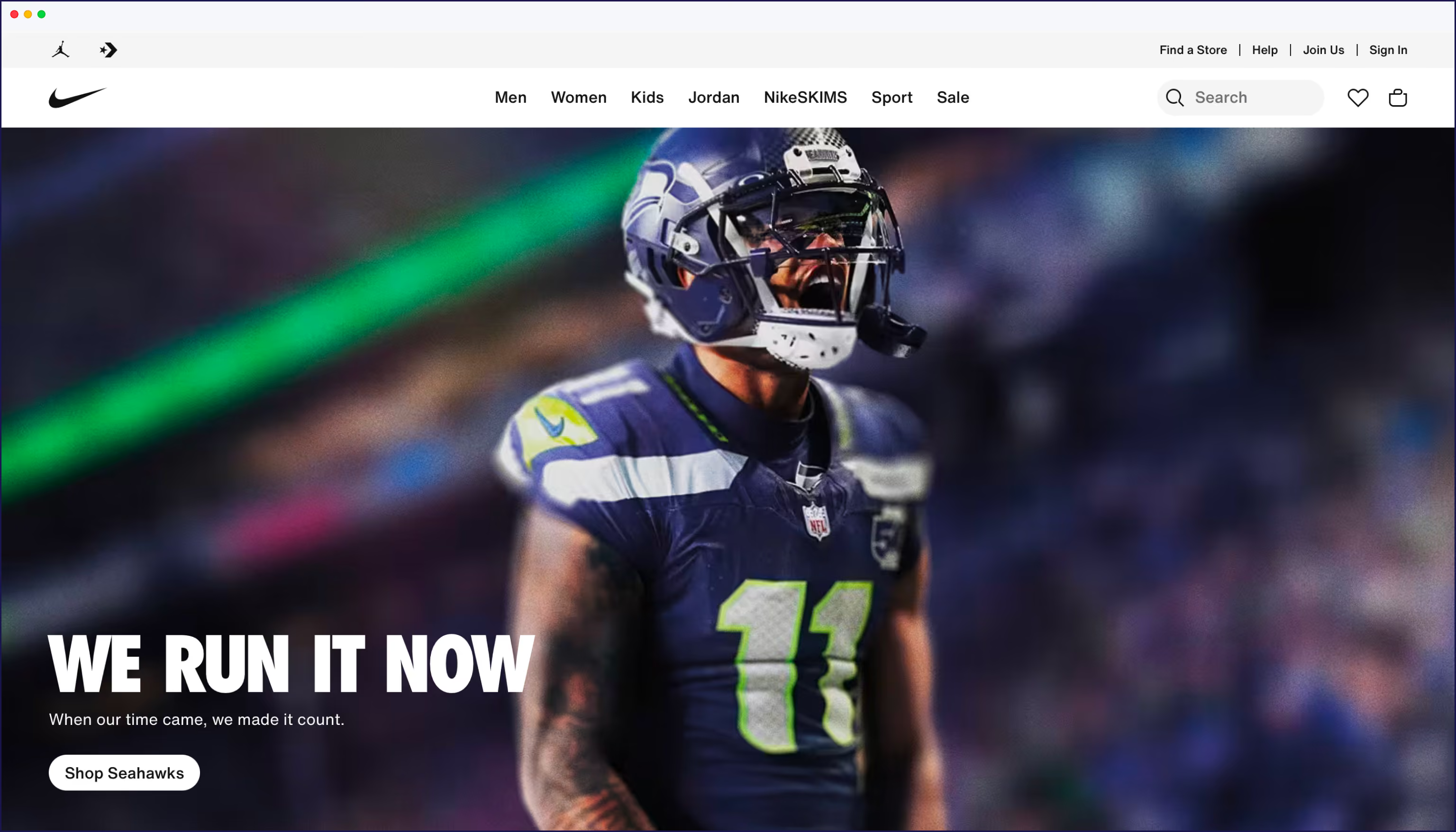
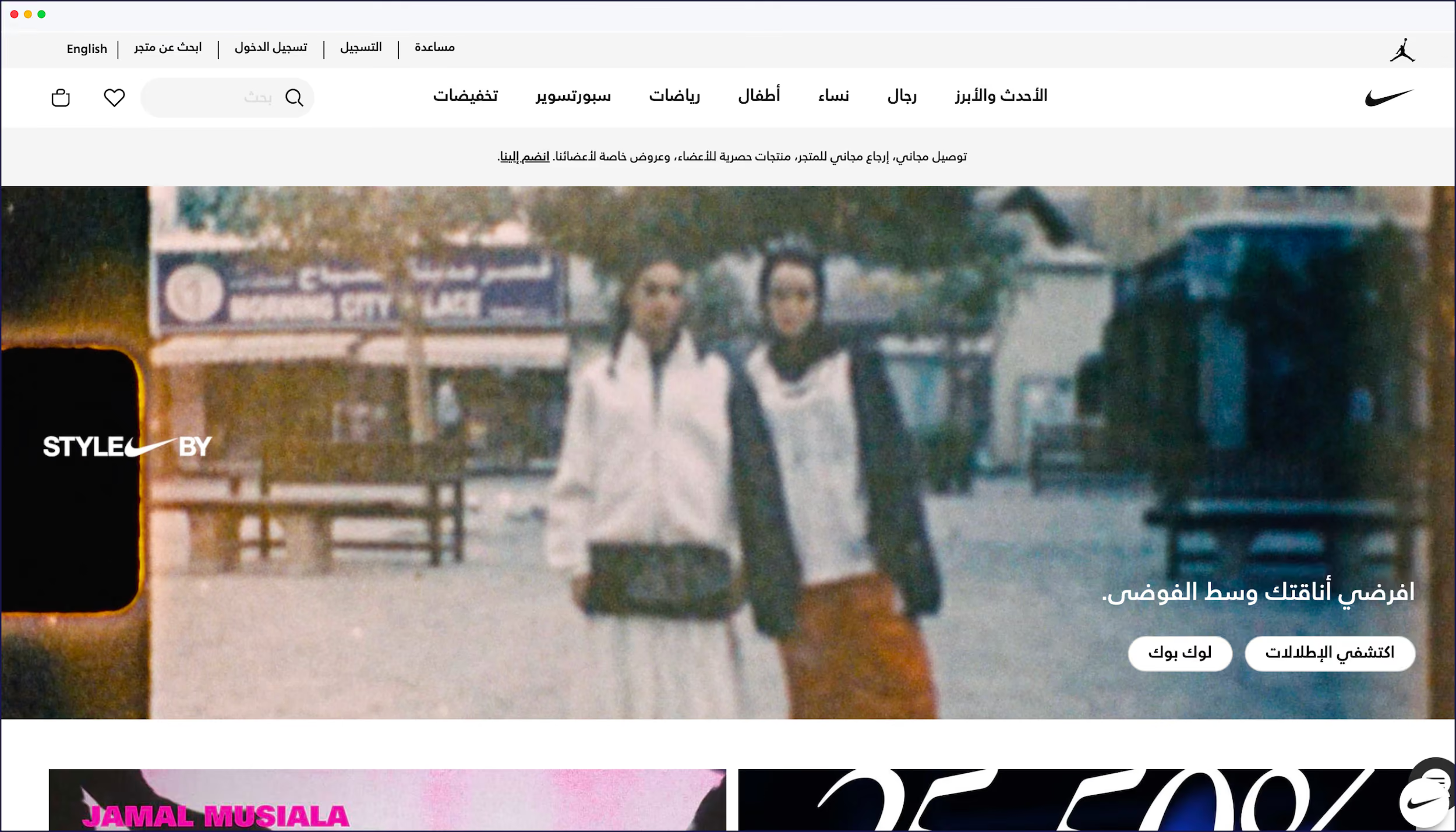
It also means choosing a URL structure that can easily support multiple languages. At this stage, you should run an international SEO audit to decide how search engines will discover, index, and serve your future localized pages.
Localization (l10n) is the practice of adapting a product’s content, cultural nuances, and user experience to meet the specific linguistic and functional requirements of a target market.
This happens on top of i18n, so your experience feels native in German, Japanese, or Brazilian Portuguese. You can find a deeper dive in our guide to internationalization vs localization.
Globalization (g11n) refers to the overarching business strategy and operational processes used to expand a company’s reach into international markets. This is the business strategy that brings I18n and I10n together.
To keep things clear in internal presentations, use this three-stage model:
Website globalization works best as a sequence. First you choose your markets, then you prepare your tech stack, localize content, ship, and keep improving based on data. Follow our roadmap step-by-step so you can follow the same pattern on your own site.
Before you touch a translation tool, decide where you’re going and why. A good globalization roadmap starts with real evidence.
Start with your existing traffic. Check which countries already visit your site, which languages their browsers use, and which pages they land on most often. These visitors are raising their hands and telling you where demand already exists, even if conversion is low right now.
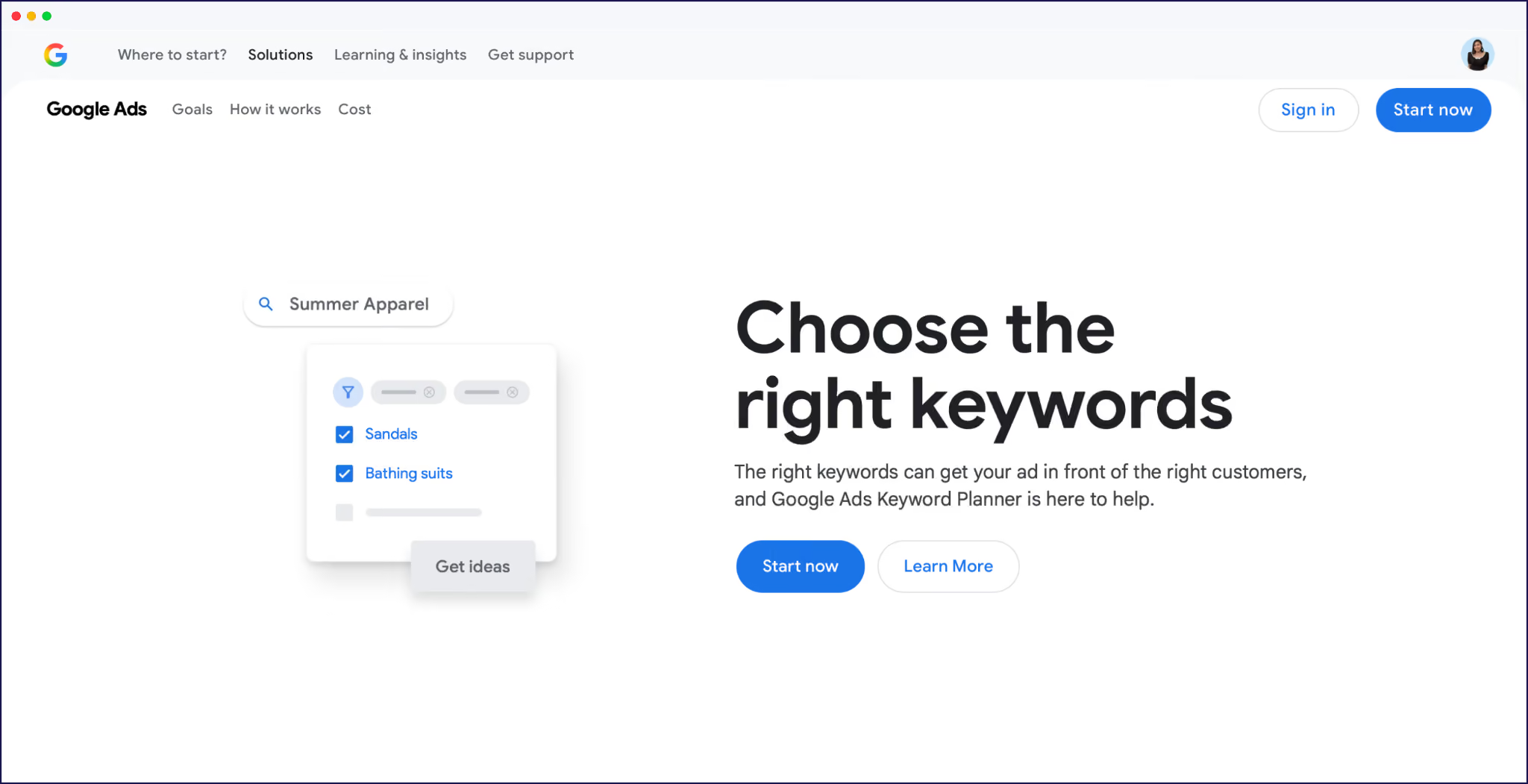
Next, look at search demand by language and region. Use keyword tools to compare branded and non‑branded queries in, for example, French vs Spanish, and check how strong existing competitors are. You’re trying to find markets where:
Then tie that to money. Set clear revenue and lead targets per target market, along with ‘go/no‑go’ thresholds.
{{tools-banner}}
Weglot’s International Growth Calculator helps here because it estimates organic traffic potential per market from your current keyword rankings, so you’re not guessing off vague ‘market size’ slides.
Finally, turn all of this into a short, shareable roadmap:
Your internationalization decisions decide whether your localized pages rank or sit in limbo. At this stage, you’re choosing URL structure, preparing your codebase for multiple locales, and giving search engines clear signals about each language version.
For international SEO, you’ll need to pick between 3 URL patterns:
“Once you’ve picked a URL structure, you need hreflang tags so search engines know which version to show to whom. Hreflang means that every language page points to its alternates, and those alternates point back. Get this wrong and Google might ignore your localized URLs or show the wrong language.”
– Eugène Ernoult, CMO at Weglot
On the tech side, internationalization means:
A website translation tool like Weglot is where this process gets completely streamlined. For starters, translated websites gain 327% more visibility in Google AI Overviews, giving you a greater presence online. And beyond translation, Weglot automatically creates language-specific subdirectories or subdomains, adds hreflang tags, translates URL slugs and metadata, and keeps everything in sync when you publish new content. There’s no developer intervention or manual tagging required at all.
{{ai-banner}}
Website localization is where your site goes beyond basic translation and starts feeling local. Text is the obvious part, but cultural adaptation also touches imagery, colors, formats, and even checkout.
You’ll want to review:
The big trap is the ‘local facade’ – pages might look native at a glance, but copy, UX, and payment flows still reflect your home market. Weglot’s AI Translation Model helps avoid this by learning from your brand guidelines, glossary, and custom edits.

Weglot’s AI translation output matches your tone and terminology in each language, instead of producing generic, one‑size‑fits‑nobody phrasing. You still keep full editing control, but the first draft feels much closer to what a local marketer would write.
Once you know where you’re going and what needs localizing, you’ll need the right tooling to keep everything under control.
Broadly, you have 3 categories to choose from:
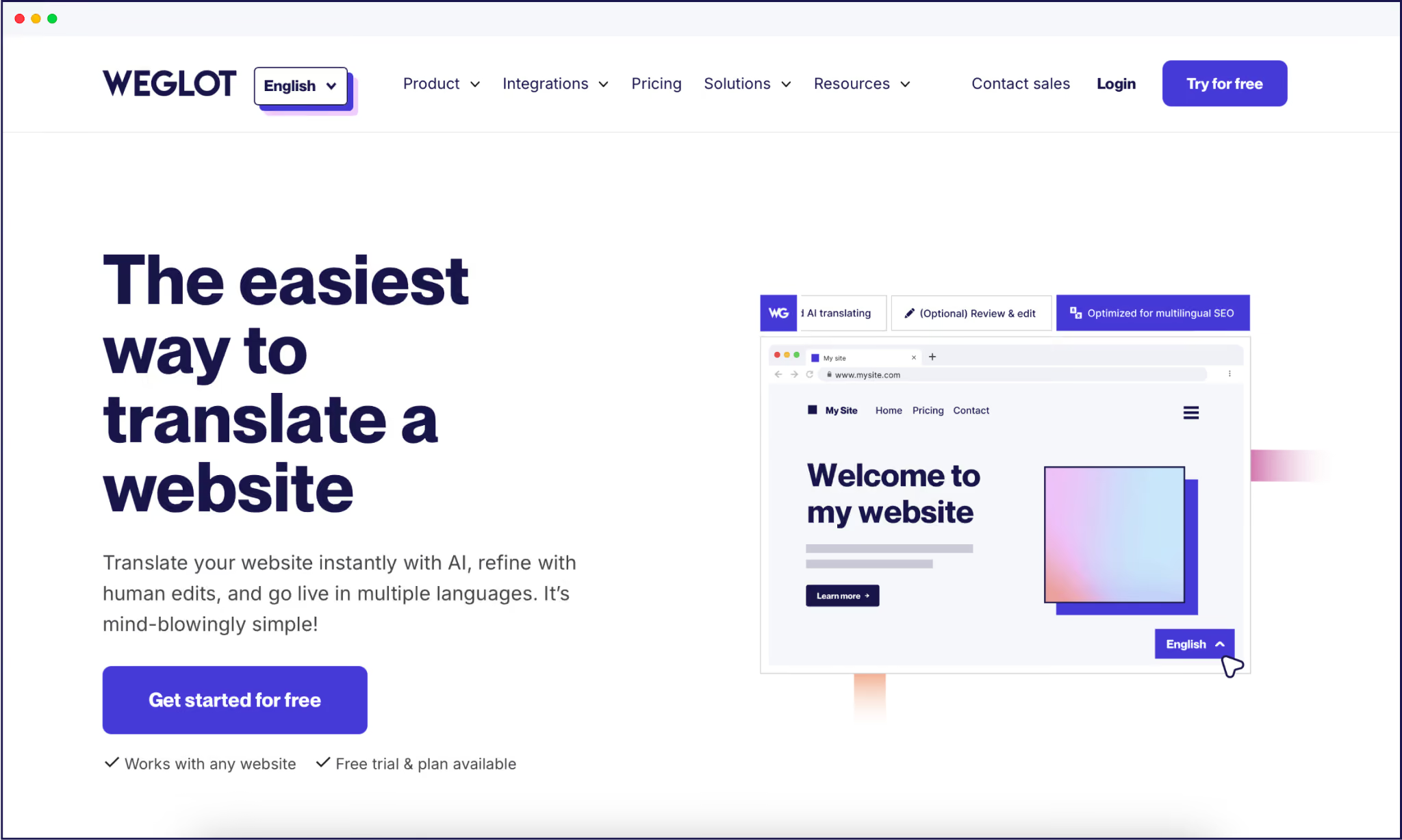
Weglot works across any CMS (and custom-built sites), supports 110+ languages out of the box, and even lets you define custom languages on higher‑tier plans for niche locales or dialects. AI sits under the hood here, automating translation and localization so teams spend their time approving edge cases instead of copying strings around.
Globalization isn’t a ‘launch it and forget it’ project. Every new landing page, blog post, or product you publish in your main language creates a matching localization task for every other market.
If translation isn’t baked into your content workflow, your localized site drifts out of date fast – outdated pricing, missing features, or blog posts that only exist in one language. Weglot helps by automatically detecting new or updated content and queuing translations so your language versions stay in sync without manual ticket juggling.

That’s how brands like The Bradery translate 500+ new products a day.
{{quote-image-banner}}
Two quick wins for global UX – fix your language switcher, and standardize your templates.
Firstly, skip flags as language selectors. Flags represent countries, not languages, and there’s no single Spanish flag for 20+ Spanish‑speaking countries. Flags can complicate matters for English, French, Arabic, or Chinese speakers, so they’re best avoided. Weglot’s language selector guide talks you through all the options you need.
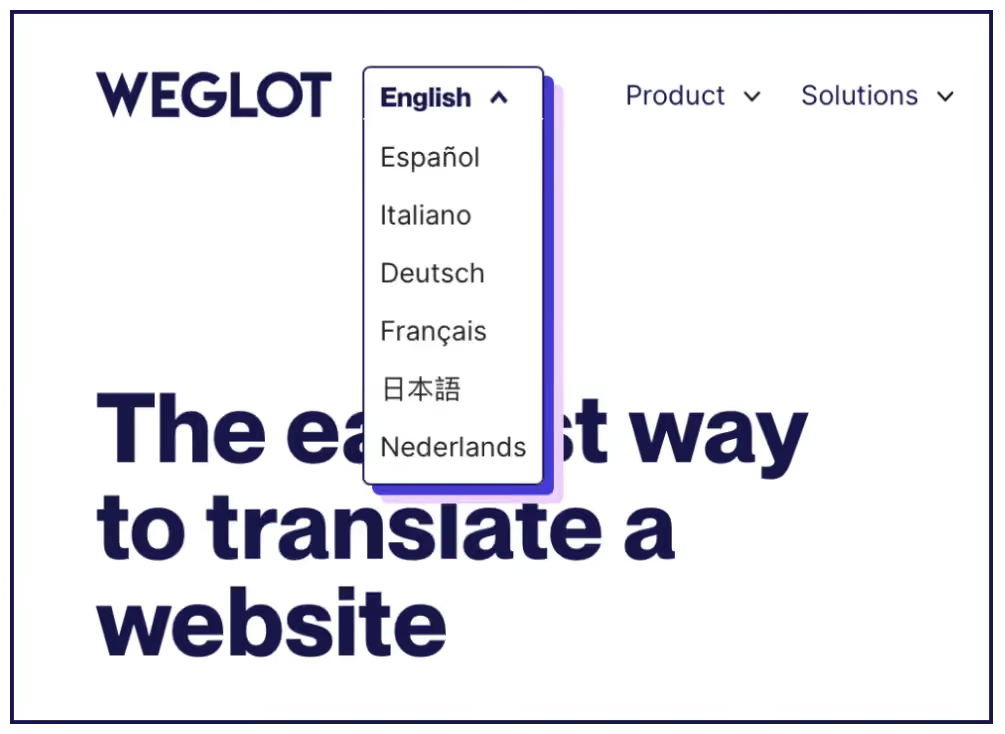
A cleaner pattern is a text label in the native language name (‘Español’, ‘Deutsch’) sometimes paired with a globe icon, so users recognize their language instantly without needing to decode icons.
Secondly, use shared global templates across all locales. When your header, footer, navigation, and page layouts stay consistent, teams can focus on content and localization quality instead of rebuilding designs for every market.
It also makes A/B testing and UX improvements easier to roll out globally, because one template change can improve dozens of language versions at once. This is how large international brands support dozens of locales without having to redesign their site every time – the Web Globalization Report Card found that top global sites average 65 languages on shared templates.
Globalization isn’t free, but it’s far more accessible than most teams expect, and the payback can be huge.
On the implementation side, AI translation has crushed timelines and labor costs. Instead of paying for months of manual translation before you see a single foreign‑language sale, you can launch in days, then invest in human review to check and refine key pages
Weglot customers show what that looks like in practice:


For exact costs, check out Weglot’s pricing page – every tier is available on a 14-day trial, with no credit card required.
Website globalization is best achieved through a chain of decisions – pick your markets, set up internationalized infrastructure and URLs, localize content and UX, then keep every language version updated as your site grows.
Weglot plugs into the localization stage so you don’t have to build that process and automation yourself. You get AI translation, on-brand translations with our AI Translation Mode, multilingual SEO/GEO, and automatic content sync in minutes (with full editing control if you need it).
If you’re ready to put this process in action, you can start for free with our 14-day trial and go multilingual in minutes.

We’ll get your first languages live. You decide how far you want to go. Try Weglot for free today.
Trusted by 110,000+ global brands








Weglot is tested and trusted by brands worldwide since 2016. Join them today.


The best way to understand the power of Weglot is to see it for yourself. Test it for free and without any engagement.
A demo website is available in your dashboard if you’re not ready to connect your website yet.


The Website Globalization Review is a paid audit run by the US International Trade Administration. It evaluates your site’s international SEO, UX, and ecommerce readiness, then provides a gap analysis report plus follow‑up coaching on how to attract and convert more overseas buyers.
Modern AI translation is built on neural machine translation, which now holds around 48.67% of the translation technology market. Adoption is high in practice too, with large surveys showing that most European language professionals now use machine translation in their workflows.
A safe model for websites is AI‑first with targeted human review. This uses AI to translate everything fast, with the option of reviewing key content like homepages, legal pages, and top‑converting funnels. Tools like Weglot support this in practice, and external reviews report that more than 80% of Weglot users publish without needing manual edits, using human review only where it matters most.
No. Flags represent countries, not languages, and create misleading or exclusionary UX. A better pattern is a language dropdown that uses native language names (“Français”, “日本語”) sometimes combined with a globe icon.
You rarely need unique designs per market. Most high‑performing global sites use shared templates across all locales and focus customization on content and UX details instead.