

Try Weglot for free


Shopify merchants generating high volumes in revenue face a daunting technical challenge – how do they expand their market presence while maintaining a manageable operational infrastructure? And given the meteoric advancements in AI, can it be used to localize Shopify stores?
The answer lies in making big decisions about core technical areas of your site’s setup. Customers are far more likely to purchase when prices appear in their local currency, content is written in their native language, and checkout feels familiar. In fact, 75% of consumers prefer shopping on native-language websites, while 59% avoid English-only sites.
Shopify store owners must also navigate strategic decisions that impact SEO. These include considering URL structures and the pros and cons of automated/human translation. Additionally, regional pricing strategies and international inventory solutions are needed to ensure customer fulfillment across markets.
With this in mind, we’ll provide guidance to help you evaluate your needs and optimize your global Shopify localization strategy to maximize returns efficiently.
Providing a localized experience is a must for any business owner looking to appeal to customers in new markets. Here’s what adopting such a strategy can bring to your Shopify store:
As Shopify merchants prepare to scale internationally, the right approach to localization is everything. Consider the following when putting together your own strategy:
Together, these practices form the foundation of successful Shopify localization. While you can implement many of them independently, Shopify Markets provides a centralized platform that streamlines several of these processes – from currency management to tax compliance.
Let’s explore how to leverage this built-in tool to put these best practices into action.
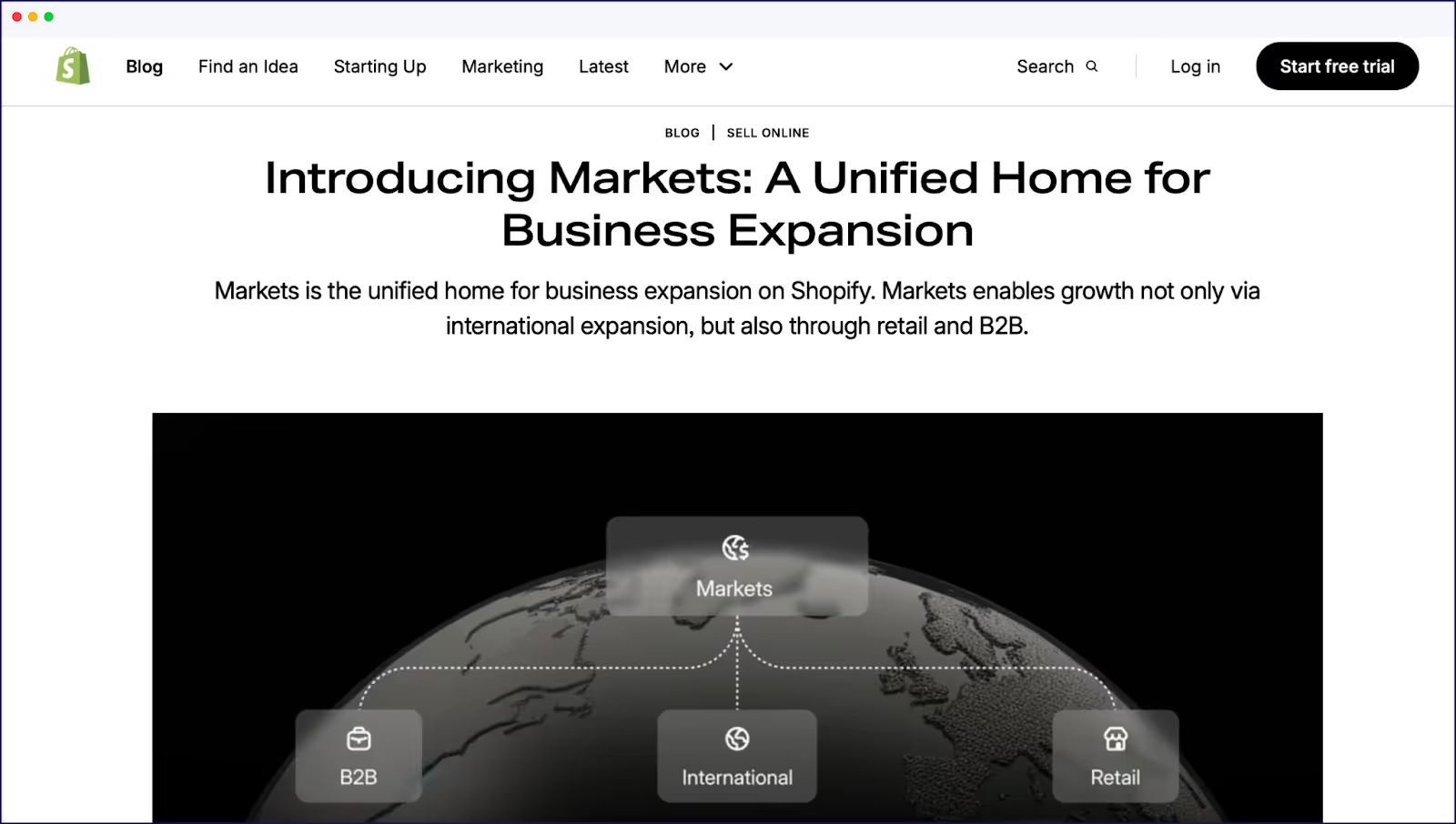
Shopify Markets provides the tools for global expansion, although it does come with limitations, as we’ll discover later on. This feature acts as a central hub within Shopify Admin, allowing merchants to manage all regional expansions efficiently.
Setting up Shopify Markets is one way for merchants looking to expand their ecommerce presence internationally. Here are the key steps required to effectively configure your store for international sales:
Conduct thorough market research to identify which countries or regions and specific markets you want to target. Consider factors such as market demand, competition, and cultural fit.
To create new target countries:
Adapt product descriptions, marketing materials, and customer service resources to connect with local audiences. Consider using a translation app like Weglot to add greater convenience and efficiency.
Take French fashion resale platform The Bradery. With more than 500 fashion and apparel products uploaded daily to the site, Weglot automatically detects and translates the content, then instantly updates the English and Dutch versions.
You can also do this step through Shopify Markets, by going to set up language options: Offer your store in multiple languages by navigating to Online Store > Themes > Actions > Edit Languages.
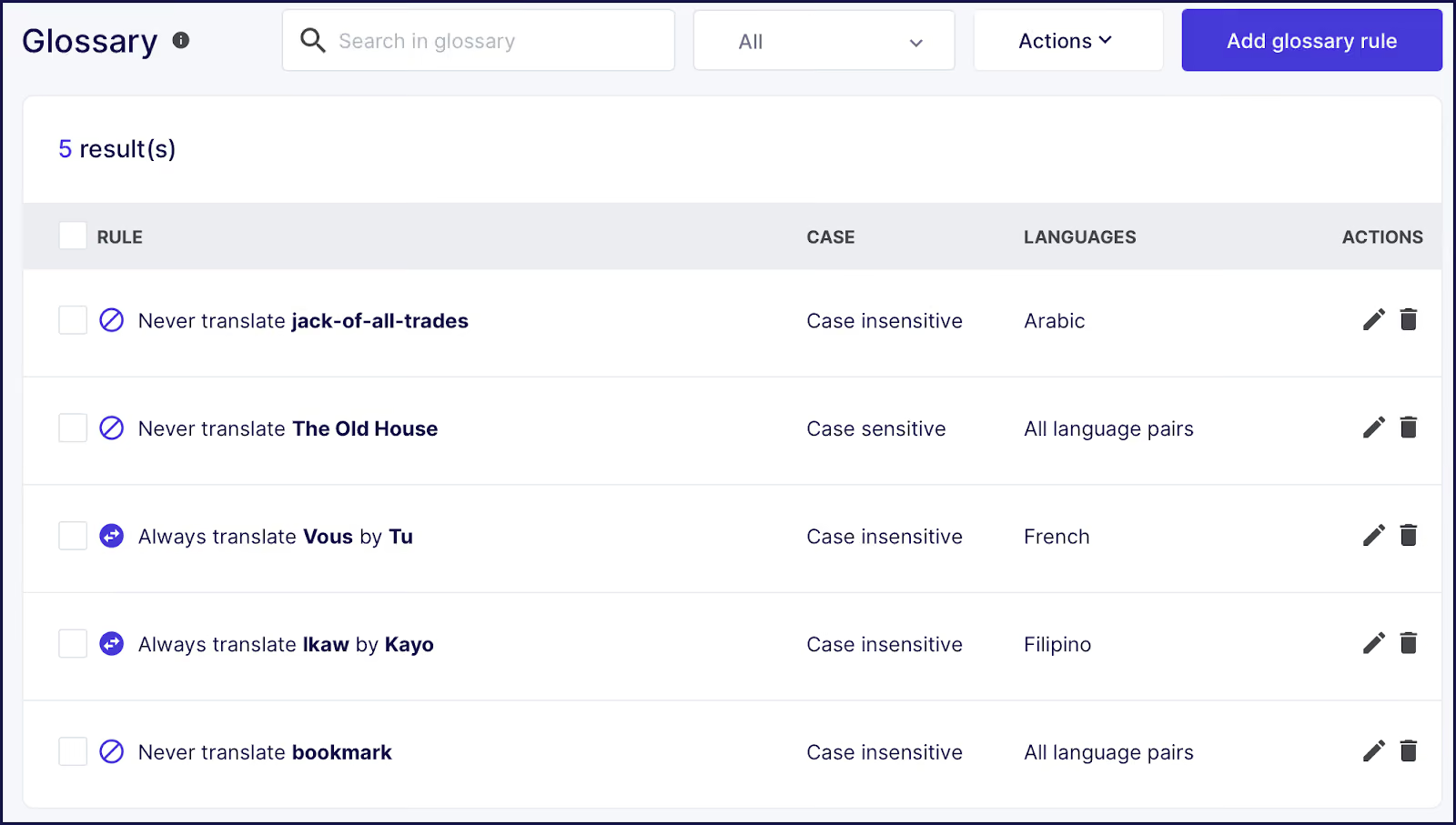
However, Weglot has a simple, tech-free setup and offers greater functionality than Shopify Markets. You can store preferred translations in a glossary for consistency, and translate text elements like metadata, image text, and, importantly, even content from third-party extensions.
Regularly analyze sales data and customer feedback from different international markets using Shopify’s analytics tools. This will help you refine your strategies and improve the shopping experience.
Once you’ve configured Shopify Markets for international expansion, your next strategic decision is whether to manage all your global operations through a single Shopify store or split them across multiple fronts.
When considering the single-versus-multistore approach for enterprise-level Shopify stores, several advanced decision factors come into play.
In practice, a single-store approach is ideal for businesses focusing on a niche market or audience. A multi-store approach entails operating multiple Shopify stores, each tailored to different markets, regions, or product lines.
Consider the following pros and cons when deciding which approach is best for you:
As we’ve seen, both approaches have their advantages and drawbacks. The key difference lies in business scope – a single-store focuses on simplicity and specialization, while the multi-store method emphasizes diversification and a broader market reach.
Regardless of which store structure you choose, one challenge remains constant: the time and resources required to translate and localize content at scale. That’s where AI-powered localization tools are transforming the game.

Yes, and AI makes it faster than ever. Tools like Weglot use AI-powered translation to localize your entire Shopify store in minutes, not months. Instead of manually translating thousands of product pages, you get an instant first layer of translation that you can then refine for brand voice and local nuance.
AI translation tools analyze your store’s content and generate translations using neural networks trained on billions of language examples. The result is a fully translated site almost instantly.
Say you’re expanding from the U.S. into a Spanish-speaking market.
Weglot’s AI Language Model will not only automatically translate your site. Here’s what sets it apart: the AI learns from your glossary, manual translation history, and custom instructions to match your brand voice.
This means your translations capture your unique tone, industry-specific terminology, and tone, so you stand out from brands using cookie-cutter translations. From there, you can leverage Weglot’s editing tools to refine phrasing, add terminology to a glossary for consistency, and review translations in context using its Visual Editor.
This hybrid approach of AI speed with human refinement gives you higher quality without the traditional time and cost of full manual translation – and without sounding like every other competitor in your market.
Next, let’s explore how Weglot’s AI translation approach addresses the unique challenges of Shopify localization.
Weglot offers several capabilities that Shopify Markets does not, making it a more comprehensive solution for localization.
Key advantages include:
With its centralized translation management system, Weglot integrates into existing Shopify workflows and is fully compatible with Shopify Markets. This allows you to regularly launch new products without worrying about any manual actions, even when processing over 1,000 orders per month.
It also means you can expand into new markets with accurate translations that sound like your team wrote them.
To implement Weglot, simply install it through the Shopify App Store – and your site will be multilingual in minutes.
Weglot works by automatically detecting, translating, and displaying your Shopify store under language subdomains or subdirectories. Using a first-layer AI translation, your store will be 100% instantly translated (including your checkout and product descriptions).
Translation quality assurance is key in localization. With Weglot, you get complete editing control over all your translations, an inbuilt glossary, translation memory, URL exclusion, and more. These features mean you can have a multilingual store running almost hands-free after setup.
“The biggest win for us is the time we’ve saved. It takes us about ten minutes twice a week to double-check everything is running how we want it. Everything else is done by Weglot.”
- Adèle Aubry, Ecommerce Manager at The Bradery
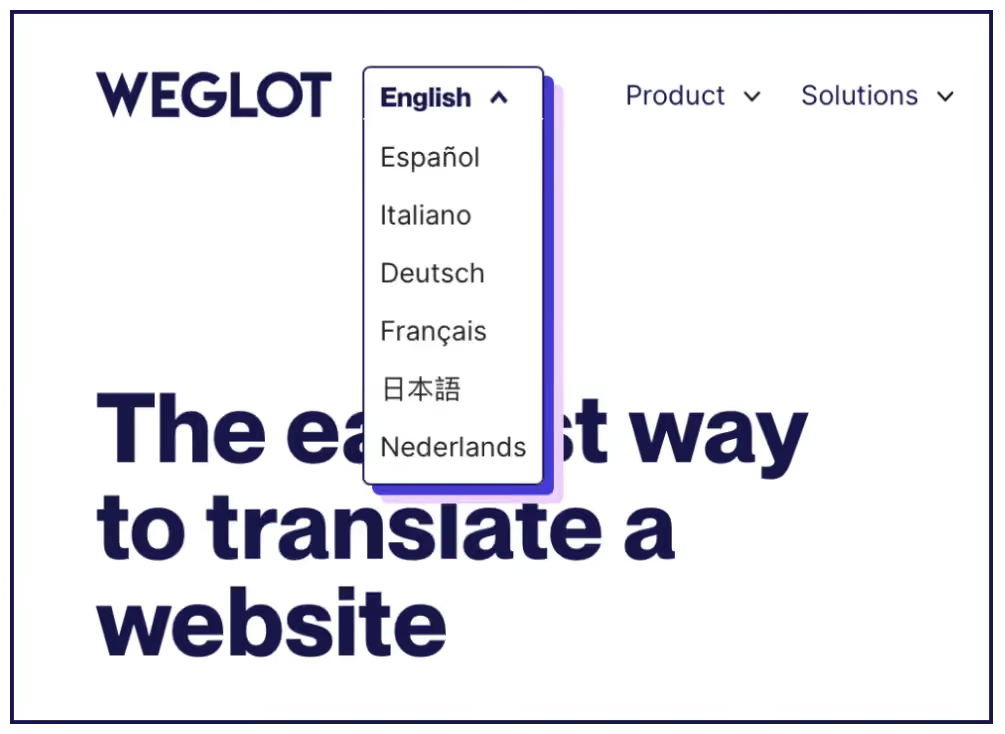
We built our translation app with speed in mind. Using a proprietary mix of AI translation, Weglot instantly produces high-quality translations for website text in over 110 languages, ensuring a rapid response to market demands.
Weglot also allows for excluded translation rules, enabling specific content types – such as legal disclaimers or brand names – to remain in their original language. All translations are stored in a central dashboard, making it easy to conduct post-editing work with team members and expert translators.
Additionally, Weglot can handle translations for custom taxonomies and metadata, ensuring that all relevant content is accurately translated.
Our Visual Editor provides a user-friendly interface to edit translations in context and for layout verification, allowing you to see how translations appear in real time. You can easily handle right-to-left scripts without a developer and ensure all translations fit visually with your page designs.
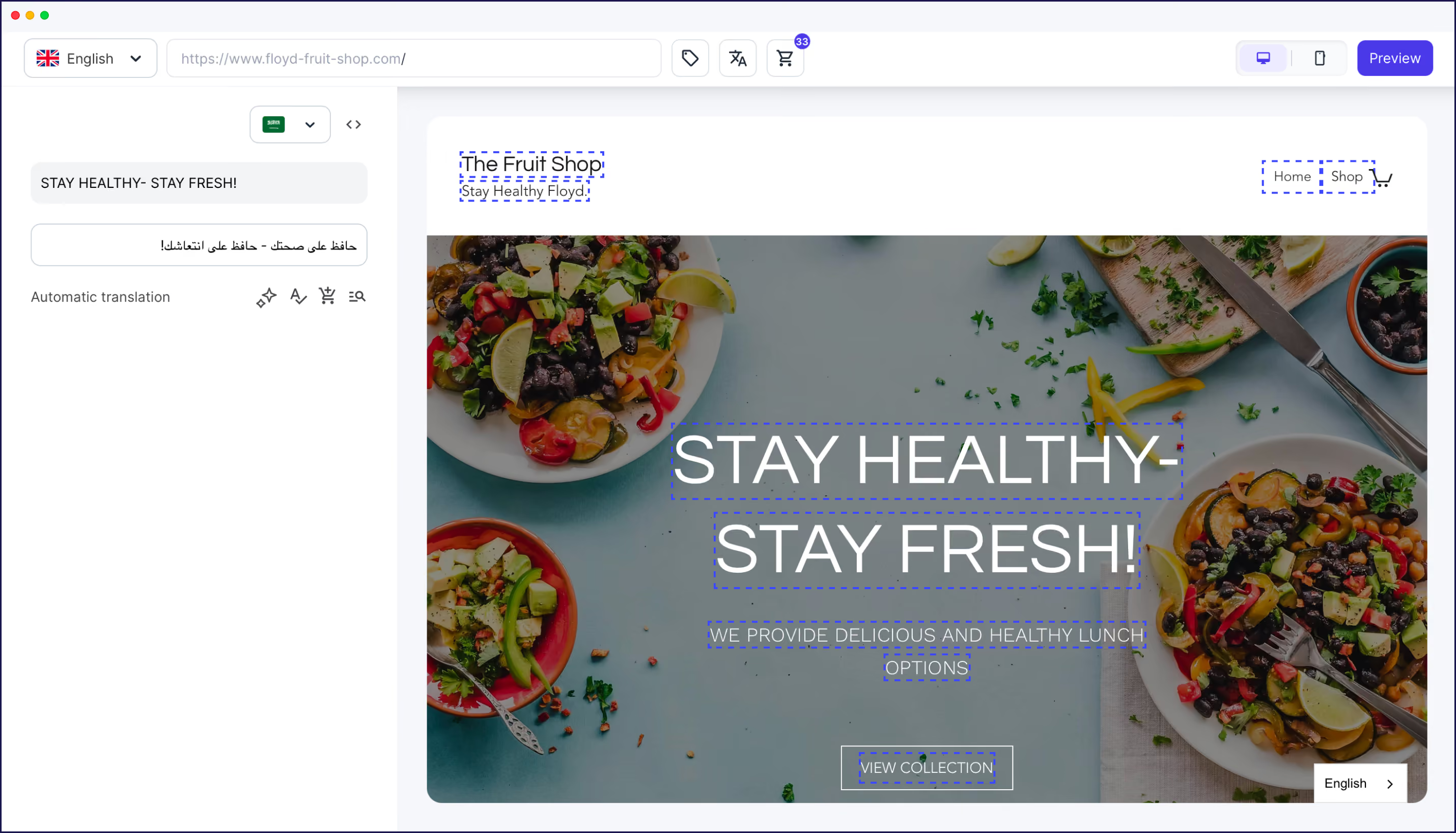
Moreover, Weglot effectively manages dynamic JavaScript content translation. All elements of the site are consistently localized without manual intervention, no matter where the content is coming from (such as third-party apps).
To optimize SEO for multilingual Shopify stores, Weglot allows you to set up language-specific URLs and domain structures. It automatically implements hreflang tags in theme files, ensuring that search engines correctly index the various language versions of a site.
The metadata translation process is also important for maintaining SEO integrity. Weglot translates essential elements such as title tags and meta descriptions for better visibility in international search results.

Our translation app also optimizes indexing through sitemap handling, making sure that all translated pages are included for search engine crawlers. Canonical URLs are implemented across languages to prevent duplicate content issues, preserving the SEO value of the original pages.
Finally, Weglot integrates with existing SEO tools and analytics platforms, providing a comprehensive approach to managing multilingual SEO strategies.
By combining automated translation technology with human refinement capabilities, Shopify businesses can ensure high-quality content that connects with their local customer base.
With Shopify translation apps like Weglot, site owners can deploy their global stores in a matter of minutes. Our app integrates with Shopify Markets, handling the technical aspects of Shopify localization and making it easier than ever to reach new global audiences at speed.
With Weglot in your toolkit, your brand can start targeting core markets and easily expand to additional languages as business grows. And managing your ongoing translation workflow is simplified through Weglot’s centralized dashboard, giving you a clear overview of all translations.
Ready to leap into global ecommerce? Sign up for Weglot’s 14-day free trial for instant results.

We’ll get your first languages live. You decide how far you want to go. Try Weglot for free today.
Trusted by 70,000+ global brands





Weglot is tested and trusted by brands worldwide since 2016. Join them today.


The best way to understand the power of Weglot is to see it for yourself. Test it for free and without any engagement.
A demo website is available in your dashboard if you’re not ready to connect your website yet.


Yes. Weglot translates the full buyer's journey on Shopify, from products to checkout.
Weglot implements the technical SEO elements required for a Shopify multilingual strategy. It automatically creates language subdomains or subdirectories (depending on your preference), translates metadata, and offers the option to translate your URLs on Pro plans and above. Another complex element that is automatically handled is the implementation of hreflang tags, which inform SEO bots about the language your pages are targeting.
Just head to the Shopify App Store, search for Weglot, and click “Add App.”
From there, you’ll:
Your store is now multilingual, no extra setup needed.
The key differences include:
Are Shopify themes sufficient for multilingual stores, or do I need an app for full translation? There are a couple of limitations of using a Shopify multilingual theme to translate your store.
Essentially, for full store translation, a Shopify multilingual theme is not enough and the theme does not handle everything.
Yes. AI-powered apps like Weglot can translate and localize your entire Shopify store, including product pages, checkout, metadata, and third-party app content, in minutes. For most standard ecommerce content, AI produces publish-ready results. For brand messaging or nuanced copy, you can refine translations manually or customize your AI Translation Model, which is trained on your instructions and your brand's style and terminology.
AI translation actively improves international SEO when implemented correctly. Weglot automatically handles technical SEO requirements—generating hreflang tags, creating language-specific URLs, and translating metadata—so your translated pages get properly indexed by search engines. Research shows that translated websites gain 327% more visibility in AI search results across international markets. The key is using AI translation paired with proper technical implementation, not AI translation alone.
With the Weglot translation app, available on the Shopify App Store, you can add 110+ languages instantly. The process takes less than 5 minutes to have a fully translated site using AI translation. You can later choose to activate your custom AI Translation Model that enhances the AI translations based on your brand guidelines, glossary rules, manual edit,s and any custom rules you’ve created. Plus, you’ll always have full manual editing control through Weglot’s translation management dashboard.


