Website translation

Best Localization Tools for 2026 Compared

Best Localization Tools for 2026 Compared
Updated on
December 22, 2025

Lost and confused…

That’s exactly how your customers can feel when you’re pitching them your products, but your website is in a language completely foreign to them. And if they can’t understand what you’re trying to get across, then the chances of them actually buying what you’re selling are extremely slim.

While translating your website helps improve the situation to some extent, the more effective approach is to have a global marketing strategy, which involves localizing your content to fit the needs of your target audience. With a properly localized multilingual website, you’ll be able to market your offerings more successfully to audiences in different geographical locations. And as a result, you’re far more likely to generate more revenue!

Let’s get into the details of what localization is, its benefits, and the various localization tools available for localizing website content with speed, accuracy, and scale.

Note: This article will focus only on the localization of websites and not other formats, such as documents, apps, and software.

What Is Localization and Why Localize Your Website?

Localization is the process of adapting an offering (such as a product or service) to suit the local context of people in a certain market. For a website, localization involves translating web page text into your target audience’s native language, then refining the text to meet local trends and word preferences.

It also requires replacing images and colors, and adjustment of the user interface to suit the needs of the local market.

For example, the color white in Western societies is often used for wedding attire, yet in parts of Asia it’s used for funerals. Image-wise, more family-orientated societies react well to seeing multiple people in imagery – in contrast to American ads which often show single person imagery as a mark of individuality.

Research image and color-meaning in your target market before committing to any new color palette. By catering to local needs, you gain the following advantages:

  • Reaching new markets across the globe, and selling more products to more customers.
  • Better communication with customers, where language differences may otherwise pose a barrier.
  • An optimized website for international SEO, so that your web pages rank higher for searches conducted by people looking for information in other languages.
  • Customer service that understands your customers’ issues and offers appropriate solutions.

What Is a Localization Tool?

A localization tool is a software that helps businesses localize their products, websites, software, and marketing materials. It aims to optimize the time it takes to translate your online presence into different languages, improve workflows, and allow you to launch in new markets faster.

Website localization tools adapt online content for different languages and cultures. From self-translation services to comprehensive platforms, each type serves different needs and team structures.

For an in-depth analysis of localization tool types, features like translation memory, and how AI improves translation accuracy, see our Localization Tools Breakdown.

What Are the Different Localization Tool Types?

Apart from being translated, a localized website will need to communicate a consistent message, in the same brand voice, across its different geographical page variants. As we’ve seen, this will involve refining your translations and other media to incorporate the languages and cultures of each of your markets, while still preserving their original meaning.

Don’t worry if this sounds challenging, because various software localization tools have been developed to remove the difficulties brought by old-school manual methods. These specialized solutions take a lot of the hassle out of localization, helping marketing teams, software developers, project managers, and translators to localize every part of a website.

Common types of website localization tools include:

  1. Self-translation services.
  2. Translation services.
  3. AI-powered website localization software.

1.Self-Translation Services

Self-translation services like Google Translate, DeepL Translator, and Bing Microsoft Translator provide instant translation by copying text directly into their platforms.

2. Translation Services

Translated homepage
Translated homepage

Unlike self-service translation services, which rely on algorithms to translate content, translation services use professional human translators to translate content. Such translation service providers can assist in:

  • Translating documents, websites, software, and more.
  • Proofreading website copy.
  • Automating the translation of large volumes of text via API.
  • Providing other translation-related services, such as video subtitling, multilingual chatbots, and Google Ads translations.

And if you work with a website localization service, they’ll go beyond merely translating your site by localizing it to meet the needs of your specific target audience.

3. AI-Powered Website Localization Software

AI-powered website localization software is all of the above and more. As a complete translation solution, these platforms contain practically every feature you’ll need to localize your website in one place.

The very best AI-powered website localization software has these features:

  • AI translation with human editing: AI translation provides instant first-pass translations using advanced language models. Professional translators then review and refine translations for local market accuracy.
  • Translation glossaries: Glossaries specify how terms translate consistently across all content. This ensures brand terminology remains consistent during large projects.
  • Workflow management: Project management tools assign team permissions and enable real-time collaboration. Multiple staff and external translators work simultaneously on translation projects.
  • Translation memory: Translation memory stores translated segments in a central database. Previously translated content is reused automatically in future projects.
  • AI language model: Advanced platforms offer customizable AI models that learn from your brand’s glossary and translation history. These models adapt to your specific tone and terminology preferences.
  • Quality assurance: Automated quality checks review translation accuracy before deployment. These checks catch typos and formatting errors before translations go live.

How to Choose the Right Localization Tool for Your Team

Choosing localization software depends on your team structure, release frequency, and geographic distribution. Different tools serve developer-heavy teams versus translator-heavy teams. Your workflow cadence and team location determine which features matter most.

Consider Your Team Structure

Developer-heavy teams benefit from tools with strong Command Line Interface or CLI features and API integrations. These teams can customize workflows and integrate localization into development pipelines.

Translator-heavy teams need user-friendly visual interfaces that don’t require coding knowledge. And marketing teams often prefer tech-free tools that non-technical staff can manage independently.

To give examples, Weglot serves teams without dedicated developers through its visual dashboard and tech-free setup. Whereas developer-focused platforms like Phrase and Lokalise provide APIs and command-line tools for technical workflows. Look for the solution that matches the needs of your team and you’ll be heading in the right direction!

Match Your Release Frequency

Teams with continuous, frequent updates need tools that support continuous localization. These platforms automatically detect new content and trigger translation workflows.

Teams with monthly releases might use more manual translation processes. Less frequent updates allow time for human translation review. Your content publication cadence determines whether you need real-time automation or scheduled batches.

Consider Team Location

Cloud-based tools are essential for teams spread across different time zones. These platforms enable simultaneous collaboration without location barriers.

Distributed teams need real-time translation updates and version control. Co-located teams can use simpler tools with less emphasis on cloud features, as they’re able to communicate face-to-face and within the same time zone.

However, it’s important to note that cloud platforms provide backup and disaster recovery benefits regardless of team location. What’s more, when the time comes to expand your team, you’re not limited by only having access to your local talent pool.

What to Look For in a Localization Tool

While there are many localization tools out there, they’re built in different ways. Each tool aims to solve specific problems, so some cater to businesses just beginning their localization journey, while others have all the bells and whistles that an enterprise might need.

With that in mind, here are some things to consider when looking for a localization solution:

Intuitive Interface

Localization projects involve so many aspects that it can be a challenge to remember them all. The last thing you want is to make things harder than they need to be. There are better things in life (and localization) than spending days configuring a plugin or trawling through documents in a specific tool’s help center.

The fastest way to accelerate your localization process is by using an interface that has a straightforward onboarding process. The less time you spend trying to understand how the software works, the faster you’ll cruise through your localization workflow.

Collaborative Features

Whether you have one or five languages to localize on your website, it’s always more efficient to have a team with you working on the content simultaneously – and even better when your localization tool enables easy collaboration.

A centralized localization tool that allows cross-continent teamwork makes it easier to spot translation issues, ensure content is always up to date, and prevent any roadblocks from localizing content. And with many tools, you’ll be able to assign translations to certain team members and mark them as pending for review, all from a single dashboard.

Tools that enable collaboration should naturally come with different permissions’ settings. Role-based permissions control who can edit translations versus who can only review them. Version control prevents team members from overwriting each other’s work. Such features allow team members and partners to work on the same project in different time zones, without a site owner needing to worry about security issues or mixed-up work schedules.

Visual Editing Options

Visual context features show translators where text appears in the user interface. Translators are able to see screenshots or live previews of website pages, helping them to ensure that translated content fits in with your original designs.

Context-aware translation reduces revision cycles as translators don’t have to rely on guesswork. The likes of Weglot, Smartling, and Phrase provide visual context features for enterprise teams.

Cloud-Based Solution

Cloud-based platforms eliminate emailing translation files back and forth, as everything is stored on external servers. If you’re working with a team located all over the world, then all important data must be accessible online.

Cloud storage also helps with website performance and site speed. Some plugins store translations on your site’s database, which can slow down loading speeds as your site grows.

Scalable

Your localization needs now may look very different in a year, so look for a localization tool that can grow with you. While it may be tempting to stick to cheaper, more basic tools, you’ll eventually feel constrained once you expand into new territories and add more languages to your website.

When you choose a flexible localization tool, you’ll avoid the mess that often comes with migrating from one software to another. There’ll be no loss of files, no new software to wrap your head around, and more predictability for when you scale.

Automated Workflow

When you’re entering new markets, you’ll need to optimize your workflow so you can avoid repetitive tasks and focus on the cognitive-heavy ones.

A localization tool that automates your workflow is indispensable. They remove as many of the manual localization tasks as possible, enabling brands like The Bradery to upload 500+ new products on a daily basis, and have them all translated instantly. Something that a manual workflow simply couldn’t achieve alone!

Workflow automation includes integration with development tools like GitHub and Jira. These integrations automatically sync translations with code repositories. And automated workflows reduce manual importing and exporting of translation files.

CI/CD pipeline integration enables continuous localization alongside software deployment, while developer-focused platforms provide webhooks and APIs for custom automation.

Automation should also include multilingual SEO. Quality platforms automatically generate hreflang tags, translate metadata, and create language-specific URL structures, saving heaps of manual work that can be complex and error-prone.

Optimized international SEO helps your localized pages to rank in regional search results without manual configuration. Tools like Weglot automatically implement hreflang tags and create language-specific URLs for each translated page, handling all of the tech stuff behind the scenes.

Cost-Effective Translation

Localization tools reduce translation costs through automation. AI translation provides instant first-pass translations, so professional translators are only needed to refine critical pages instead of translating an entire website.

Translation memory is another cost-reducer, as it stores previously translated segments. These stored segments are reused automatically in future projects, removing the cost of translation the same content multiple times.

For a truly cost-effective beginning to your localization strategy, Weglot’s free plan (2,000 words, 1 language) allows businesses to test multilingual content without upfront investment. You’ll be able to translate a few main pages, plus see our intuitive dashboard in action first-hand.

Responsive Support

While it’s best to go with a tool that has the smallest learning curve possible, that doesn’t mean you won’t occasionally need help.

A comprehensive collection of support-related online documentation means you won’t need to wait for customer support to get back to you, should you need it. But having an excellent support team on call will save you a lot of time, money, and frustration in complex or exceptional circumstances.

At a Glance: Tool Comparison Table

Before diving into detailed reviews, here’s a quick comparison of the localization tools covered in this guide:

Tool Best For Starting Price Key Strength
Weglot Website translation $17/month Tech-free, 5-min setup
Phrase Developer teams $27/month 50+ integrations, cloud TMS
Smartling Enterprise localization Custom Visual context for translators
Lokalise Tech-savvy teams $144/month API / CLI automation
GlobalLink Multi-service needs Custom AI voiceover & subtitling
POEditor Small teams & startups $14/month Simple UI, affordable pricing
Crowdin Open-source projects $59/month Community translation workflow
Transifex Product teams $120/month Continuous localization

Note: Pricing as of December 2025. Free plans and trials available for several platforms (see below).

Best Localization Tools to Check Out

As we’ve mentioned, localization tools serve different use cases and team sizes. Tech-free website tools like Weglot suit content sites and ecommerce stores without requiring development expertise.

Developer-focused platforms like Crowdin, Phrase, and Lokalise integrate with CI/CD pipelines for agile software teams. Enterprise platforms like Smartling and GlobalLink offer custom implementations for complex, multi-market organizations. Do your research, and choose based on your technical resources and project complexity.

1. Weglot

  • Starting price: $17/month.
  • Free plan: Available (2,000 words, 1 language), and free 14-day trial on all plans.
  • Best for: Content sites and ecommerce stores.
  • G2 score: 4.7

Weglot is a tech-free localization tool for website content and ecommerce sites. We integrate with all other platforms (see details below). Our cloud-based dashboard centralizes all translation management.

We provide AI translation powered by DeepL, Google Translate, and Microsoft Translator. You can refine translations using our Visual Editor or order professional human translation directly through your dashboard. Over 110,000+ websites use Weglot for multilingual content, from startups and SMEs to enterprise brands.

Key Features:

Integrations:  WordPress, Shopify, Webflow, Squarespace, Wix among others.

Pricing:

  • Free: 2,000 words, 1 language.
  • Starter: $17/month (10,000 words, 1 language).
  • Business: $33/month (50,000 words, 3 languages).
  • Pro: $92/month (200,000 words, 5 languages).
  • Advanced: $348/month (1,000,000 words, 10 languages).
  • Extended: $822/month (5,000,000 words, 20 languages).
  • Enterprise: Price on request.

Strengths:

  • Tech-free setup takes under 10 minutes for most platforms.
  • Instant AI translation with Visual Editor for refinement.
  • Automatic SEO optimization (hreflang, metadata, URL structure).

Considerations:

  • Website-focused (not designed for software/app localization).
  • Word count limits on lower-tier plans.
  • Anyone seeking a tech-free, hands-off solution.

Ready to start translating your website? You can start your free trial of Weglot right now, and you’ll have a multilingual website in a matter of minutes – no credit card required.

2. Phrase

Quick Overview:

  • Starting price: $27/month.
  • Free plan: No, but 14-day trial available.
  • Best for: Developer teams and agile workflows.
  • G2 score: 4.5

Phrase is a cloud-based localization platform built for developer teams. The platform provides a centralized environment for managing translations. Phrase comes in two versions – Phrase TMS for content localization and Phrase Strings for software/app localization.

This separation ensures developers work with string-focused tools while content teams use full TMS features. The platform supports 50+ integrations including GitHub, AWS, WordPress, and HubSpot.

Key Features:

  • Cloud-based Translation Management System (TMS).
  • AI-powered automation for workflow efficiency.
  • Phrase Orchestrator for custom localization workflows.
  • Auto LQA (Linguistic Quality Assurance) for error detection.
  • Global search to find specific keys across projects.

Integrations: GitHub, AWS, WordPress, HubSpot, Slack, Figma among others.

Pricing:

  • Freelancer: $27/month.
  • Professional: $525/month.
  • Software UI/UX: $525/month.
  • Team: $1,045/month.
  • Business/Enterprise: Custom pricing.

Note: All Phrase payment plans come with unlimited languages, but check details regarding tier limitations.

Strengths:

  • Separated functionality for app/software vs. content localization.
  • API and CLI for developer workflows.
  • Multi-file view in single window.
  • Strong integration ecosystem (50+ tools).

Considerations:

  • Higher price point than website-focused tools.
  • Steeper learning curve for non-technical users.
  • Better suited for software/app localization than simple websites.

3. Smartling

Smartling translation tool homepage

Quick Overview:

  • Starting price: Custom pricing.
  • Free plan: Available, but no free trial on pricing plans.
  • Best for: Enterprise-level localization projects.
  • G2 score: 4.5

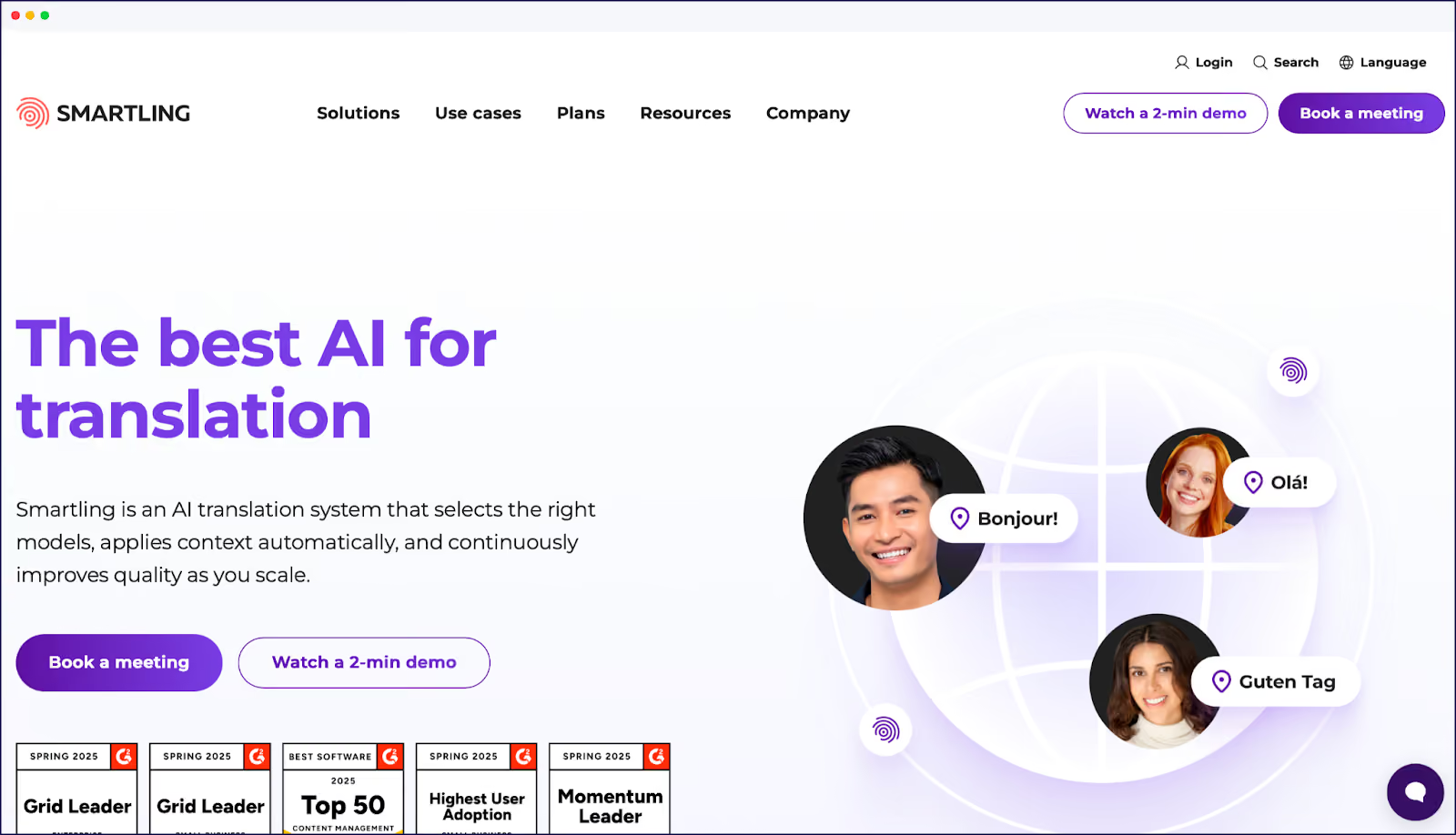
Smartling is an enterprise localization platform designed for large organizations. The platform bridges the gap between technical and non-technical teams. Smartling provides visual context to translators, showing them where text appears in the user interface.

This context-aware approach reduces translation errors and revision cycles. The platform automates content detection for web and mobile apps, and AI integration powers translation suggestions and quality scoring. Smartling serves enterprises with complex, multi-market localization needs.

Key Features:

  • Visual context showing translators where text appears in UI.
  • Automated content detection for web and mobile applications.
  • AI-powered translation suggestions.
  • Translation memory and glossary management.
  • Real-time collaboration for distributed teams.
  • Quality scoring and linguistic quality assurance.

Integrations: Contentful, Sitecore, Adobe Experience Manager, Marketo, Salesforce among others.

Pricing:

  • Custom pricing based on word volume and features.
  • Typically serves mid-market to enterprise organizations.
  • Contact sales for quote and demo.

Strengths:

  • Visual context feature unique to enterprise tools.
  • Strong enterprise security and compliance features.
  • Automated content detection reduces manual tracking.
  • AI integration for quality and efficiency.

Considerations:

  • Custom pricing requires sales contact (no transparent tiers).
  • The enterprise-focus may be overkill for small sites.
  • Steeper implementation process than tech-free tools.

4. Lokalise

Lokalise homepage

Quick Overview:

  • Starting price: $144/month.
  • Free plan: Available, plus 14-day free trial.
  • Best for: Tech-savvy teams and developers.
  • G2 score: 4.7

Lokalise is a collaborative platform designed for developers and technical teams. The platform focuses on simplifying workflows through automation. Lokalise features a dedicated API for custom integrations.

Teams can work on different project branches simultaneously. The platform handles web apps, mobile apps, marketing assets, and customer service content. Automated translation quality assurance catches errors before deployment. Version control and chained tasks enable efficient workflow management.

Key Features:

  • Project branch functionality for parallel workflows.
  • Real-time collaboration for design and development teams.
  • Automated translation quality assurance.
  • Translation memory and glossary.
  • Version control and task management.
  • 99% uptime guarantee.

Integrations: GitHub, Bitbucket, Figma, Slack, Jira, Adobe XD among others.

Pricing:

  • Free: 500,000 words, 2 languages.
  • Explorer: $144/month (unlimited words, 10 languages).
  • Growth: $499/month (unlimited words and languages).
  • Advanced: $999/month (unlimited words and languages).
  • Enterprise: Custom pricing.

Strengths:

  • Extremely customizable for developer workflows.
  • Dedicated API and project branch features.
  • Real-time collaboration between designers and developers.
  • Strong integration ecosystem.

Considerations:

  • Requires technical knowledge to maximize features.
  • Higher-tier plans needed for design tool integrations.
  • Learning curve for non-developer team members.

5. GlobalLink

GlobalLink translation tool homepage

Quick Overview:

  • Starting price: Custom pricing.
  • Free plan: No free plan, 15-day free trial.
  • Best for: Multi-service localization needs.
  • G2 score: 4.5

GlobalLink offers a comprehensive range of translation services. The platform handles website localization, including cultural research and local context analysis. Businesses interested in GlobalLink’s services need to obtain a custom quote.

Key Features:

  • Translation workflow management.
  • AI-enabled voiceover and subtitling.
  • Multi-service localization approach.

Integrations: Contact for integration details.

Pricing: Custom pricing based on project scope – contact sales for quote.

Strengths:

  • Wide range of services (website, voiceover, subtitling).
  • Cultural research and context analysis.
  • AI-enabled multimedia localization.

Considerations:

  • No transparent pricing (requires sales contact).
  • Custom quotes may have a longer turnaround.
  • Better for comprehensive projects than simple website translation.

6. POEditor

POEditor homepage

Quick Overview:

  • Starting price: $12.74/month.
  • Free plan: Available, plus 10-day free trial on pricing plans.
  • Best for: Small teams and open-source projects.
  • G2 score: 4.5

POEditor is a localization management platform for individuals and small teams. The platform translates websites, games, and software using AI translation. Human translation is available through partner providers.

POEditor offers a translation crowdsourcing feature for community-driven projects. The platform integrates with GitHub, GitLab, and other code repositories.

Key Features:

  • AI translation with manual option for human refinement.
  • Translation crowdsourcing for community projects.
  • Suitable for open-source projects.

Integrations: GitHub, GitLab, Bitbucket, other code repositories.

Pricing:

  • Free: 1,000 strings.
  • Start: $12.74/month (3,000 strings).
  • Plus: $38.24/month (10,000 strings).
  • Premium: $101.99/month (30,000 strings).
  • Enterprise: $169.99/month (100,000 strings).

Note: All POEditor plans come with unlimited languages but check each pricing tier for an overview of limitations.

Strengths:

  • Crowdsourcing option for community projects.
  • Repository integrations for developers.
  • Budget-friendly pricing.

Considerations:

  • Limited features compared to enterprise platforms.
  • Best for smaller projects.
  • Fewer integrations than larger platforms.

7. Transifex

Transifex website translation homepage

Quick Overview:

  • Starting price: From $135/month).
  • Free plan: Trial available.
  • Best for: Continuous localization workflows.
  • G2 score: 4.3

Transifex provides continuous localization for websites, apps, and video subtitles, offering an all-in-one localization experience. Transifex features developer-centric tools like webhooks and command-line interfaces.

The platform supports style guides for brand consistency. Publishing happens via API or CLI for automation. Transifex integrates easily with development workflows.

Key Features:

  • Continuous localization at development pace.
  • Webhooks for workflow automation.
  • CLI for developers.
  • AI translation, crowdsourcing, and human translation options.
  • Style guide creation for brand consistency.
  • API publishing for automated deployment.
  • Translation memory and glossary.

Integrations: GitHub, GitLab, Jira, Slack, Zendesk, WordPress among others

Pricing:

  • Starter: $135+/month.
  • Growth: $200+/month.
  • Enterprise: Custom pricing.

Note: All Transifex plans come with unlimited languages but price points are dependent on word count. Check the Transifex website for details.

Strengths:

  • Developer-friendly.
  • Continuous localization capabilities.
  • Multiple translation method options.
  • Strong integration ecosystem.

Considerations:

  • Custom pricing requires usage-related quote (less transparent).
  • Learning curve for advanced features.
  • Best for teams with development resources.

8. Crowdin

Crowdin website translation homepage

Quick Overview:

  • Starting price: $50/month.
  • Free plan: Available, plus 14-30 day free trial on pricing plans.
  • Best for: Agile development teams.
  • G2 score: 4.4

Crowdin is a platform that integrates localization into the development pipeline. The platform is compatible with CI/CD workflows. Crowdin offers AI-powered translation for initial drafts.

The platform specializes in agile localization for websites, mobile apps, games, and documentation. Crowdin supports over 40 file formats including JSON and CSV, with strings management allowing developers to approve specific translations.

The platform integrates with GitHub, Figma, and other development tools. Teams can use AI translation or work with human translators.

Key Features:

  • AI-powered translation with human review options.
  • 40+ file format support (JSON, CSV, YAML, etc.).
  • Strings management for developer approval workflows.
  • Translation memory and glossary.
  • 600+ integrations with development tools.

Integrations: GitHub, GitLab, Figma, Jira, Slack, Jenkins, OpenAI among 600+ others.

Pricing:

  • Free: 60,000 words.
  • Pro: $60+/month (60,000 words).
  • Team: $150+/month (100,000 words).
  • Team+: $450+/month (500,000 words)
  • Business: Custom pricing.

Note: All Crowdin plans come with unlimited languages but check each pricing tier for an overview of limitations.

Strengths:

  • CI/CD integration for continuous localization.
  • Affordable starting price.
  • 600+ integrations with development tools.
  • Free tier for open-source projects.

Considerations:

  • Limited file formats at lower pricing tiers.
  • Advanced features require higher-tier plans.
  • Learning curve for full feature utilization.

Companies Using Localization Tools Successfully

Global brands rely on localization tools to expand internationally. From ecommerce to streaming services, companies across industries are using localization platforms to reach new markets. The following success stories demonstrate the business impact of effective website translation.

The Bradery (Ecommerce)

The Bradery homepage
  • Challenge: 500+ new products launched daily.
  • Solution: Weglot automated translation into English and Spanish.
  • Result: Zero manual translation time, instant multilingual product launches.

Airbnb (Travel Platform)

Airbnb homepage

Nike (Global Retail)

Nike homepage
  • Challenge: Inconsistent regional app experiences.
  • Solution: Software localization with regional language teams.
  • Result: Tailored site experiences driving market-specific growth.

ASOS (Fashion Ecommerce)

ASOS homepage

These companies share common success factors:

  1. Automated first-pass translation for speed.
  2. Human review of brand-critical content.
  3. Continuous synchronization between original and translated content.

Analyzing these case studies demonstrates how localization tools enable rapid market expansion without proportional increases in translation costs. The combination of AI translation for volume and selective human refinement for quality creates scalable multilingual operations – without compromising on the localization quality of your finished result.

10 Tips for a Sound Localization Strategy

Regardless of which localization tool you use to translate your content, keep in mind the following insider tips when localizing your website! Having the tools to enable localization is one thing, but using their talents to the max will deliver the best outcomes.

  1. Research your target audience: Understand their preferences, cultural norms, and language variations before translating any content.
  2. Inject cultural nuances into your copy: Use local dialects, idioms, and expressions to make your website feel authentic and relatable.
  3. Regularly review language trends: Stay current with evolving slang and tone to avoid outdated or awkward phrasing that disconnects you from audiences.
  4. Feature culturally relevant media: Choose images and videos that connect locally and avoid symbols that could be offensive or confusing.
  5. Use media translation tools: Platforms such as Weglot offer media translation features to help you adapt visuals for different regions.
  6. Optimize for multilingual SEO: Implement hreflang tags, translated metadata, and country-specific domains to improve search visibility across markets.
  7. Adapt website layout by language: Adjust your design for languages with different reading directions – like Hebrew or Arabic – for better usability.
  8. Test translated designs visually: Use tools like Weglot’s Visual Editor to preview translations in context and ensure a natural fit with your existing layouts.
  9. Localize calls-to-action and forms: Adapt prompts, input formats, and currencies to meet local expectations and boost conversions.
  10. Maintain translation consistency: Build and update glossaries or translation memories to ensure brand messaging stays uniform across languages.

For a great, in-depth look at scaling your business overseas, be sure to download our free Marketer’s Guide ebook!

Choosing the Right Localization Tool for Your Website

As we’ve uncovered, choosing the right localization tool depends on your team structure, technical resources, and business goals.

Developer-focused platforms provide CI/CD integration for software teams, while enterprise tools offer custom implementations for complex, multi-market operations. Tech-free website tools like Weglot serve content sites and ecommerce stores of any size and business stature, without requiring development expertise.

Always consider your specific needs – and future scaling forecasts – rather than choosing based on features alone. Choose the right tool from the start, and you won’t run into limitations in future.

If you’re ready to localize your website or ecommerce store? Simply install our plugin from the WordPress repository, Shopify App Store, or other platform marketplaces. Select your target languages and see your entire site go multilingual in a matter of minutes.

To get started, download our free plan for the perfect entrée, or try a 14-day free trial on any Weglot plan for a tantalizing glimpse at the main course.

direction icon
Discover Weglot

Join 110,000+ brands already translating their sites with Weglot

Translate your website instantly with AI, refine with human edits, and go live in minutes.

In this article, we're going to look into:
Rocket icon

Ready to get started?

The best way to understand the power of Weglot is to see it for yourself. Test it for free and without any engagement.

The best way to understand the power of Weglot is to see it for yourself. Test it for free and without any engagement.

A demo website is available in your dashboard if you’re not ready to connect your website yet.

Read articles you may also like

No items found.
FAQ icon

Common questions

No items found.

Blue arrow

Blue arrow

Blue arrow