Try Weglot for free


Shopify powers millions of online stores worldwide. But for ecommerce merchants ready to expand beyond their home market, this is where the real challenge begins. Entering international markets means navigating new languages, currencies, tax regulations, and customer expectations, all while keeping operations manageable.
This guide covers how to sell internationally on Shopify, from identifying the right markets to setting up payments, shipping, and localized content. You’ll also learn how AI-powered translation tools like Weglot can accelerate your expansion without the manual overhead.
The first step in selling internationally on Shopify is deciding where expansion makes the most sense. The right market can accelerate growth, while the wrong one can drain resources.
Careful planning is essential when identifying which markets to target. Here are specific steps to take when researching which global markets to enter:
After reviewing these factors, narrow your focus to 1 or 2 target markets where demand, competition, and operational complexity feel manageable.
Validate the shortlist by analyzing Shopify and Google Analytics data, researching international visitors, and confirming legal or tax requirements in each new country.
The goal is to move forward with a prioritized market-entry plan, so you’re not just exploring international markets, but taking concrete steps toward profitable international sales.
Choosing the right payment gateways is essential for selling internationally on Shopify, since it affects checkout performance, customer trust, and conversion rates. The ideal setup depends on your business size and target markets.
Shopify payments offer 2 strategies for selling globally, each with different trade-offs.
Best for: Small to mid-sized businesses, brands testing international demand, or merchants expanding into just a few new markets. Keeps inventory management, branding, analytics, and marketing centralized, while reducing operational complexity.
With options for languages, currencies, handling fees, and shipping, a single store reduces costs and timescales while offering basic localization.
This single-store approach is often the fastest and most cost-effective way to start selling globally, since it avoids the overhead of maintaining separate sites for each region.
While localization capabilities are more limited than running multiple regional stores, a single-store setup offers a practical balance between scalability and efficiency.
Best for: Larger businesses, high-volume Shopify merchants, or brands with significant sales in multiple countries. Let you customize payment methods, shipping rules, taxes, and checkout flows on a country-by-country basis.
Separate stores allow for deeper localization and personalization, including tailored content, pricing strategies, and search engine optimization (SEO) for each region.
The downside is added complexity, since you’ll be managing multiple storefronts and inventories. But if localization and regional performance are top priorities, separate stores can offer a meaningful competitive advantage.
A single store will likely suffice for smaller businesses, especially if you’re expanding into foreign markets with a similar culture to your own. You’ll always have the option to set up separate stores in future, should your operation expand.
Whichever option you choose, remember to use local payment providers wherever possible. Customers are far more likely to buy using methods they trust.
Every country has its own tax laws, so include specific regulations in your initial research. For example, in the United States, sales tax varies by state and is added at the point of sale, not in the listed price.
By contrast, the United Kingdom includes Value Added Tax (VAT) in the price displayed to consumers. When researching international markets, work out any tax and how this will affect your product pricing.
Although Shopify provides tools to help sellers calculate and apply taxes correctly, the responsibility of charging and reporting taxes lies with the seller. You can use Shopify’s automated settings for tax calculations, but it’s worth consulting with a tax expert to ensure compliance.
Your objective is to make sure that as you set up for international selling, you are properly calculating the tax for each market and their different currencies.
Offering international shipping is an important step to launching Shopify shopping in multiple countries. Here are 3 ways that most retailers use to manage international shipping.
Many retailers start small, handling every aspect of the shipping process themselves. You’ll manage the packaging and posting, or hire a courier service. It takes more time to manage this, but it’s convenient for those starting out.
The downside is that your customers will likely have to pay higher international shipping rates than they would for a big online store.
Shipping from home is best for small businesses, new sellers, or anyone testing international demand with low order volume. It keeps costs low and gives you full control, but it can become time-consuming and expensive as orders increase.
Dropshipping is another good option for beginners, but the process is different. Your store doesn’t keep the products you sell in stock. Instead, each product is purchased from a third party and shipped directly to the customer. Oberlo is one of the best-known dropshipping platforms, and it’s operated by Shopify.
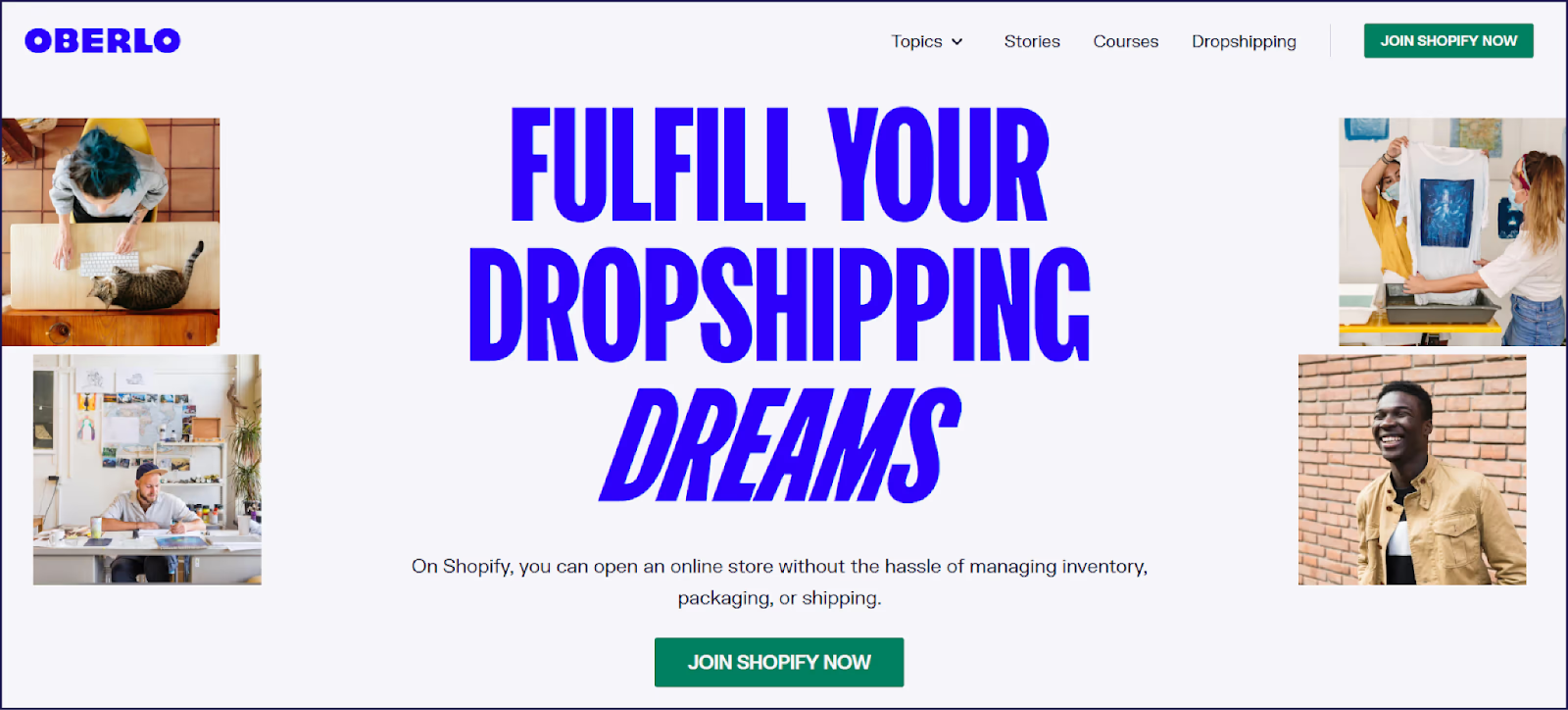
With dropshipping, you focus on sales while a third party handles storage and shipping. International shipping isn’t an issue.
Dropshipping is a good option for sellers who want to start selling internationally without investing in inventory upfront. It works best if you want a low-risk way to test products or markets.
Fulfillment services are for more advanced stores. They use a third-party logistics company to manage inventory, order processing, packaging, and shipping for you. It’s a good option when you have too many orders to ship alone.
Given the high volume of orders handled, fulfillment warehouses are able to negotiate postage rates, so shipping through them is usually cheaper. For further savings, choose a fulfillment warehouse within the geographical region of your primary client base, or bases.
For an in-depth view of this issue, take a look at Shopify’s guide to shipping and fulfillment.
You’ll also need to choose how your site’s domain is structured. The best option depends on how many countries you’re selling in and how much localized content you plan to create for each market.
Subdomains are separate websites for each of your international markets. If you’re selling on Shopify in multiple countries, subdomains allow you to personalize content for different target audiences. One downside of this is that each subdomain will have to build its own SEO value, since it’s not passed on from your primary domain.
For subdomains, you’ll need to create a unique URL for each country. You can use a Shopify-managed or third-party hosting provider. If using a third party, you can configure your international domain with Shopify by logging into the admin panel of your core site:
It can take up to 48 hours for Shopify to verify a third-party domain. Once verified, it will be listed on your Domains page.
If you choose subdomains, your website URL will look something like this:
fr.yourstore.com (France) or de.yourstore.com (Germany)
Subfolders – or subdirectories – are simply a folder attached to your existing website. If your core content is likely to be useful and relevant to customers in multiple locations, subfolders may be sufficient. On the downside, you’ll be less able to personalize content for different audiences.
If you choose subfolders, your website URL will look something like this:
yourstore.com/fr/ (France) or yourstore.com/de/ (Germany)
Selling internationally on Shopify also requires paying attention to international SEO. When you create country- or language-specific versions of your site, you need to optimize them so search engines can find and index them.
Without proper optimization, your pages are less likely to appear in local search results, making it harder for international customers to discover your store.
Do international keyword research so your Shopify store matches what local customers are actually searching for. This helps you create content that aligns with local search intent and attracts more relevant traffic across the different countries and regions you operate in.
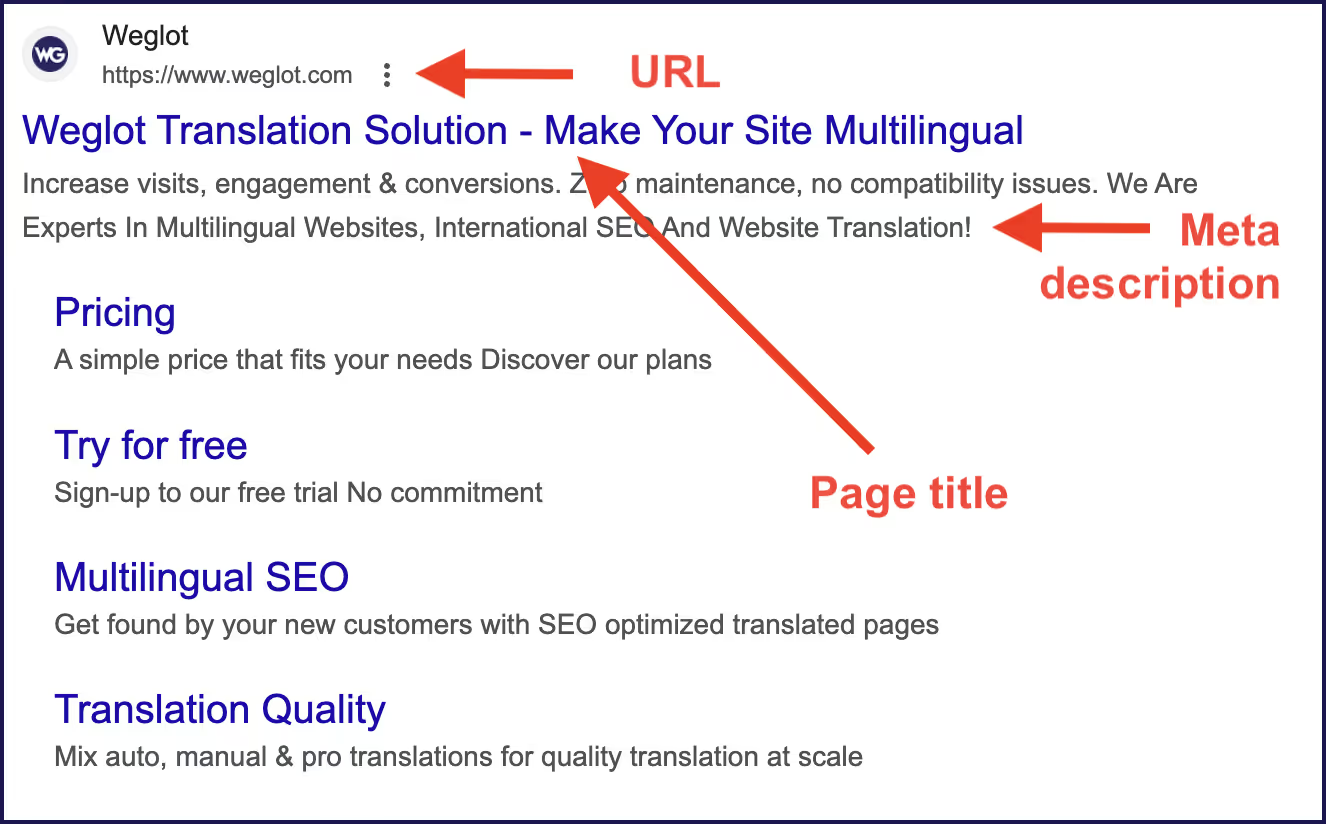
Implementing hreflang tags is another important step. These ensure local users are served the right version of your site. Optimizing page title tags and meta descriptions can encourage click-throughs on search engine results pages (SERPs), increasing user traffic.
If you’re entering foreign-language markets, translation is essential.
However, managing translations at scale can quickly become complex. Many merchants start with built-in or lightweight translation tools, only to run into workflow challenges as their store grows.
Some tools also struggle to detect new or updated content automatically, which can leave product pages, promotions, or theme changes partially untranslated. Over time, these gaps can create extra work and lead to a fragmented customer experience.
While Shopify’s native Translate & Adapt app provides a free starting point, some ecommerce users report challenges with workflow efficiency and translation quality control as they scale.
Common issues include:
Weglot’s Shopify translation app is designed to solve these challenges by making translation faster, more reliable, and easier to manage at scale.
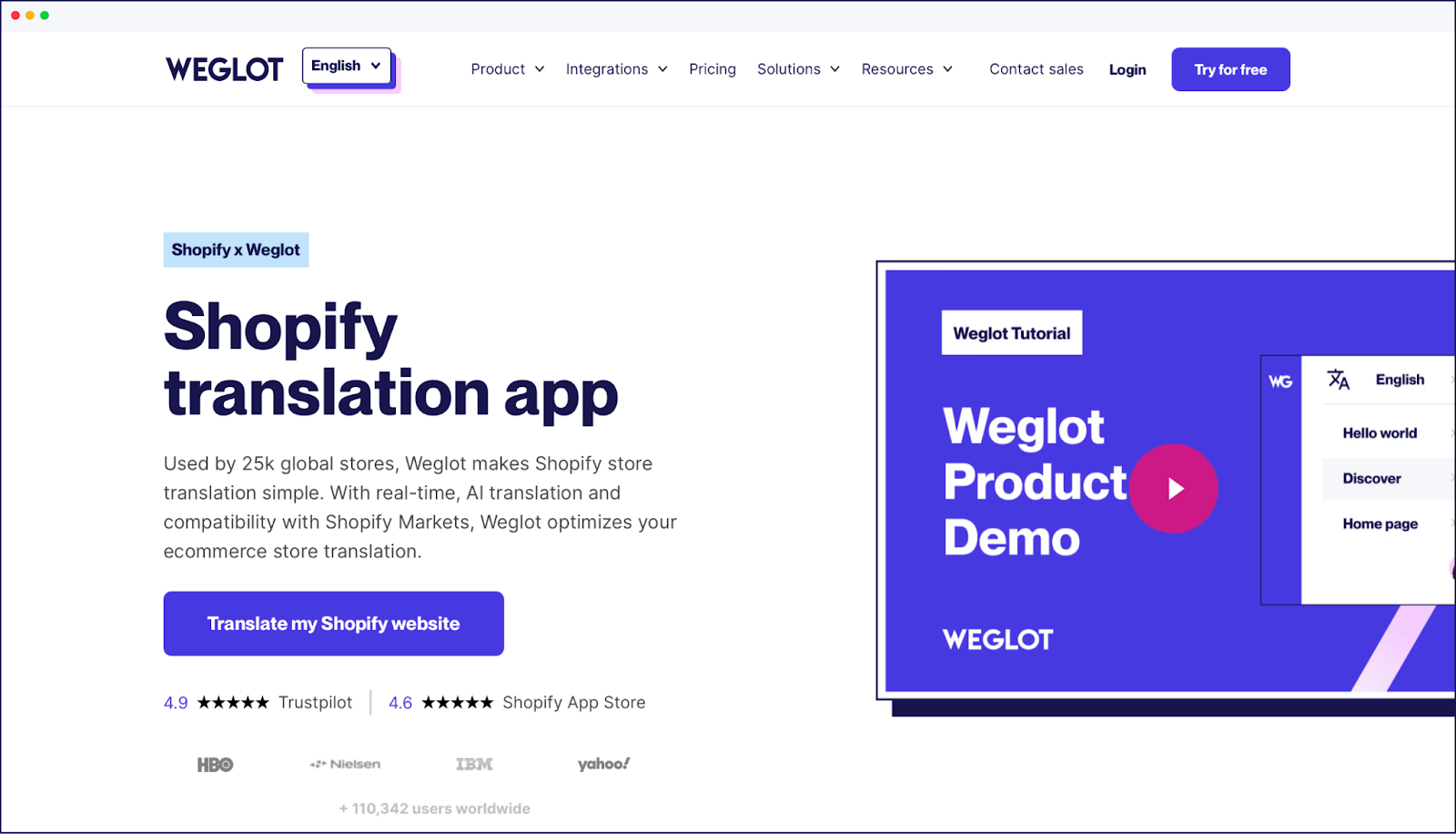
Weglot detects and translates all store content instantly, including product descriptions, checkout pages, and dynamic elements. The continuous translation feature keeps your multilingual store current whenever you update your core site, with no manual work required to localize into different languages.
You can also train your own AI Language Model within Weglot. It learns from your glossary, past edits, and brand instructions, producing on-brand translations from the very first output.
For content that needs a human touch, Weglot’s editing tools let you refine translations manually or collaborate with local experts. The Visual Editor shows translations in context, so you can verify that text fits your page designs and reads naturally to local audiences.
Weglot also handles the technical SEO side automatically, generating hreflang tags and creating language-specific subdomains so your translated pages get indexed by search engines.
Try Weglot’s Shopify translation app for free.
As you expand into more countries, scaling manually becomes time-consuming and hard to sustain. AI helps automate key parts of international growth, allowing you to move faster without increasing operational complexity across shipping zones.
An AI-powered localization tool like Weglot translates your entire Shopify store in minutes, including product pages, checkout, and third-party app content. Weglot’s AI Language Model adapts your brand voice, glossary, and past edits to produce accurate, on-brand translations at scale.
AI can also automatically detect and translate new content as your store grows, helping you launch products, update pages, and run promotions across multiple languages without extra manual work.
Beyond the core Shopify platform, there are built-in solutions that help merchants manage international selling more effectively.
1. Shopify Plus
Shopify Plus offers all the standard Shopify features for selling worldwide, including currency, language, pricing, and shipping settings. Additionally, it allows for up to 9 expansion stores, enabling you to duplicate your store for multiple locations.
The primary benefit of using Shopify Plus over just the core Shopify offering is control at scale. Shopify Plus lets you customize pricing, promotions, storefront content, and operations by market, all while maintaining centralized management.
Shopify Markets automates currency conversion, tax calculation, and localization, reducing the manual work required to sell across borders.
With Shopify Markets, you can customize pricing by region, display prices in local currencies, estimate duties and import taxes, and tailor the storefront experience for different countries, all without creating separate stores.
Shopify’s standalone Geolocation app was sunset in March 2025, but its core functionality is now built directly into the platform. In Settings > Markets > Preferences, you can enable automatic redirection based on visitor location and browser language – no app required.
One exception: If you sell to EU customers using country-specific domains (like .fr or .de), you’ll still need a consent-based redirection strategy to comply with regional regulations. In this case, third-party geolocation apps from the Shopify App Store can fill the gap.
The Shopify translation app enables sellers to translate their store’s content into multiple languages for global sales. The shopping experience of your store is enhanced for international customers, and you can manually refine words to reflect cultural preferences.
There are also other Shopify translation apps available for different localization needs, like automatically adapting your currency according to your customers’ locations.
Localized marketing strategies are essential for engaging and converting customers in specific regions. Begin by conducting market research to understand local consumer behavior, preferences, and cultural nuances.
Review local news sites and industry forums to gauge recent shopping trends. Study your competitors, and try to identify gaps in the market where you can position your own brand.
Consulting with local marketing experts and influencers will also help you better understand the needs and requirements of your target market. Find out which social media platforms are most popular in each market, and what types of advertising campaigns perform best with local audiences.
Use this research to tailor your marketing messages so they connect with local audiences. Be mindful of cultural differences to avoid misunderstandings, and make sure your campaigns follow local laws and advertising regulations, alongside global ecommerce best practices.
Planning is the key to succeeding with international selling on Shopify. Take time to identify the right markets by using analytics and data to understand where demand for Shopify shipping already exists.
Research local payment options, tax laws, and legal regulations before making any decisions. Work out the most cost-effective shipping options, and you’ll avoid any hassles or unpleasant surprises further down the line.
Next, turn your attention to marketing. The Weglot Shopify plugin can help translate and localize your Shopify store, integrating with the platform and all of its themes. You’ll be able to manage website translation projects from a single dashboard, as the tool syncs with content management systems (CMS) and communication apps. It’ll even handle Shopify invoice translation!
To accelerate the formation of your international shopping stores, take a free trial with Weglot today.
Yes. Shopify supports global shipping, multiple languages, and multi-currency pricing. Built-in tools and apps help with tax compliance and shipping logistics.
You gain access to a larger customer base and new revenue streams. Some merchants also find stronger demand for their products in specific international markets.
Best practices for selling internationally on your Shopify store include:
Use a dedicated translation solution like Weglot to manage multilingual content across your Shopify store. Weglot automatically translates your site in real time, then lets you refine wording, enforce brand terminology, and adjust translations based on local audience preferences.
In your Shopify admin:
The number of markets you can add depends on your subscription plan. You can group multiple countries into a single market to simplify management.

Translate your website instantly with AI, refine with human edits, and go live in minutes.
Trusted by 70,000+ global brands


The best way to understand the power of Weglot is to see it for yourself. Test it for free and without any engagement.
The best way to understand the power of Weglot is to see it for yourself. Test it for free and without any engagement.
A demo website is available in your dashboard if you’re not ready to connect your website yet.


Weglot implements the technical SEO elements required for a Shopify multilingual strategy. It automatically creates language subdomains or subdirectories (depending on your preference), translates metadata, and offers the option to translate your URLs on Pro plans and above. Another complex element that is automatically handled is the implementation of hreflang tags, which inform SEO bots about the language your pages are targeting.
The short answer is yes, Weglot is fully compatible with Shopify Markets! For detailed instructions, read more about our integration.
Yes. Weglot is compatible with Shopify themes and apps, ensuring your customers have a smoothly translated store experience.
Are Shopify themes sufficient for multilingual stores, or do I need an app for full translation? There are a couple of limitations of using a Shopify multilingual theme to translate your store.
Essentially, for full store translation, a Shopify multilingual theme is not enough and the theme does not handle everything.
Yes. AI-powered apps like Weglot can translate and localize your entire Shopify store, including product pages, checkout, metadata, and third-party app content, in minutes. For most standard ecommerce content, AI produces publish-ready results. For brand messaging or nuanced copy, you can refine translations manually or customize your AI Language Model, which is trained on your instructions and your brand's style and terminology.
AI localization delivers publish-ready quality for most ecommerce content in under 5 minutes, compared to 2-4 weeks for manual translation. Modern AI engines produce 90-95% accuracy out of the box, and can be refined with glossaries and brand voice training. The hybrid approach—AI translation with the option for human refinement—offers the best balance: instant translation at scale with the ability to manually polish brand-critical content. This combination is significantly faster and more cost-effective than hiring translators while maintaining quality.
AI translation actively improves international SEO when implemented correctly. Weglot automatically handles technical SEO requirements—generating hreflang tags, creating language-specific URLs, and translating metadata—so your translated pages get properly indexed by search engines. Research shows that translated websites gain 327% more visibility in AI search results across international markets. The key is using AI translation paired with proper technical implementation, not AI translation alone.
Shopify's Translate & Adapt offers basic auto-translation for up to 2 languages but does not automatically detect or translate new content; you'll have to manually trigger translation each time you add products or update pages. It also lacks essential features like glossary control for brand terminology, translation memory for consistency, and has limited third-party app compatibility. AI-powered apps like Weglot provide instant AI translation across 110+ languages, automatic detection and translation of all new/updated content, customizable AI models trained on your brand voice and glossary, visual editing tools, and built-in multilingual SEO optimization, making them suited for scaling international sales.