

Try Weglot for free




Effective prompts are vital to using ChatGPT for accurate translation.
Tiny changes in how you ask for translations can make a big difference to how natural the results sound. And how website visitors perceive your brand once content goes live.
Some online translation prompt lists offer helpful shortcuts. But without understanding what makes a prompt work, it’s hard to adapt those instructions to your target audience and context.
Every AI translation task just ends up being a frustrating cycle of trial and error.
This guide is here to break that cycle. In it, you’ll find a practical list of ChatGPT prompts for translation and learn how to refine them with precision for consistently better results with less time and effort.
ChatGPT can be a highly accurate tool for translation, but it also makes mistakes.
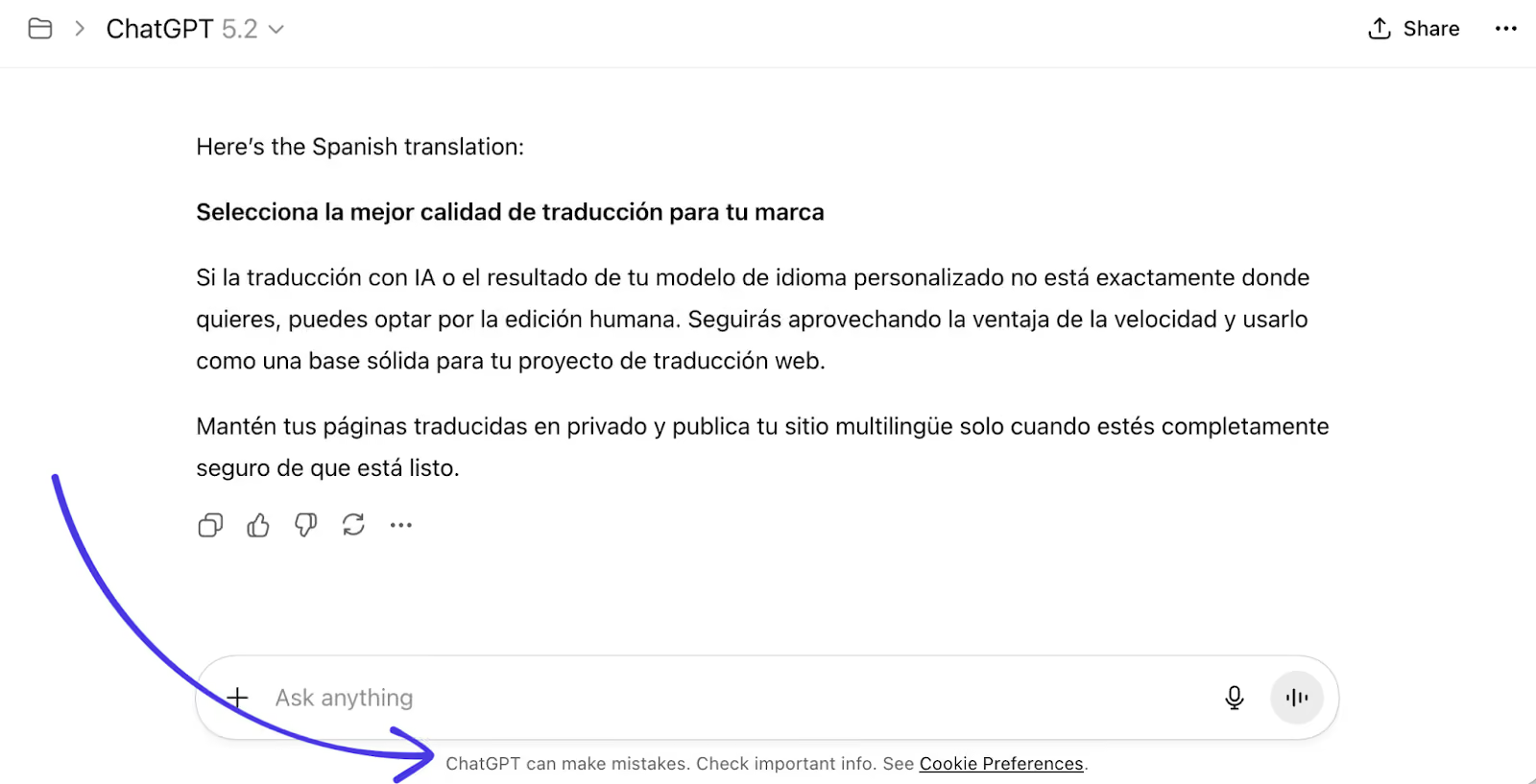
When the app provides a weak translation that isn’t ready for publishing, the issue is almost always the quality of the instructions it got at the start of the chat.
That’s because, by default, conversational AI tools have to make assumptions.
Ask ChatGPT to “translate this English text into Polish”, and it has no way of knowing the content’s intended audience, where you’ll use it, or how precise it must be. The same is true for any language pair.
Where a professional translator would ask for more information, ChatGPT fills its contextual gaps with safe, generic choices to appear helpful.
Then, the following happens:
The sanitized output is often technically accurate, but it doesn’t always reflect the original text’s intent.
So when using ChatGPT to translate website content, your messaging can end up blurred or inconsistent. And then visitor engagement suffers.
These issues are predictable, which means they’re also preventable.
The solution? Clearer, more precise translation prompts. Let’s look at some examples.
The example prompts below are designed to address ChatGPT’s translation weak points (such as its inability to read minds) directly.
Treat them as mini frameworks that help you give the model the context, tone, and subject-matter direction it needs to produce high-quality translated text. We’ve bolded the parts you’re most likely to change.
And remember, you can always refine the outputs with new prompts. More on effective prompt engineering later.
This prompt is for when accuracy matters but the translation must also sound right for a specific type of reader, like someone in a certain industry or job role.
For example, a US tech company expanding into Europe may test the waters by targeting startups rather than enterprise buyers. Without this background information, ChatGPT would likely default to more formal language and enterprise-relevant examples.
“Translate the following English text into Spanish. The target audience is small business owners visiting a software-as-a-service (SaaS) e-commerce website. Use clear, professional language that sounds natural to a native Spanish speaker from Spain.”
Why prompt 1 works: The prompt tells ChatGPT who the translation is for (small business owners from Spain) and where it will be used (a SaaS ecommerce website). That extra context helps the model make better choices around phrasing, tone, and clarity.
Use this prompt when the same message could be written in lots of different ways, depending on brand voice or intent.
For example, LinkedIn and TikTok are social media products with some overlapping features (e.g., ad platforms), but LinkedIn uses a more professional, pragmatic tone to suit its target audience.
“Translate the following English text into German. The tone should be friendly and conversational, not formal. The text will appear on a marketing landing page, so prioritize natural flow over literal translations.”
Why prompt 2 works: ChatGPT defaults to neutral or slightly formal language to give itself the best shot at appearing helpful. Setting the tone directly (friendly and conversational) reduces the risk that translations will feel stiff, overly polite, or inconsistent with your brand’s other messaging.
This prompt works well for translating technical, professional, or industry-specific content where readers expect a higher level of detail.
For example, a developer looking for step-by-step guidance on using an API will naturally speak in technical terms that a broader audience won’t understand. Stripping that language out in the translation process would make the content less effective.
“Translate this English text into Italian. This text describes enterprise software and includes industry-specific terminology that our target audience of IT managers in Italy understands. Preserve technical terms and do not simplify concepts for a general audience.”
Why prompt 3 works: Giving ChatGPT explicit domain context stops it from softening or replacing specialist terms to reduce risk. Calling out the subject matter helps maintain accuracy for expert readers, ensuring they get what they’re looking for.
Use the following prompt when literal translations might sound awkward or “translated”, even when they’re technically correct.
For example, to “sit on the fence” is “s’asseoir sur la clôture” in French. But that very English idiom won’t mean much to a French speaker. “Ménager la chèvre et le chou” – meaning “to look after the goat and the cabbage” – is a more natural (and fun) way to describe indecision.
“Translate the following English text into French. Focus on natural, idiomatic language that a native French speaker from France would casually use. Avoid word-for-word translation and adapt expressions or suggest new phrases where needed to preserve meaning.”
Why prompt 4 works: Asking explicitly for idiomatic language gives the app room to find natural options. ChatGPT’s tendency to stay as close as possible to the source text is very helpful in many AI use cases, but less so in localization, where not all meanings carry over.
Use this prompt to ensure consistency in content that contains product and brand names or repeated concepts.
For instance, Monday.com’s brand and product names are the same across all regions, including in Portuguese-speaking markets, where a literal translation of Monday is “Segunda”:
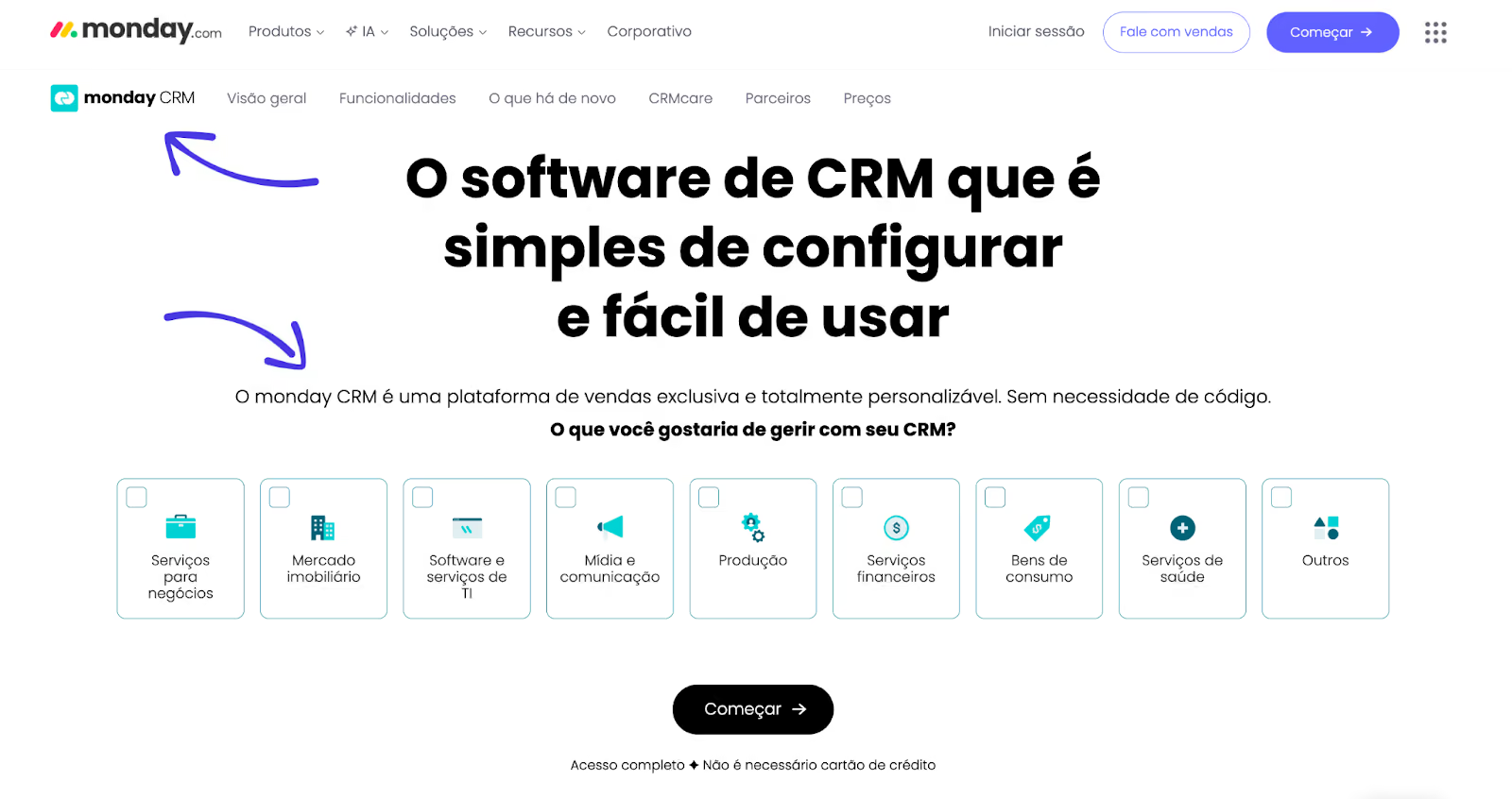
Here, brand consistency matters more to Monday.com than purely literal translation. The company’s marketers want core terminology to stay recognizable to its entire global audience, even when the surrounding content is localized.
“Translate the following English text into Brazilian Portuguese. Do not translate our brand name (‘Automate CRM’) or the acronym ‘CRM’. Use the following term consistently throughout the translation: ‘customer support’ = ‘suporte ao cliente’.”
Why prompt 5 works: Clear terminology rules reduce ambiguity. They help ChatGPT avoid swapping terms unnecessarily and reduce the need for reviews and corrections. It’s why many dedicated AI and machine translation tools have glossary functions built in.
This prompt is for when you already have a translation from ChatGPT that needs improvement rather than a full rewrite.
For example, a healthcare brand translating patient information into Japanese may find that an accurate ChatGPT translation still uses language that’s too clinical for a general reader.
“Review the following translation and simplify the language to suit a reading age of around 14. The aim is to make the content accessible to a wider audience of Japanese speakers, while preserving the meaning of the original English text. Do not add any further information or change brand names, product terms, or figures.”
Why prompt 6 works: Adding extra parameters gives ChatGPT clear boundaries around what to optimize and what to leave alone, so it’s less likely to overcorrect or try to reinterpret the source text. Including a specific reading age gives the AI a measurable target.
The prompts above are simple starting points that are adaptable to your specific needs.
Making small, deliberate adjustments to the key variables (audience, context, and constraints) is how you’ll get the most natural, effective translations from ChatGPT.
Here’s how to make those changes, whether you’re prompting for the first time or refining some translated content.
Be specific about who the translated content is for. A general audience, technical professionals, first-time buyers, and senior decision-makers all expect different language.
For example, in a DeepL survey of director-level marketers, 82% expressed concerns about mistranslation of industry-specific jargon – despite 75% agreeing localized content significantly boosts customer engagement.
If a translation feels too formal, simple, or generic, tell ChatGPT more about the ideal reader.
These are all simple but valuable signals most large language models (LLMs) will interpret correctly:
If these details aren’t clear to you, revisit the source content and sharpen the targeting there first. If that’s not precise enough either, it’s time to refine your localization strategy’s ideal customer profile (ICP).
Add a line explaining the content’s format and purpose, as different contexts demand different levels of precision and style.
For example:
Unless you make this intended context super clear, ChatGPT will default to a neutral middle ground. The resulting content will probably feel slightly out of place wherever it’s published.
Let ChatGPT know how much creative freedom you want it to have when translating, so it protects the most important parts of your source content.
Explicitly state what can change and what can’t, so there’s no room for misinterpretation.
Here are some example boundaries you might use:
A little creative freedom can work well for light marketing copy, where natural flow matters more than exact precision. But in legal content, too much freedom invites confusing variations.
Treat ChatGPT as a collaborator, using follow-up prompts to adjust and adjust again until the content is both accurate and suitable.
Some see having to use more than one prompt as a bad thing, but it’s actually one of conversational AI’s biggest strengths. You can work with the tool to teach it what you want, so it becomes more helpful over time. It’s like having a multilingual assistant that always listens.
In a 2024 Hong Kong Polytechnic University study, one professional Chinese translator told the researchers:
“The interactive ability [of ChatGPT] is another advantage. The quality of ChatGPT’s output can be improved by adjusting the requirements step by step. It is also possible to customize the requirements, such as whether to make modifications based on the context or how formal the translation should be.”
The same principle applies beyond ChatGPT’s interface. When you use AI translation in tools like Weglot, output quality still relies on the clarity of the instructions and rules you define.
Testing and changing one or two variables at a time is how one Weglot user improved translation quality across their website and produced the multilingual content they needed through Weglot’s custom AI Language Model.
After testing a few variations of the same core prompt, they landed on a version that better reflected their brand voice and expectations.
The more rules and guidelines they fed into the model, the better they got at knowing what detail the artificial intelligence needs before it can deliver.
Carefully crafted ChatGPT prompts are great for translating short texts. You’ll have no trouble accurately translating product descriptions, ad copy, and a few individual pages.
But as your multilingual website expands with new content, product updates, metadata, and other SEO elements to manage, manually copying prompts and outputs between ChatGPT and your CMS becomes inefficient fast.
That’s when consistency matters more than repetitive manual prompts, and where Weglot shines.
Weglot applies the same well-defined rules and constraints across your entire site, so you can maintain quality multilingual content at scale without rewriting instructions over and over.
As well as detecting and translating the content of your entire website into 110+ languages in minutes, the tool automatically translates new content and handles multilingual SEO in the background to keep your brand visible online.
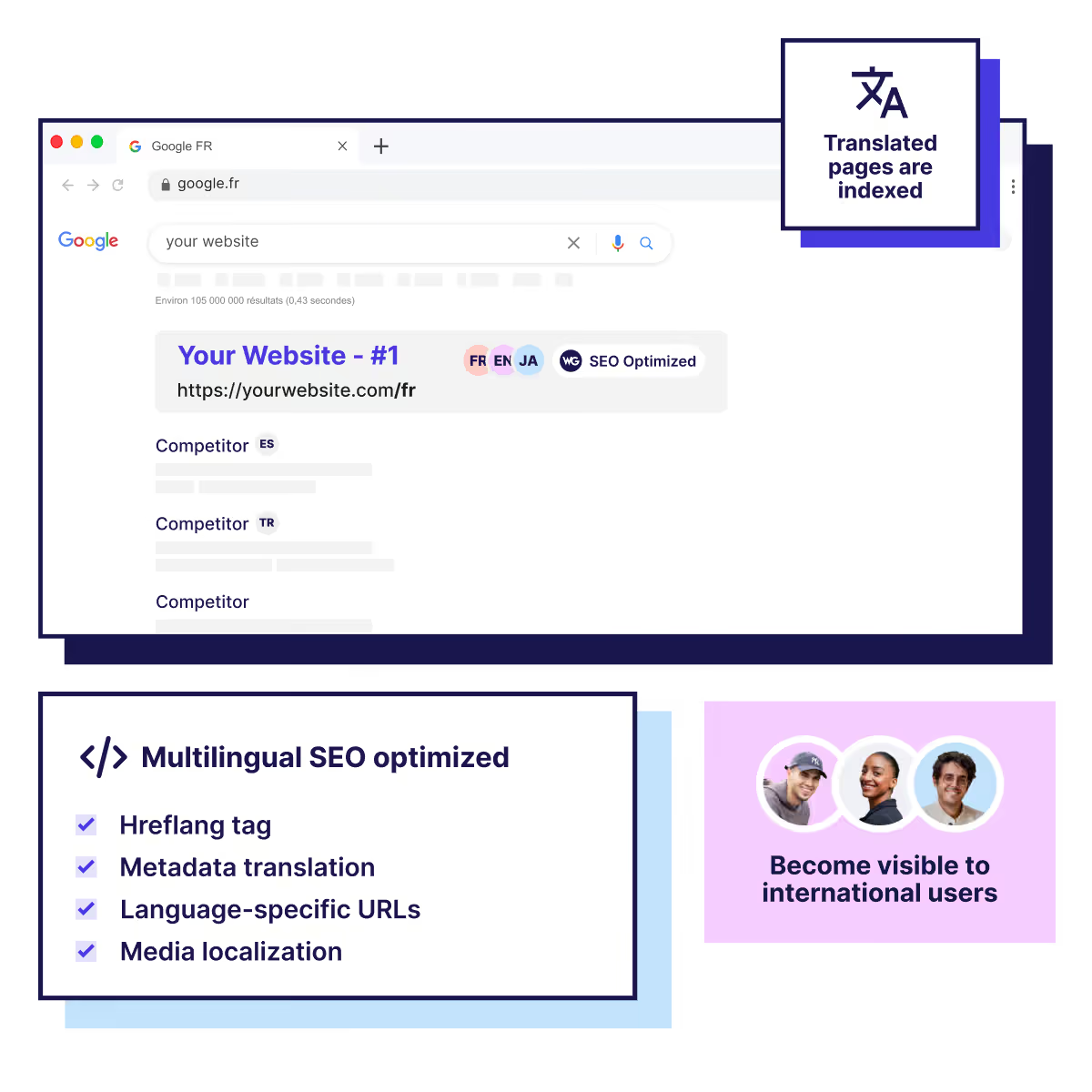
Routing your content through top engines like DeepL, Google Translate, and Microsoft Translate allows the system to achieve high translation accuracy from the start.
Then, your custom AI Language Model, powered by OpenAI (creator of ChatGPT) and Gemini, learns from your brand guidelines, glossary, and past edits to get even closer to your brand voice with minimal human input.
Together, these features have helped more than 110,000 sites to go multilingual, increasing their owners’ global reach, conversions, search rankings, and revenue.
ChatGPT is a powerful AI tool that really excels at translation if you play to its strengths.
It’s impressively accurate, can handle hundreds of source and target languages, adapt to tone, and generally understands cultural context.
What’s more, providing clear instructions becomes second nature the more you work with ChatGPT, making outputs stronger and simple translation work faster over time.
If most of your translation tasks are ad-hoc, opening ChatGPT every now and then is a wise, cost-effective choice. And the prompts in this guide will certainly help you along the way.
If you’re managing a growing multilingual website or have new markets in your sights, a structured tool like Weglot will make workflows a whole lot simpler and more sustainable.
See how it works without any commitment by signing up for a free 14-day trial of Weglot.

We’ll get your first languages live. You decide how far you want to go. Try Weglot for free today.
Trusted by 70,000+ global brands





Weglot is tested and trusted by brands worldwide since 2016. Join them today.


The best way to understand the power of Weglot is to see it for yourself. Test it for free and without any engagement.
A demo website is available in your dashboard if you’re not ready to connect your website yet.


Language coverage will make the biggest difference. AI search engines prioritize sources that match the query's language, so content that only exists in English rarely gets cited in other languages; in our analysis of 1.3 million citations, translated websites gained 327% more visibility in AI Overviews than single-language sites.
Then make each language version easy to retrieve and cite: give it a dedicated URL, hreflang tags, and translated metadata, and keep translations in sync as your content evolves. Weglot handles that technical layer automatically.
For the full 5-step process, read our multilingual GEO guide.


.avif)