Try Weglot for free


.avif)


ChatGPT feels incredibly helpful for translation work – it’s fast, supports 95+ languages, and is surprisingly good at tone with the right guidance. Used well, it takes a lot of the fear out of working with foreign languages, especially for drafts, ideas, and one-off pages.
However, relying on ChatGPT’s copy‑paste workflow for full site translation can be unsustainable. The manual input needed comes with long timescales, some translation strings are easily missed, and you’ll still have to configure your own international SEO.
This guide takes a deep dive into getting the best from ChatGPT as a translation assistant, from fine-tuning your prompts to the advanced checks needed. And given the limitations of ChatGPT as a full site translation tool, we’ll also detail why having translation infrastructure – through tools like Weglot – offers site owners a greater solution when expanding overseas.
One of the best AI translation tools available, ChatGPT translates by using a Large Language Model (LLM) trained on massive multilingual data. It’s then refined with Reinforcement Learning from Human Feedback (RLHF) so its outputs sound natural and context-aware rather than word-for-word robotic. This training helps it handle idioms, tone, and cultural references better than many older Machine Translation (MT) engines.
On the mobile app, voice mode turns ChatGPT into a spoken interpreter. Simply talk, and the LLM transcribes, translates, and reads the answer back, so two people who don’t share a language can hold a live conversation.
ChatGPT also handles more complex multimedia workflows. For example, you can paste a video transcript, ask it to extract all technical terms, then have it return a glossary with translated equivalents and short definitions in your target language. This gives you a bilingual terminology list you can reuse across product pages, help docs, or training content.
Using ChatGPT for translation starts with a fresh chat and a clear prompt. Here’s a basic example:
“Translate the following from English to French for a customer-facing website, keep a friendly but professional tone.”
Next, paste your text between delimiters like quotes, XML tags, or hashtags (e.g. #text for translation#) so the LLM knows exactly the words you want to translate. You can repeat this for documents, emails, support macros, product pages, or even video transcripts after you’ve generated or pasted the transcript text.
For best results, translate one section at a time and be very explicit. Specify the target language, audience, tone, and any constraints such as “max 170 characters for a meta description” or “adapt for readers in Canada.”
It usually helps to write your instructions in the source language, so you can include cultural notes or explain tricky idioms, then let ChatGPT do the heavy lifting in the target language. You can also assign a persona, such as: “Act as a professional legal translator familiar with EU privacy law”, or “You’re a marketing translator for a beauty brand”, which nudges the model toward industry-appropriate terminology and style.
For recurring projects, provide a small bilingual glossary, reference URL, or any notes on branding, styling, and tone. Over time, you can reuse the same prompt templates so your translations stay consistent across campaigns and channels.
No matter if your site runs on WordPress, Shopify, or Wix, ChatGPT fits best around your existing publishing flow, not inside the editor itself. A practical approach is to work from a staging site or draft content:
If you’re regularly translating new content, keep a shared prompt + glossary doc so your whole team can follow the same translation playbook. Alternatively, you can add a translation platform to your site’s infrastructure, which opens the doors to automatic, automated translations alongside hands-free international SEO. We’ll cover more about this in our How Weglot Builds on ChatGPT section below.
{{ai-translation}}
You can integrate ChatGPT (via the OpenAI API) with a website and use it to automate content translation workflows, either fully automatic or human-in-the-loop. Here’s how integration works:
The key is found in the detail! Start by giving more context from the start. Name the field (“This is a medical consent form for patients”) or the tone (“Formal, respectful, no sales language”), plus any vital info like search intent and document goals. You can also guide rhythm and readability with prompts like “Shorten sentences where possible” or “Use simple vocabulary for a general audience”.
Always break your content into logical chunks. Translate headlines, CTAs, buttons, and H-tags separately so each element gets the attention it deserves instead of being buried in a huge wall of text.
This works especially well for UX copy, where a two-word button often needs a different solution than the same phrase inside a sentence. For tricky phrases, ask for alternatives and choose the one that fits your design, brand, and character limits. You can also steer style by pasting a short before/after example and saying, “Match this style in the translation below”, then adding your source text underneath.
“Over a few iterations, this becomes the basis of a lightweight style guide you can reuse across campaigns. You can run future translated content through the LLM and ask it to check the tone against your style guide for consistency. Don’t be shy about safety checks – ask it to flag anything that could be culturally insensitive, ambiguous, or too informal for that audience.”
– Eugène Ernoult, CMO, Weglot
Yes! ChatGPT can handle more than plain text. Image-wise, you can provide a screenshot or photo that contains text, prompt it to “extract and translate all visible text”, and it will return the detected text plus a translation.
For bulk or structured work, some teams combine ChatGPT with spreadsheet automations so they can translate columns of text while keeping layout, IDs, and URLs intact. And when you care about SEO, you can ask it to translate while naturally including target-language keywords in headings, meta descriptions, and on-page copy, so your localized version is ready for international search from day one.
For audio and video, think in stages. First, upload the file and ask ChatGPT to transcribe the spoken content into text. Once you’re happy with the transcript, ask for a translation, or even a localized rewrite aimed at a specific audience.
You can apply the same approach to scripts for voice-overs. Prompt ChatGPT that you need lines to fit the same timing and rhythm as the original, and ask it to keep sentences short enough to match the pacing.
ChatGPT can handle a lot of translation work, but it’s not a professional human translator, nor a dedicated website translation tool. It usually does well with cultural nuances, metaphors, and idioms, but it can misread subtle shades of meaning.
You may find a lower-quality output when translating less common languages. Factor this into your timescales and budget – you’ll likely need to assign longer timescales for refining a less commonly-used language than the likes of French, Spanish, or Mandarin.
File handling can also affect ChatGPT’s output. While uploads usually work, complex PDFs and Word documents can lose layout, headings, or tables, so feed smaller chunks into the engine where possible, and re-apply formatting afterwards.
It’s also worth remembering that, while ChatGPT can be integrated into your website’s architecture, this is a job for developers, requiring technical knowledge to setup, maintain, and troubleshoot. And even when automated, using ChatGPT alone to max effect requires a high level of manual input to refine translations and manage SEO.
“As a rule, regularly remind yourself that ChatGPT is just a machine – even if, after a few sessions, it feels like you’ve built a lovely working relationship together. Keep your prompts clear, and feed the LLM any relevant information – ChatGPT is definitely not a mind-reader, and the quality of its output will generally be in line with the quality of your instructions.”
– Elizabeth Pokorny, Head of Content and Brand, Weglot
A ready-to-use translation management interface isn't either available on ChatGPT. That means filtering translations by automatic or manual quality, excluding certain apaes ro tranlatio, and refining only certain translations becomes a time-consuming, headache-inducing task – and all of this is automated with a dedicated website translation tool.
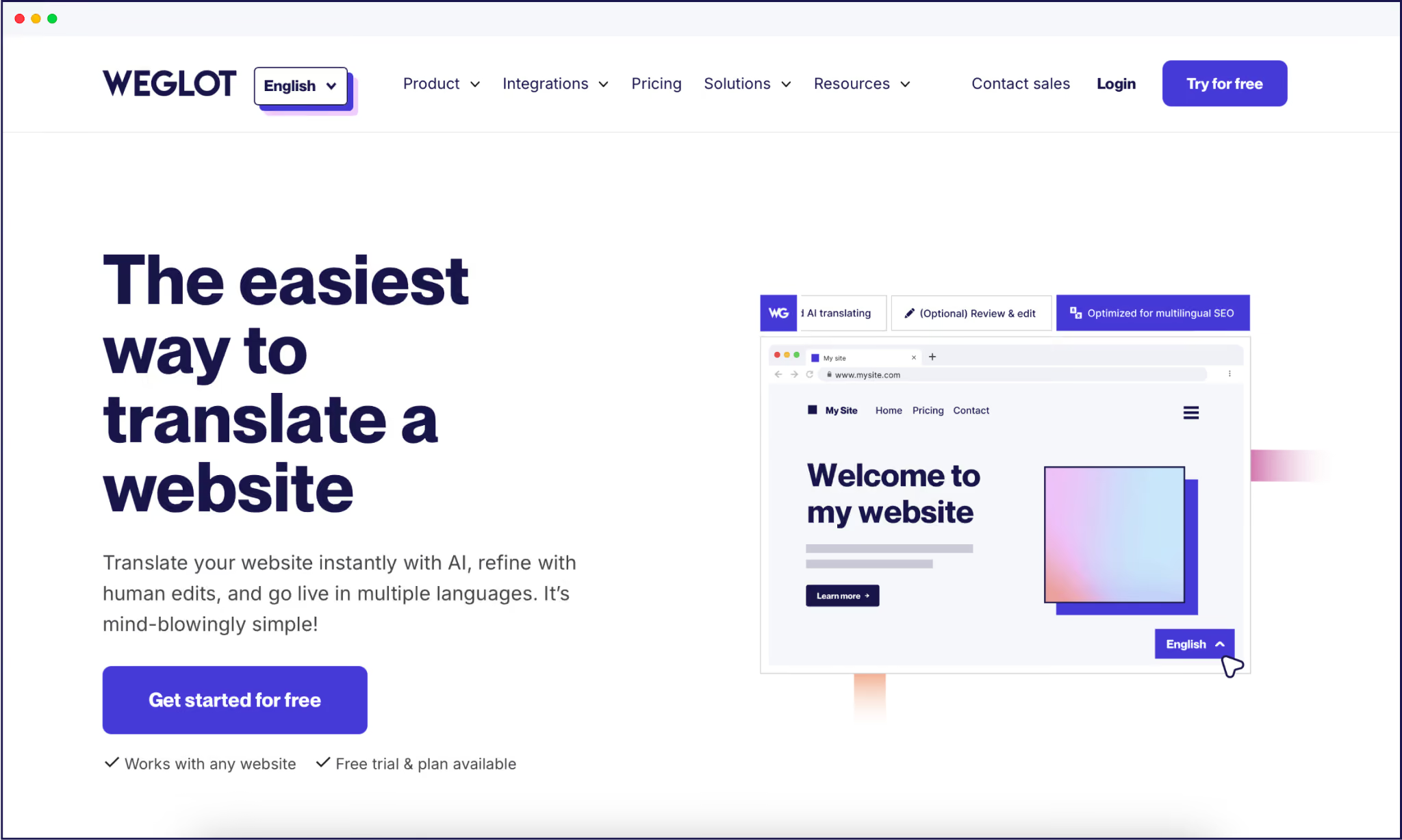
Copy‑pasting between ChatGPT and your CMS works for a few pages, but it’s impractical for a growing site. Weglot reduces the need for manual input and coding by turning translation into infrastructure that runs in the background of your site.
In essence, it’s like hiring an expert multilingual translator with premium SEO knowledge, and having them sit inside your website, managing the whole party:


{{quote-image-banner}}
It’s no secret that ChatGPT is a smart assistant for drafts, reviews, and creative problem‑solving, especially when you’re working in high‑resource languages and need natural‑sounding copy.
However, once you’re dealing with a real website, you’re no longer just translating a page. URLs, hreflang tags, and metadata all need translating too, and copy-pasting these for every page adds some serious time to your workflows. What’s more, ecommerce brands who upload fresh content on a daily basis will have their work cut out in ensuring all strings are translated, every time.
Weglot offers the perfect solution. Our AI-powered translation tool and custom AI Language Model handle detection, translation, and multilingual SEO on autopilot, while you stay in control of edits, glossaries, and brand voice. Automation handles the majority of the work, reducing the need for manual input and making it possible to translate new content on a daily basis – all from a single dashboard
Try turning those carefully crafted ChatGPT prompts into a fully translated site by signing up for a 14-day free trial of Weglot today.

We’ll get your first languages live. You decide how far you want to go. Try Weglot for free today.
Trusted by 70,000+ global brands








Weglot is tested and trusted by brands worldwide since 2016. Join them today.


The best way to understand the power of Weglot is to see it for yourself. Test it for free and without any engagement.
A demo website is available in your dashboard if you’re not ready to connect your website yet.


Language coverage will make the biggest difference. AI search engines prioritize sources that match the query's language, so content that only exists in English rarely gets cited in other languages; in our analysis of 1.3 million citations, translated websites gained 327% more visibility in AI Overviews than single-language sites.
Then make each language version easy to retrieve and cite: give it a dedicated URL, hreflang tags, and translated metadata, and keep translations in sync as your content evolves. Weglot handles that technical layer automatically.
For the full 5-step process, read our multilingual GEO guide.