

Try Weglot for free


.avif)


Elementor powers millions of active WordPress sites, with over 30 percent of the market share. What's more, WPML is one of the most widely used translation plugins available for WordPress. When you want to take an Elementor site multilingual, WPML tends to be the first option teams reach for.
The problem isn't that the two are incompatible. WPML officially supports both the free and Pro versions of Elementor, and many sites run the combination without incident. The problem is that "officially supported" and "works without ongoing effort" aren't the same thing.
Elementor stores content differently from typical WordPress, which means WPML needs an additional integration layer to handle it. This carries its own maintenance overheads, which is something Weglot can solve.
Standard WordPress posts and pages follow a predictable structure. WPML was designed around this model: it creates a translated copy of each post or page, links it to the original, and tracks what needs updating when the source changes.
However, Elementor saves everything at the widget level as serialized JSON in the database. Your headings, button texts, image captions, and section backgrounds are stored as separate attributes inside the respective widgets.
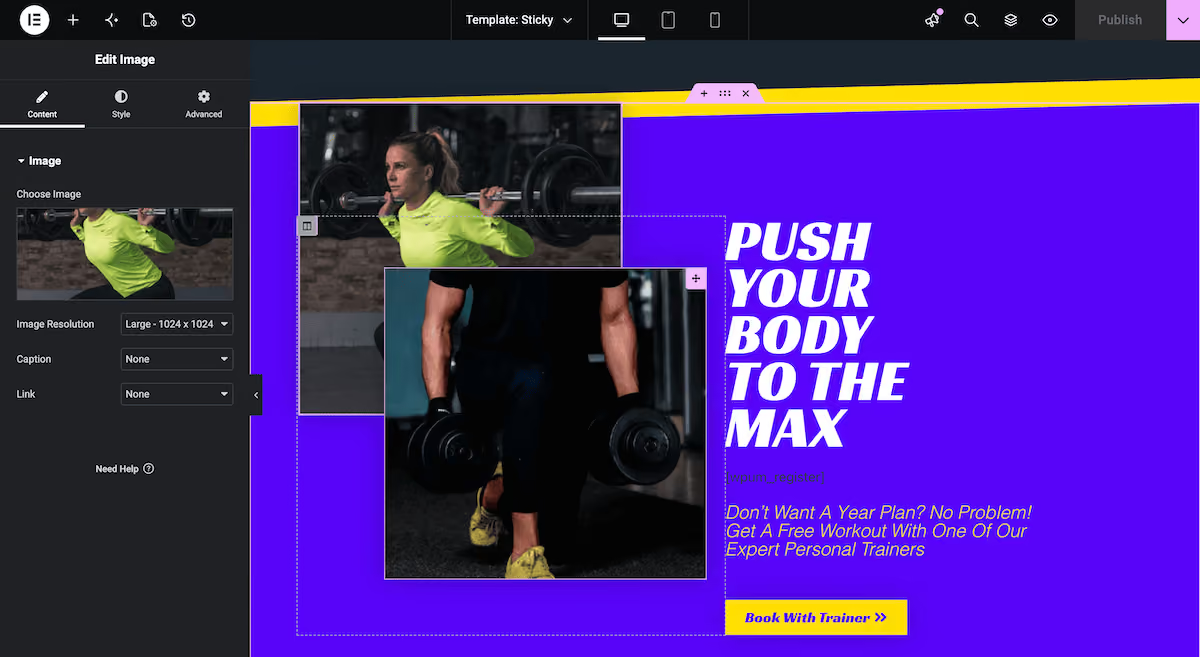
Theme Builder templates, which control your header, footer, archive layouts, and single post designs, sit entirely outside the post and page structure. Elementor V4's atomic component architecture adds another structural layer that WPML's integration has to account for.
WPML handles all of this through a dedicated Elementor integration layer, which works for many sites. The challenge is that this layer creates an ongoing maintenance relationship: every time Elementor makes an architectural change, WPML's integration has to catch up.
Over the next few sections, we'll outline some of the documented points of friction drawn from WPML's own errata pages, support forum, and changelogs. First, let's look at the need for multiple plugins.
A typical WPML setup for an Elementor site starts with two required components:
Further to this (and depending on your site), you'll need more:
Each plugin in this stack can add to your database's query load. Our analysis of WPML's architecture saw each WPML add-on increasing the database query load by up to 20 percent. On larger sites, server response times can increase by up to half a second.
Until WPML 4.9.0 launched early in 2026, the situation was more involved still. Many third-party Elementor widgets required a custom XML configuration file before content would appear in the translation editor. In a nutshell, texts in custom widgets went undetected, translations didn't display on the frontend, and translating a basic button or banner required writing XML by hand.
When either Elementor or WPML releases a major update, compatibility between them can break. As such, the order in which you apply updates can be important.
For example, Elementor's 3.26 release in December 2024 removed a deprecated PHP class that WPML's integration layer still depended on. WPML released an emergency patch on the same day with a specific instruction: update WPML before Elementor. Sites that applied the updates in the wrong order hit a fatal PHP error. The consequences were:
Unfortunately, there were a few instances of multiple live sites going down at once. The takeaway is that any integration between two large, independently maintained plugins always carries this kind of coordination challenge.
Elementor 4.0 adds further complexities. Its 'atomic component' architecture is a lot different from the older 'section-column-widget' model. As such, WPML has had to rebuild parts of its integration to account for it. The WPML errata page shows the scale of what full compatibility requires.
Elementor's global widgets are reusable elements based on a single design. For instance, this could be a shared Call To Action (CTA), testimonial carousel, or newsletter form. They're one of the more time-consuming areas to manage with WPML, despite being super useful otherwise.
With WPML, translating a global widget means locating it in the Translation Dashboard as a separate content item and translating it there, independently from any page it appears on. However, when you update the widget in your primary language, the translated versions don't update automatically. The workflow to keep them in sync has a few steps:
On a site where global widgets are shared across dozens or hundreds of pages and content updates are frequent, this is a recurring manual step that's easy to overlook. So, a visitor switching to a secondary language may see the previous version of a button or CTA without a visible indicator in WordPress.
Within Elementor's Theme Builder, your header, footer, single post template, archive layout, and 404 page are all templates that sit outside of WordPress' post and page structure. WPML treats them as a separate content category that needs independent handling.
WPML's own Elementor documentation states to translate any Elementor templates before the rest of your site's content. This could catch you off guard during new site builds when the instinct is to prioritize page content first.
By doing it another way (using an untranslated header template as an example), navigation items and any text in your header won't appear in secondary languages until you return and process it separately.
Dynamic content could also be an issue based on timing. Elementor's dynamic functionality, such as query loops or dynamic tags that pull from custom fields, renders output at the point a visitor loads the page. WPML intercepts WordPress database queries at the same moment to serve translated versions of that content.
When both systems process the same element simultaneously, the interaction can produce inconsistent results. For example, you might have translated content that won't display. In more serious cases, a layout that appears correct in the primary language could be corrupted in secondary language versions.
The cumulative effect of everything above is a translation workflow distributed across several different tools and admin screens. On a typical Elementor site running WPML, your team is working across:
In a nutshell, there's no single screen that shows the translation status of your full Elementor site. This means you'll need to check several locations manually to confirm that every page, template, global widget, and plugin string is current across multiple languages.
The root cause of all the incompatibility issues is due to both WPML working within the WordPress data model and Elementor storing content in ways that partially fall outside it.
Weglot takes a different approach. Rather than working within WordPress's post and page structure and maintaining a separate integration layer for each content type, Weglot operates at the rendered output level.
Weglot detects every piece of content regardless of which widget, template, or plugin produced it. There's no distinction between a standard post, an Elementor widget, a Theme Builder template, a global widget, or a V4 atomic component.
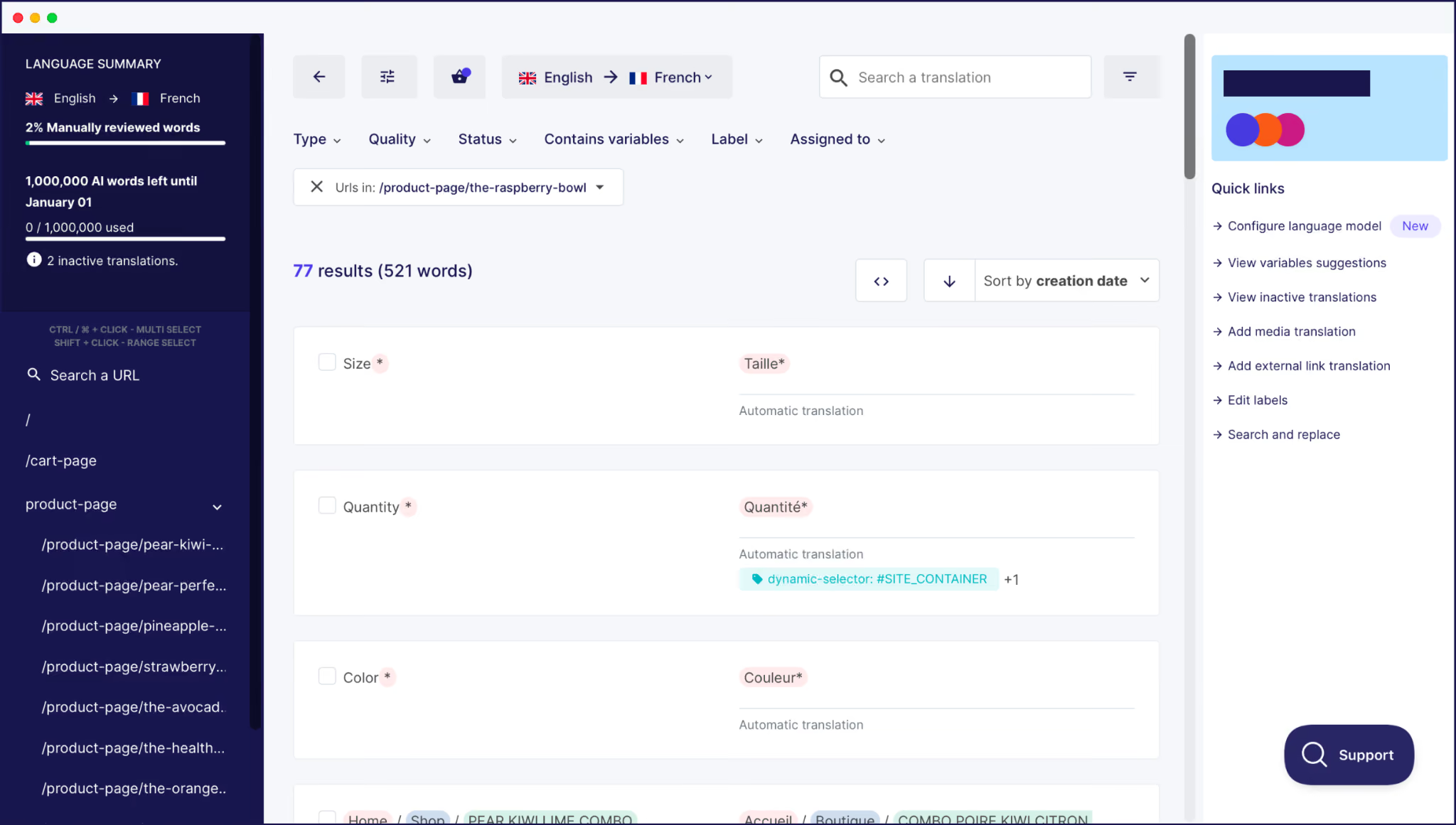
It means Weglot can achieve things other translation plugins can't:
Weglot's AI Translation Model also learns from your glossary rules, brand voice prompts, and custom instructions, so translations align with your brand voice rather than producing generic machine output.
"Weglot is great because it corresponds to my needs and what I can promise to my clients: an easy way to go multilingual, total autonomy over their website, generate more leads, and the ability to do all that in just a few clicks."
– Salomé Amar, Founder, L'équipe Creative
If you're already running WPML on an Elementor site and the complexity has become a management burden, migrating to Weglot will be more direct. Weglot's migration guide covers the process in full, and the support team is available at every stage.
Here's a quick outline of that process:
To do the latter, head to the Translations > URLs screen and click the Missing a URL? link at the bottom of the page:

Weglot will have already carried out a first round of translations, but will resync once you import your old export file. Your glossary transfers the same way: export from WPML, match it to Weglot's format using the example file in your dashboard, and import.
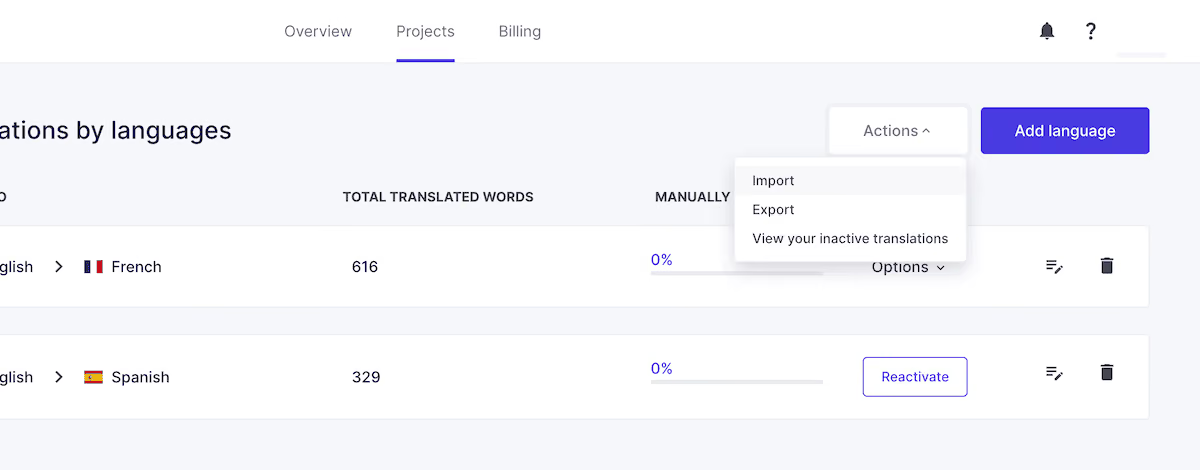
The migration isn't fully automatic, but the initial steps are straightforward. Check out our full guide on translating your Elementor website if you need a deeper understanding of the end-to-end process.
The friction between WPML and Elementor isn't a flaw in either product. It's the outcome of two large, independently maintained tools with different data models trying to work together.
WPML was designed around standard WordPress content, but Elementor stores data in a fundamentally different way. The integration handles most of it, but some edge cases can cause you a headache.
Weglot is a single-plugin, single-dashboard solution that includes automatic content detection across every Elementor element. It provides a translation workflow that stays current without manual intervention. If you're setting up an Elementor site with a multilingual strategy on the roadmap, it's the fastest path available.
To see for yourself, start your 14-day free trial and check out how your Elementor site looks in a new language in minutes.

We’ll get your first languages live. You decide how far you want to go. Try Weglot for free today.
Trusted by 110,000+ global brands





Weglot is tested and trusted by brands worldwide since 2016. Join them today.


The best way to understand the power of Weglot is to see it for yourself. Test it for free and without any engagement.
A demo website is available in your dashboard if you’re not ready to connect your website yet.


WPML officially supports both the free and Pro versions of Elementor, but full support doesn't mean frictionless. It requires multiple plugins, a specific setup sequence for templates, manual management of global widgets, and careful attention during updates.
The most common causes are plugin version and sequencing. For instance, template strings not appearing is due to a WPML requirement that Elementor templates be translated in the Translation Dashboard before page content. Missing theme or plugin strings usually indicate that WPML String Translation is either inactive or needs the strings loaded through other methods.
Elementor global widgets are translated as separate content items in the WPML Translation Dashboard, independent from the pages they appear on. When you update a global widget in the primary language, you need to return to the Translation Dashboard, locate the entry, and manually trigger a new translation.
Yes! Weglot supports importing existing translations, so a lot of your previous work can be carried over. You export from WPML, install Weglot, run the URL scan, and import. Weglot matches your previous translations against the detected content. Your glossary transfers using the same process, and Weglot's support team can assist throughout.


.avif)