

Try Weglot for free




Translating a website has never been faster or easier. Checking the result is another story, especially when nobody on your team is a native speaker who can vouch for it.
So we ran a test. We took the homepages of 51 English-language websites that also have a French version and compared each one with its translation. Not one came out clean.
What stood out was where the mistakes sat: the long paragraphs were mostly fine, and the trouble was in the short stuff, like menu labels, buttons, names, and the bits of text nobody looks at.
Below are the 7 mistakes that kept coming up, why they slip through, and a checklist to catch them on your own site.
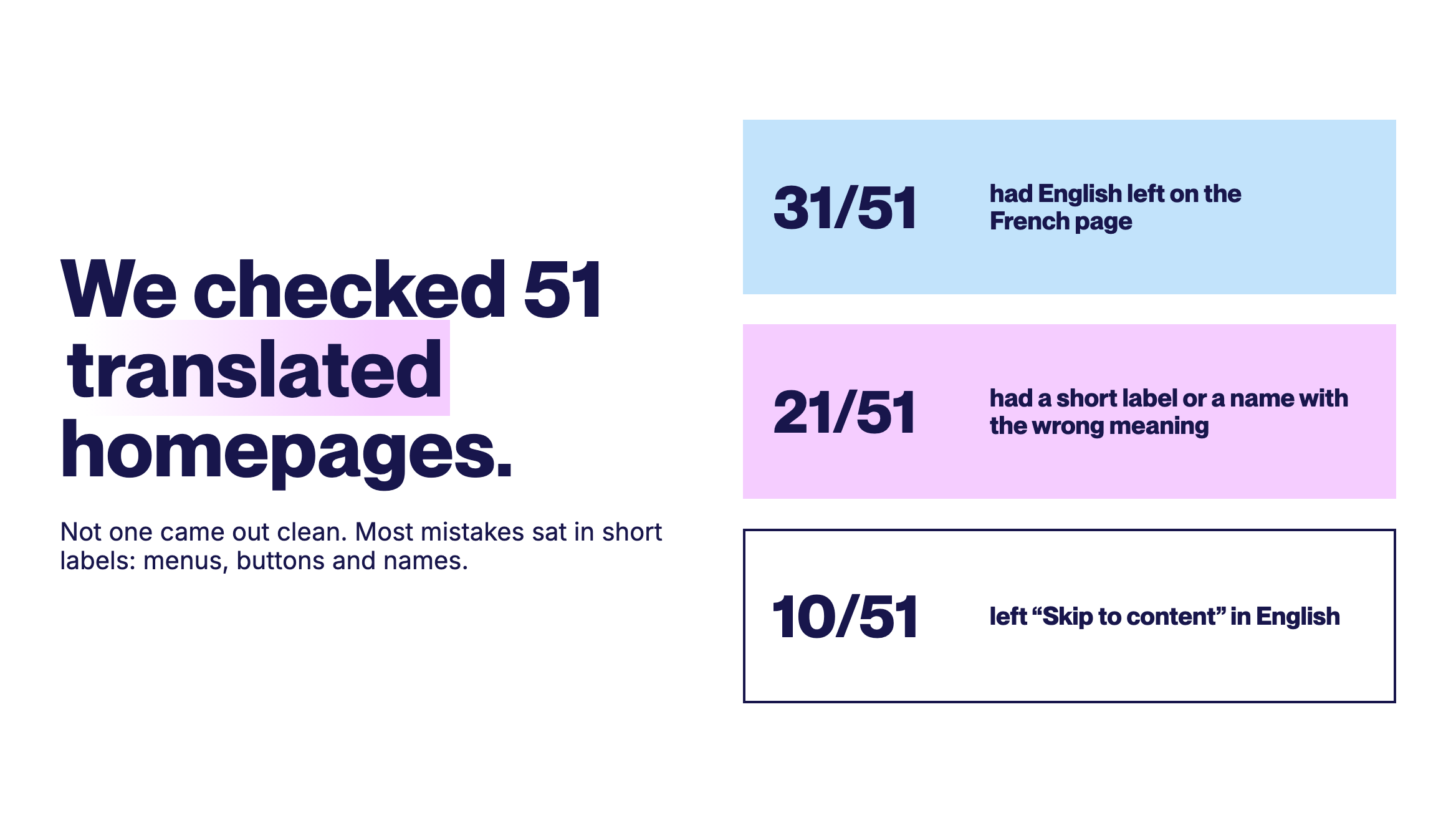
We also checked every example quoted here by hand on the live pages. It's a small sample, and it leans toward online stores in Canada, so read it as a snapshot of common patterns rather than a measure of the whole web. We've left the sites unnamed, because the patterns are what matter here.
This was the most visible problem. A single word on a button or in a menu has no sentence around it, so the translation has to guess which meaning you had in mind, and it often guesses wrong. Labels like these, along with translated names and broken phrases, turned up on 21 of the 51 sites.
These are the words visitors use to find their way around a site. When they're wrong, people notice before they've read a single sentence.
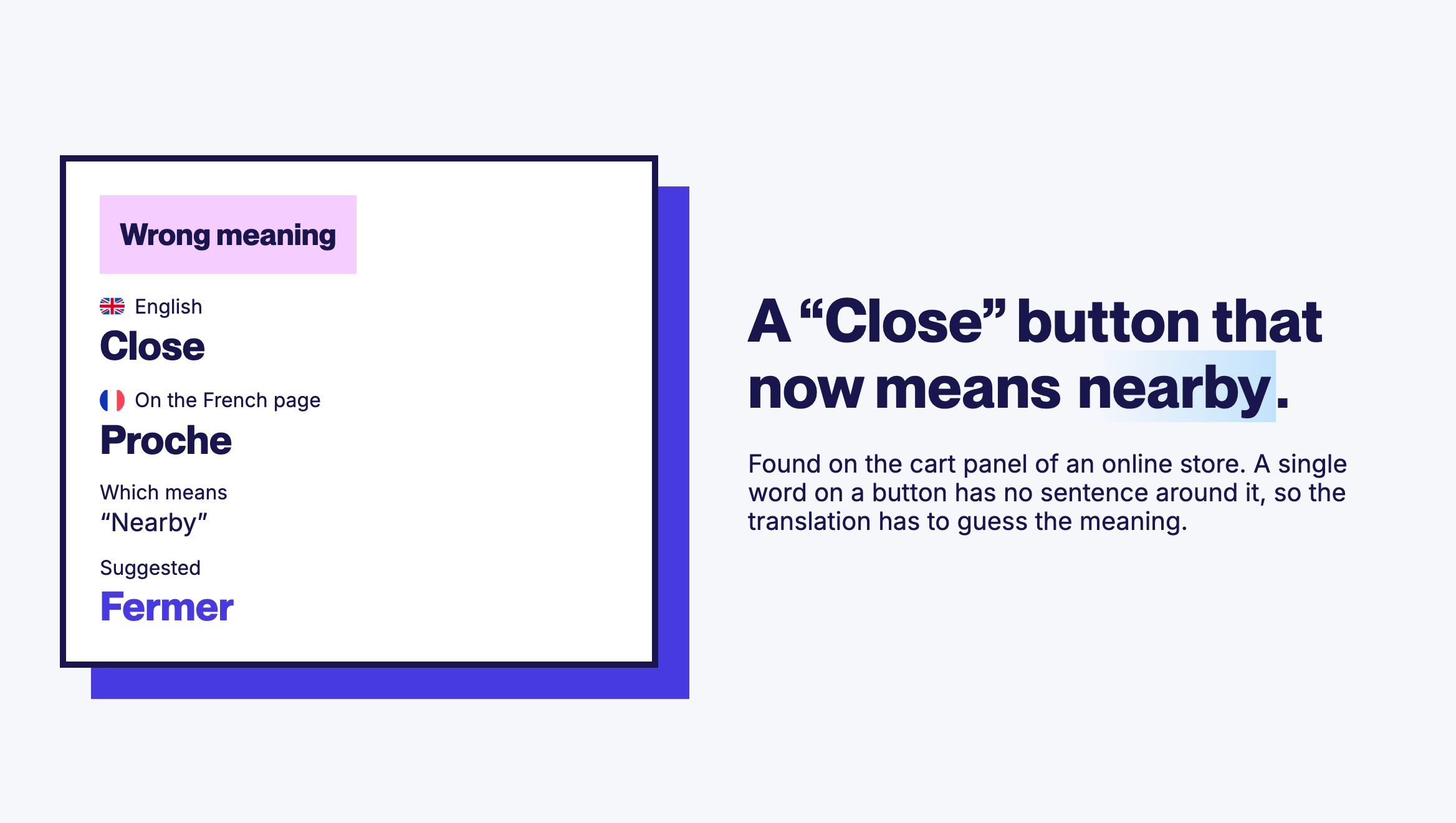
Names should usually stay exactly as they are. Several sites had theirs translated anyway:
A translated brand name looks like a different company. A translated product name can send visitors looking for something that doesn't exist.
31 of the 51 French homepages had English text visible on the page, and 2 of them had translated little more than the menu and footer. The usual suspects:
One barbecue maker's product line appears under 4 different names on the same homepage, once in English and 3 times in different French versions. A car parts store said "S'inscrire" for "Sign Up" in its header and "Enregistrement" in its footer. A medical supplier used 2 different French words for the same specialty in 2 menus.
Each version can be acceptable on its own. Side by side, they make a site feel stitched together and harder to trust.
Short calls to action and legal wording are where word-for-word translation does the most damage. One sounds off, the other says something different.
French writes numbers differently: "1 899,00 $" rather than "$1,899.00". Several French pages in the sample kept the English format for prices, ratings, and figures like "500,000 homes".
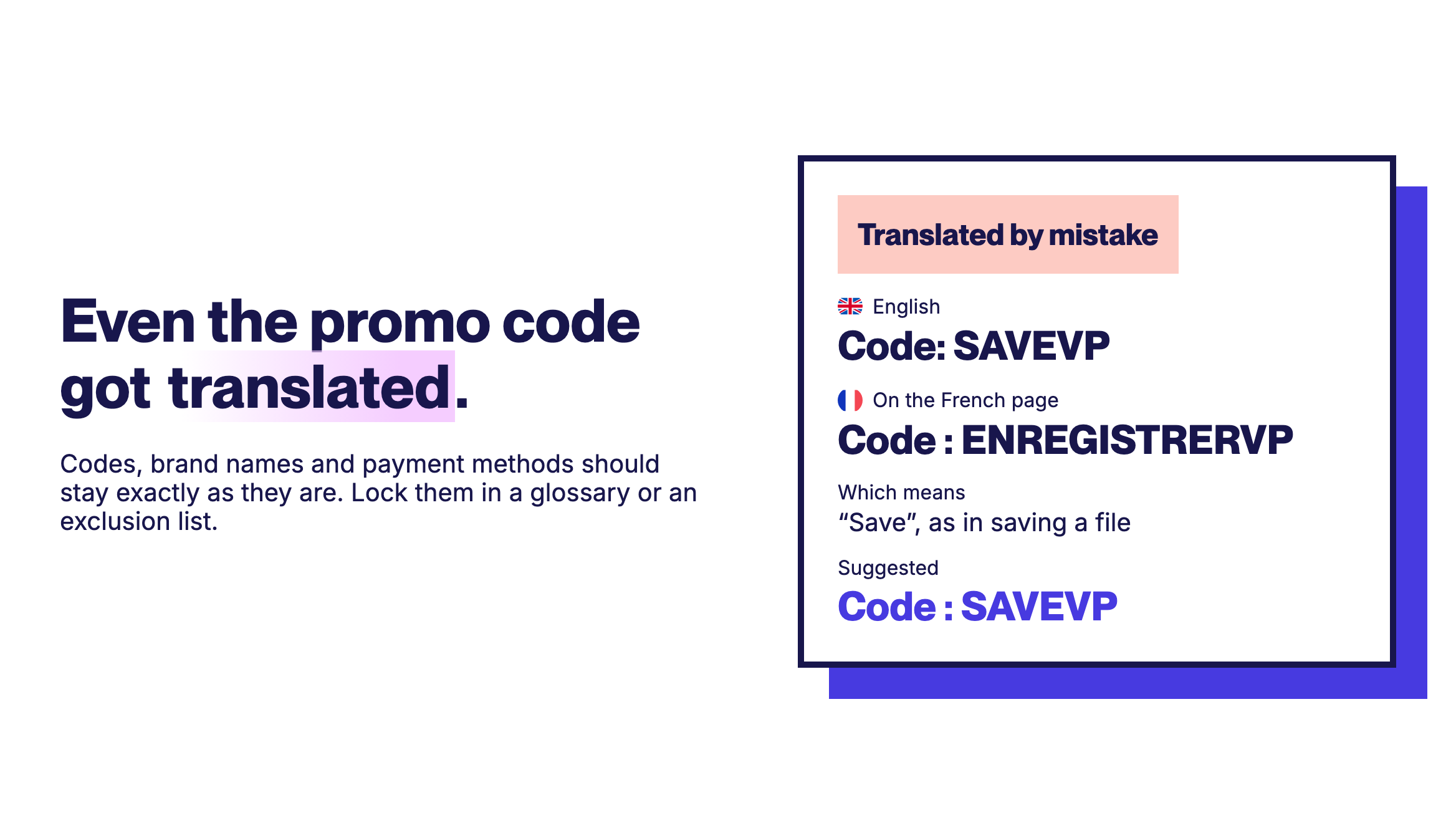
Some went further. One site's "25+ years of pet nutrition expertise" lost its number on the way and became "more than years of expertise". Another translated its promo codes, so the code SAVEVP became ENREGISTRERVP, with "save" read as saving a file.
This one isn't about wording. 15 of the 51 sites had no hreflang tags pointing to their French version. Those lines of code tell search engines a French version exists and which audience it's for. And 5 sites left the page title in English, which is the first thing French searchers see in their results.
Without those signals, search engines can struggle to show the French page to the people it was made for. Each language version needs its own URL, hreflang tags pointing between the versions, and a translated title and meta description.
Looking at where the mistakes sat, 3 likely reasons stand out:
Start with the menus, buttons, and footer links, on desktop and on mobile. If you can only get a native speaker for a few minutes, ask them to read these and nothing else.
Write down your brand, product, partner, and payment method names, plus any theme or app labels. Then lock them in a glossary or an exclusion list so they stay as they are.
Decide how your core product terms should read in each language and apply that choice everywhere, from the menu to the footer.
Promo banners, pop-ups, codes, and seasonal campaigns often get added after the main translation is done. In our sample, several sites left them in English, and one translated its promo codes.
Look at skip links, page titles, meta descriptions, image alt text, and form labels. They're easy to miss in a visual review, and some of them are exactly what search engines and screen readers read.
Go through prices, dates, phone numbers, units, and promo codes. Each language has its own conventions, and a price in the wrong format looks like a mistake even when the number is right.
Open each language version and confirm it has its own address, like yoursite.com/fr/ or fr.yoursite.com. Then check that it has hreflang tags and a translated title and meta description. Google Search Console's URL Inspection tool shows you how Google sees a page.
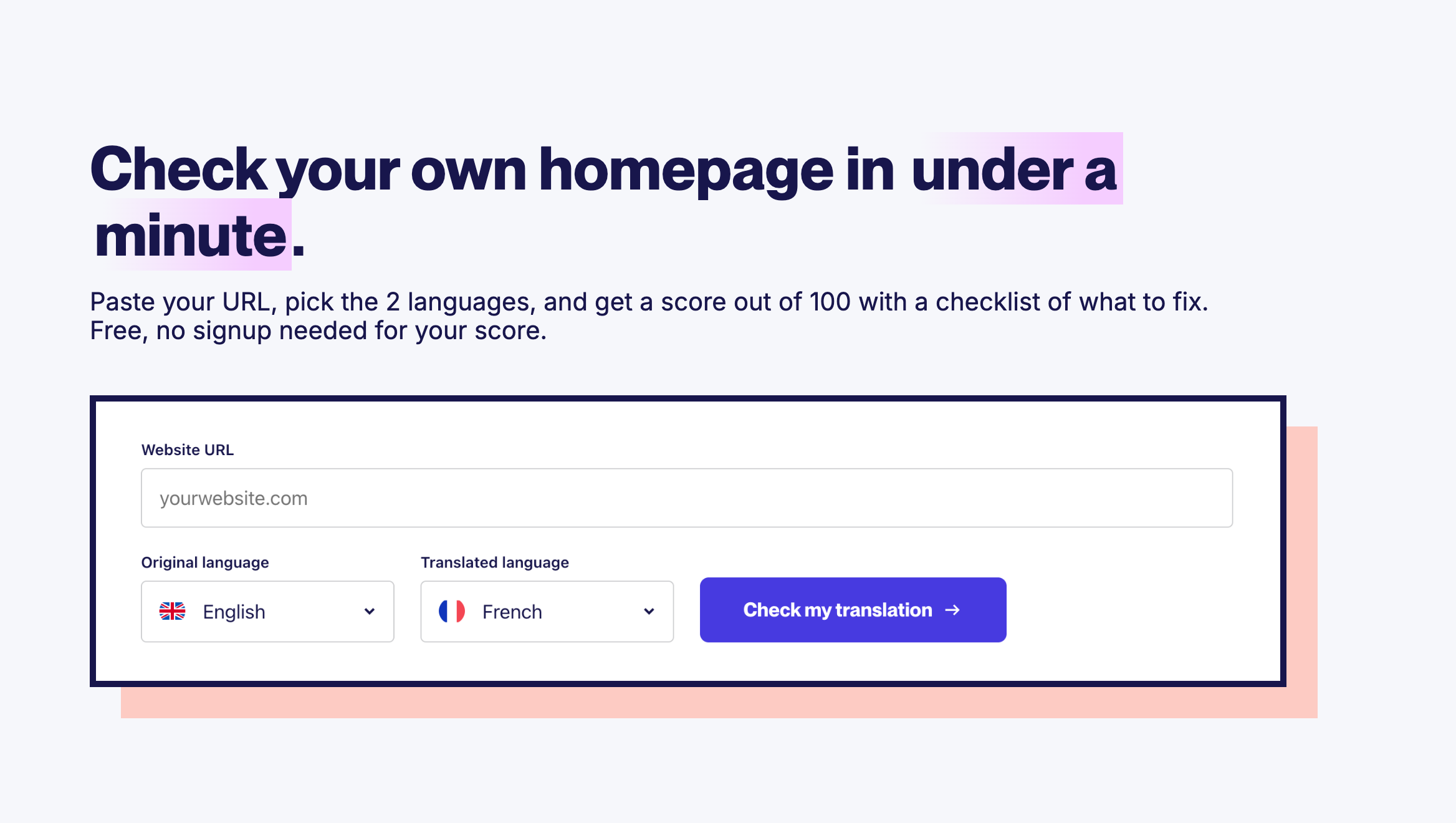
Want a first pass in under a minute? Our free Translation Quality Checker reads your translated homepage and flags what's left untranslated and what's likely wrong, with a suggested fix. No signup needed for your score, and it works whatever you used to translate your site. Check your homepage
Like any automated review, the checker spots what's likely wrong rather than proving it. Treat what it flags as a list for a native speaker to confirm.
If your site runs on Weglot, most of this checklist maps to tools you already have:
AI handles the scale. A review in context, starting with the places where context is thin, refines the nuance so you can publish every language with confidence. For more on review workflows, see our 3-level framework for reviewing translations, our complete guide to translation quality, and our list of 8 translation errors and how to solve them.
In our test, the mistakes that hurt sat in the short labels, the names, and the text nobody looks at. That's where to spend your review time first.
Ready to translate your website with in-context review built in? Start your 14-day free trial of Weglot.

We’ll get your first languages live. You decide how far you want to go. Try Weglot for free today.
Trusted by 110,000+ global brands





Weglot is tested and trusted by brands worldwide since 2016. Join them today.


0 visits from translated pages in the last 90 days.


Start with the short text: menus, buttons, footer, and mobile navigation. Ask a native speaker to read those, check that names and key terms stay consistent, and run an automated check for a first pass. An automated check flags likely problems, and the native speaker confirms them.
It can do a useful first pass. AI can spot text left in the original language, terms translated several ways, and phrasing that looks off, even in a language you don't read. It can also be wrong, so treat what it flags as a list to verify, not a verdict.
Usually not. Brand, product, partner, and payment method names should stay as they are, unless your company has deliberately chosen a local name for a market. A glossary rule keeps them from being translated by accident.
In our sample of 51 homepages, the most widespread were small spelling and grammar slips, flagged on 44 sites, followed by English left on the French page, on 31. The most visible were short labels translated with the wrong meaning, like a "Close" button that ended up meaning "nearby".