Try Weglot for free


Quick Answer: Partly. WordPress 7.0 gave plugins a shared way to connect to AI models, and the official AI plugin uses it to translate a post's paragraphs, headings, and title inside the editor. The translation replaces the original text, so each page still exists in a single language. Without separate language URLs and hreflang tags, search engines and AI search can only find and cite that one version.
WordPress spent 2026 putting AI into its foundations. WordPress 7.0 "Armstrong" arrived in May with a built-in way for plugins to talk to AI models, and by August the official AI plugin could translate content without leaving the post editor.
So, if you run a WordPress site and you've been meaning to add a second language, it's a fair question to ask: can WordPress translate your website with AI on its own now?
Yes and no: it can translate text, but getting that text in front of people who search, browse, and ask AI assistants questions in other languages takes more than that.
This article covers what WordPress 7 does today, where it stops, and what your site needs to be visible in every language you care about, including in AI search.
WordPress 7.0 added the groundwork for AI, but it's not a full translation feature. There are two aspects here worth noting:
WordPress core doesn't bundle an AI provider; providers come as separate plugins. To use any AI feature, you install a provider plugin, add your own API key, then install a plugin that uses that connection, such as the official AI plugin. WordPress 7.1 "Mary Lou", released in August 2026, didn't add translation to core either.
In practice, WordPress 7 gave every plugin the same road to AI. But the functionalities it gives your site depends on the plugins you install.
The AI plugin from WordPress.org added a Content Translation experiment in version 1.3.0 in August 2026. Content Translation is labeled an experiment, which means that it will probably change between releases. Right now, translation works like this:
The review step is a great bit – AI translation works best as a strong first draft that a person checks before it goes live, and the plugin builds that check in.
This is where a one-post-at-a-time workflow starts to show its cracks. In late August, contributors in a WordPress AI team meeting noted there's no built-in glossary, so nothing stops your product name, tagline, or preferred terms from being translated differently from one post to the next. The guideline categories in 1.4.0 are a step toward shared rules, but the documentation doesn't yet say whether they can lock specific terms.
It's easy to catch inconsistencies by hand on a 5-page site. Try doing that on a site with hundreds of pages, product descriptions, and checkout emails; the way your brand sounds in German will start to depend on who translated which page and when. Consistency needs rules that apply to every translation automatically: your tone, your terminology, and the words you never translate.
The plugin is handy for one job: you wrote a post and want a draft of it in another language. Running a site in 2 languages is a different job. Since each post holds one language at a time, you'd need to:
AI translation turns one sentence into another. A multilingual website is everything built around those sentences so that each audience can find, read, and buy in its own language. Google, for example, recommends a separate URL for each language version of a page rather than switching the language on the same URL, partly because its crawler doesn't ask for a specific language.
For most site owners, each row is something they often discover after launch. The last one, naturally, is the newest, but it's also becoming the one that matters most.
AI answers are built from pages that exist. Google's guidance on AI features and your website says that to appear as a supporting link in AI Overviews or AI Mode, a page must be indexed and eligible to show in Search with a snippet. There's no special markup that gets you in; the same SEO fundamentals apply.
That makes the gap in the table above more than an SEO detail. If your Spanish content only exists as a translation pasted over your English post, there's no Spanish page to index, and no Spanish page for AI search to cite when someone asks a question in Spanish.
Our research shows how much that costs:
People still want to read and buy in their own language, too. CSA Research found that 76% of online shoppers prefer to buy products with information in their native language, and 40% will never buy from websites in other languages. And WordPress itself is far from English-only: WordPress.org reported in its State of the Word 2025 recap that over 56% of WordPress sites run in languages other than English.
WordPress isn't only adding AI to the editor; it's also making sites easier for AI systems to read. AI plugin 1.4.0 introduced a Markdown Feeds experiment that serves a clean, structured version of your posts and pages to AI agents and language models, at /feed/markdown/ or by adding ?output_format=markdown to a URL.
In October 2026, the official MCP Adapter plugin also arrived in the WordPress.org plugin directory. It lets AI assistants discover and use what a WordPress site can do through MCP (Model Context Protocol), an open standard for connecting AI assistants to tools and data.
That makes it a lot easier to work on the content you publish. An AI agent reading an English-only site gets English. The more languages your site publishes as real, indexable pages, the more audiences those agents and AI search experiences can serve from your content.
So the two fit together: WordPress makes your content easier for AI to consume, and a multilingual site gives AI something to consume in every language your customers speak. Weglot translates these Markdown feeds too, so AI agents get your content in each of your languages. Weglot 2.0 also includes the Weglot MCP, so you can connect Weglot to your favorite AI assistant to review and update translations without opening the dashboard.
Yes, eventually, but there's no date. Multilingual is Phase 4 of the WordPress roadmap, described as a core implementation for multilingual sites, with no target release attached.
It's been on the horizon for a while. Matt Mullenweg announced Phase 4 at the 2018 State of the Word, when it was expected for 2020 and beyond. The next release, WordPress 7.2, is scheduled for December 2026, and the roadmap doesn't tie multilingual to it or to any other release.
If the AI Client is any guide, core multilingual support will most likely arrive as a foundation that plugins build on rather than a finished translation product. In the meantime, if your customers are searching in other languages today, waiting for core means staying invisible to them for an unknown stretch of time.
If you want your whole site in more than one language now, a dedicated translation plugin does the work around the AI translation for you. Weglot 2.0 builds on the Weglot you know, bringing AI translations built around your brand, a redesigned translation experience, and built-in multilingual visibility.
1. Install the Weglot plugin from the WordPress plugin directory.
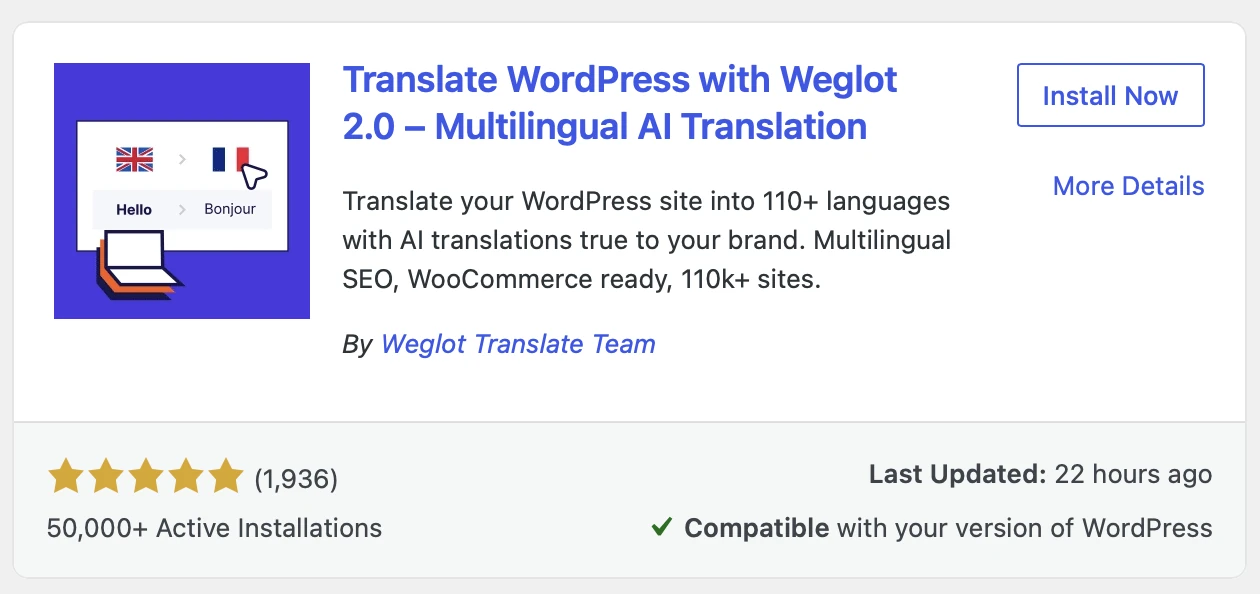
2. Choose your languages. Your original site stays exactly as it is.
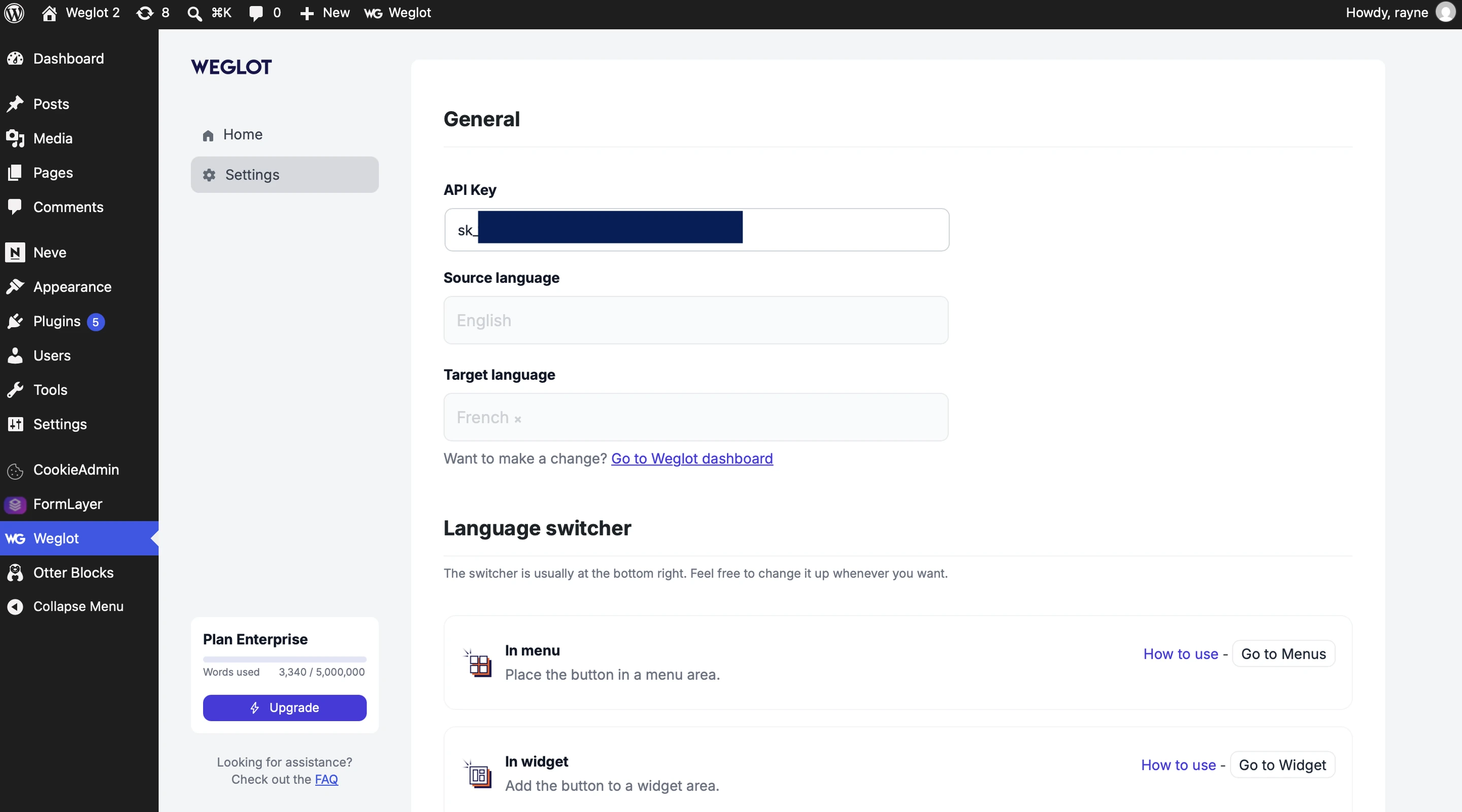
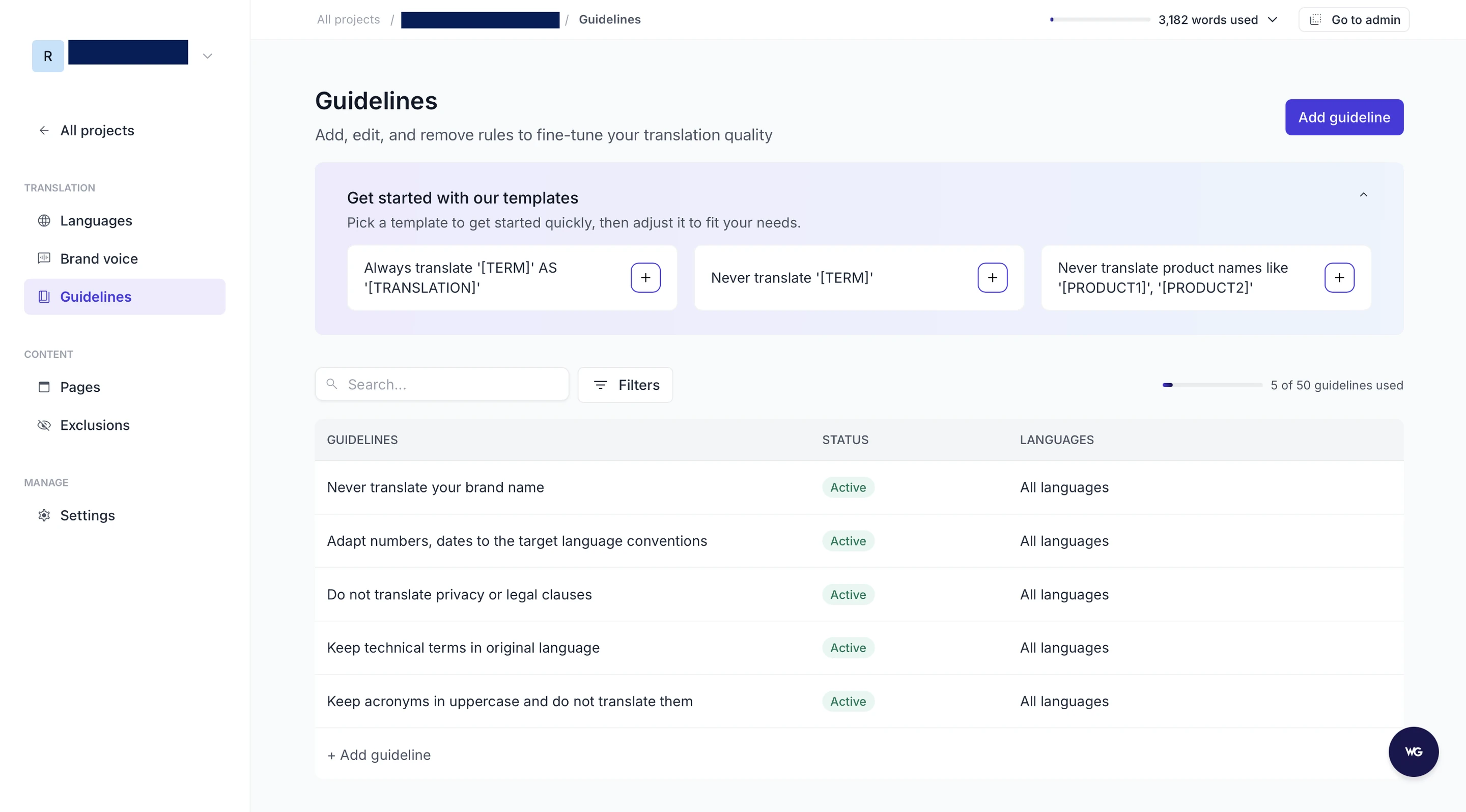
3. Set your Brand Voice and Translation Guidelines. Tell our AI Translation Model how your brand sounds, which terms to keep, and which words never to translate, so your translations stay consistent from the very first page.
4. Let Weglot translate your site. Pages, menus, forms, WooCommerce products, and emails are translated, and new content is detected as you publish it.
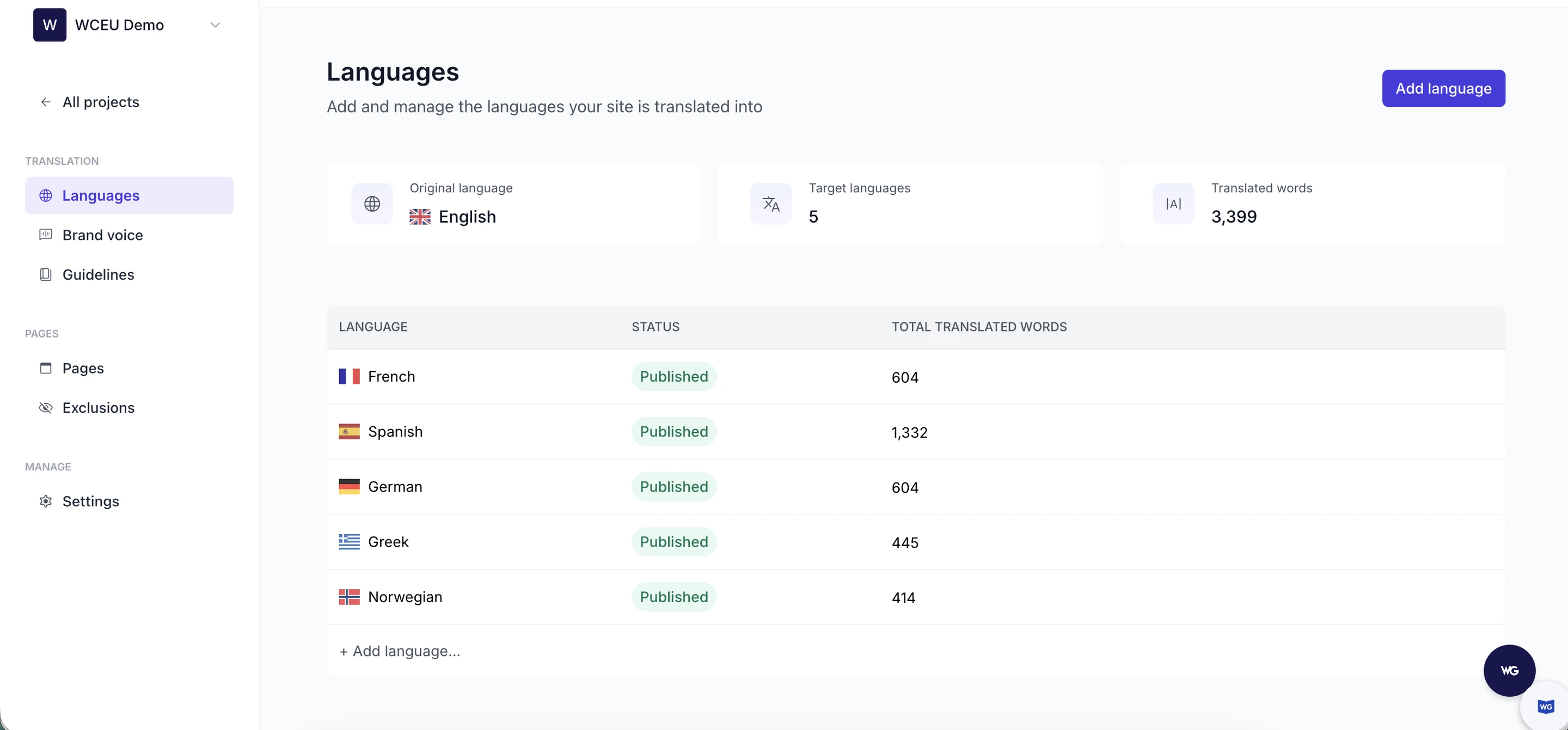
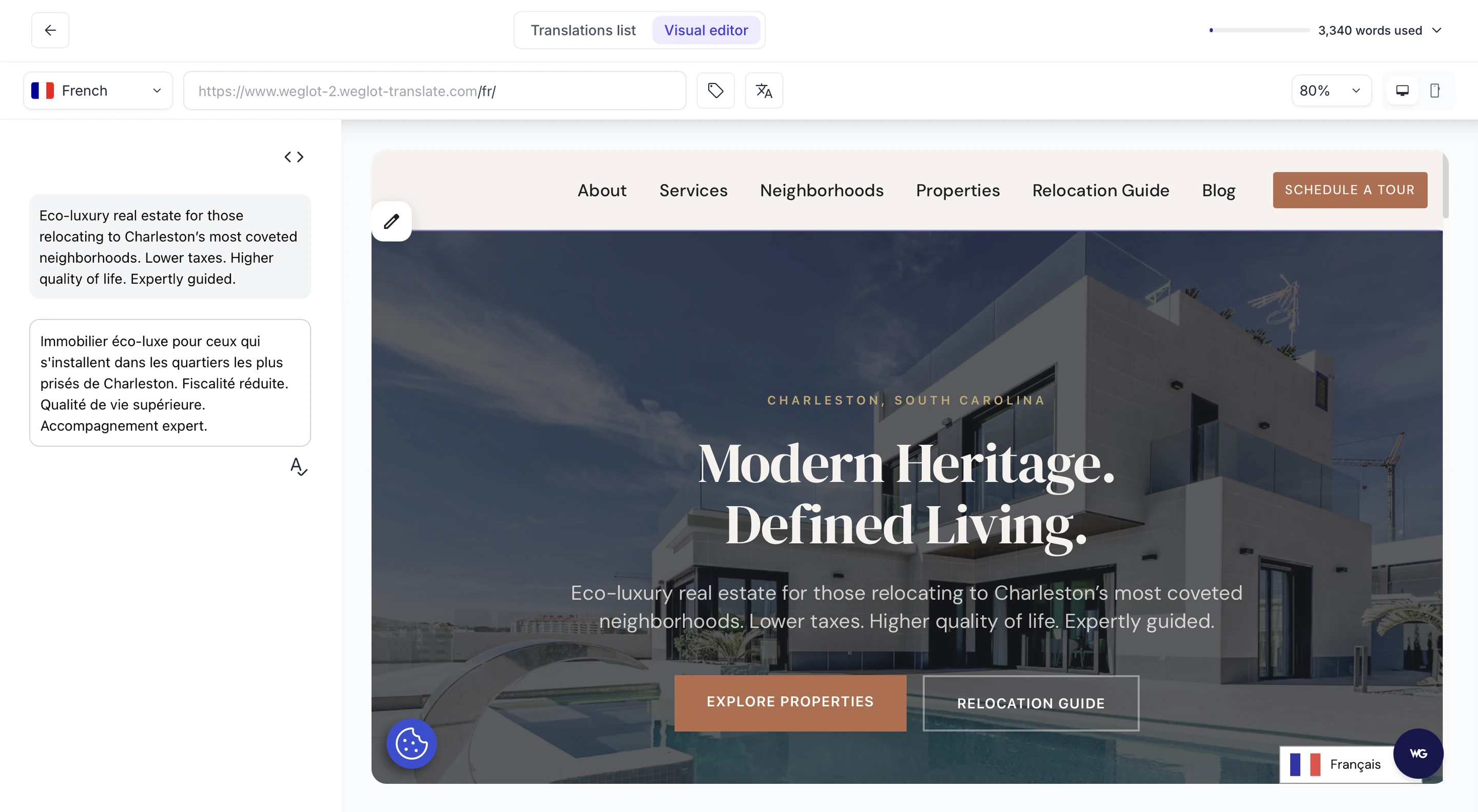
5. Review in context. Check translations on the live page in the Visual Editor, or edit in bulk in the Translation List, then publish each language when it's ready.
Weglot handles the multilingual SEO and GEO foundations along the way: language-specific URLs, hreflang tags, and translated metadata, so every translated page is ready to be indexed and cited.
You can keep using the WordPress AI plugin alongside Weglot, too. They do different jobs: the AI plugin helps you write and edit, and Weglot makes your whole site multilingual.
WordPress 7 made AI part of the platform, and the official AI plugin can now give you a translated draft of a post.
While useful, a multilingual website still needs a page for every language, the signals that tell search engines how those pages connect, and translations that sound like your brand everywhere they appear. Those are what let people, search engines, and AI assistants find you in each market.
Ready to make your WordPress site multilingual, with AI translations that stay true to your brand? Start your free trial with Weglot.

We’ll get your first languages live. You decide how far you want to go. Try Weglot for free today.
Trusted by 110,000+ global brands





Weglot is tested and trusted by brands worldwide since 2016. Join them today.


The best way to understand the power of Weglot is to see it for yourself. Test it for free and without any engagement.
A demo website is available in your dashboard if you’re not ready to connect your website yet.