

Try Weglot for free


When Google quietly killed its website translation widget for commercial sites in 2019, thousands of businesses lost their go-to multilingual solution overnight. But many discovered their real problem wasn’t in losing the widget. It was in finally understanding why their ‘translated’ sites generated zero international revenue.
If you’re one of them, you’re not alone. Maybe you installed a translation widget that worked perfectly in demos – visitors click a French flag, and the page transforms into French. Yet month after month, your analytics show the same frustrating truth – zero traffic from France. This is because a translation widget only matters if Google can see the translated page before the browser does.
Many users have found themselves stuck between choosing a free overlay widget, complete with the above failings, or traditional translation tools that need developer setup. Thankfully, there’s another way. Translation tools have quietly revolutionized how websites go multilingual, delivering the SEO power of permanent infrastructure through the simplicity of a widget.
Let’s uncover why your international expansion strategy is failing, and how to fix it without touching a single line of code.
In February 2019, Google dropped a bombshell: their beloved translation widget was shutting down for commercial websites. If you were the marketing manager suddenly tasked with making your website multilingual, this may have felt like a minor disaster. The panic was real, but Google’s exit forced the industry to build something better.
Google brought the widget back in 2020, but with a catch – it’s now restricted to non-profits, academic institutions, and government sites. Even today, users searching Google Translate widget discontinued are seeking answers about what happened to their go-to solution.
The commercial lockout was down to simple economics. Google wants translation traffic on translate.google.com where they control the ads, not distributed across millions of websites diluting their data pool.
Google’s restrictive move accidentally triggered a translation revolution. And this revolution solved the mystery of why your old translation widget never generated international leads.
Modern widgets don’t just overlay translations like Google’s old tool. They create permanent URLs (/es/, /fr/, /de/) that search engines can crawl and index. Search engines need static HTML content at consistent URLs to index and rank pages. JavaScript overlays that change text on-the-fly are invisible to Google’s crawlers.
The new breed of widgets build translation infrastructure from the ground up. They translate metadata for local search rankings. They give you control over brand terminology through translation glossaries. They deliver what Google never could – actual multilingual websites.
As we’ve seen, most free translation widgets work like Instagram filters, overlaying translations on top of your English content using JavaScript. When French visitors click your widget, their browser shows French text. But as search engine crawlers see only your original English page. There’s no French URL, no French content in the source code, and no chance of ranking in French search results.
Having a tool that comes with a wide translation infrastructure changes everything. It creates actual French pages on your server before anyone sees them.
When Google crawls example.com/fr/products, it finds real French HTML, not JavaScript. These pages get indexed, ranked, and discovered by French searchers who’ve never heard of your brand.
Google’s regional algorithms prioritize content hosted on local URL structures, giving preference to sites that demonstrate commitment to each market through proper infrastructure. The key is to invest in infrastructure, not overlays.
Before you schedule another vendor demo or ask IT for help, here’s a test you can run from your desk:
Did it change to example.com/fr/ or fr.example.com? If so, congratulations – Google can see your translations. If it’s still showing example.com, your ‘international’ pages simply don’t exist.
This visibility depends on three technical pillars that Google requires for multilingual SEO. These are useful to know when making vendor comparisons, but modern tools handle them automatically:
Modern tools like Weglot outshine basic widgets by handling all three automatically. Add Weglot, and within minutes you have Spanish pages at /es/, proper hreflang implementation, and fully translated metadata. Overlay widgets miss all three requirements, which explains why your competitor’s French site ranks while yours remains invisible.
{{quote-cta-banner}}
Unlike overlay widgets that demand technical gymnastics and IT involvement, a website translation tool can be installed like any other marketing tool you already use. WordPress users add Weglot like any plugin – search, click install, activate. Shopify store owners can grab it from the app store. And one JavaScript snippet handles everything for those running custom-built sites.

Weglot takes less than 10 minutes to install:
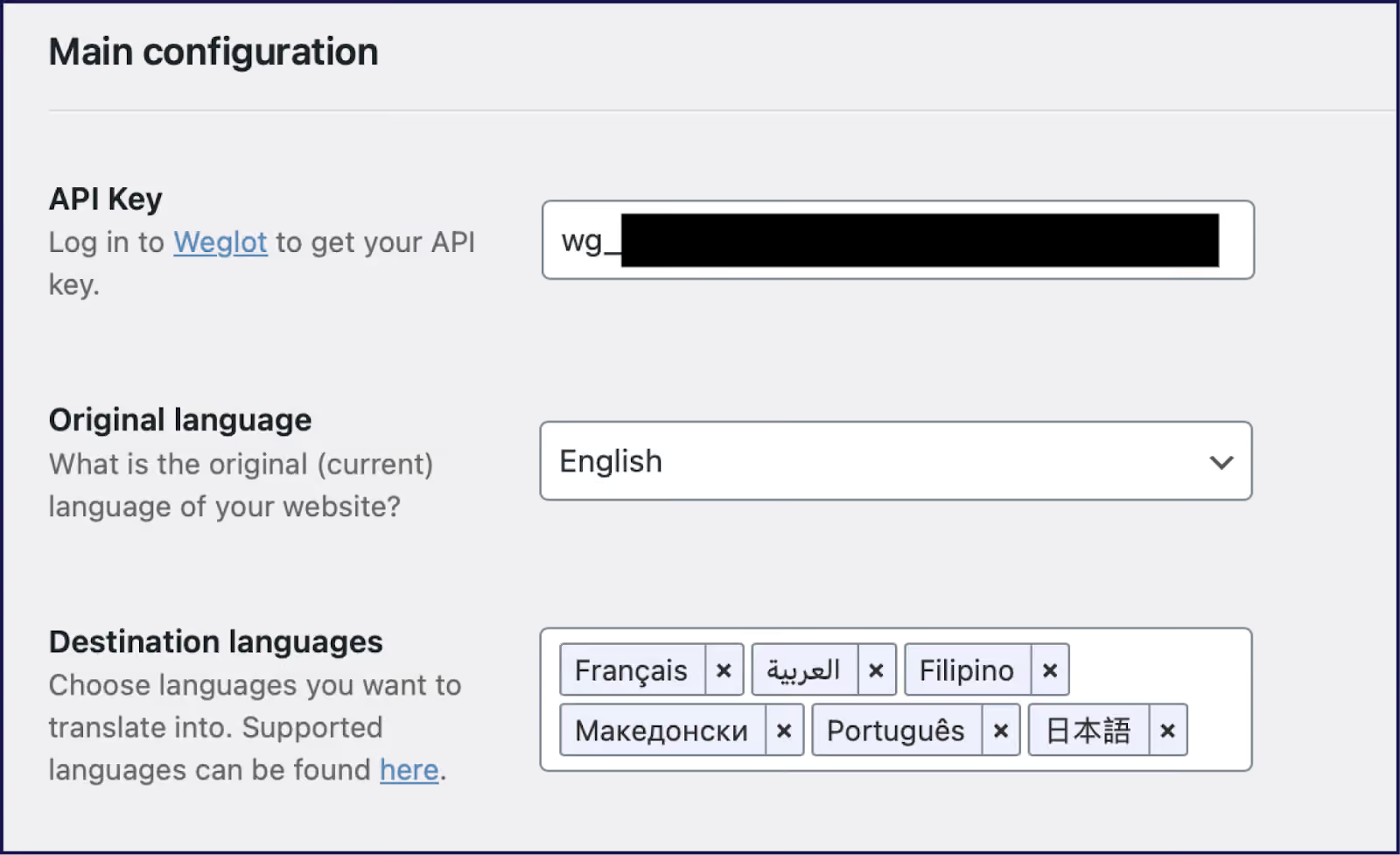
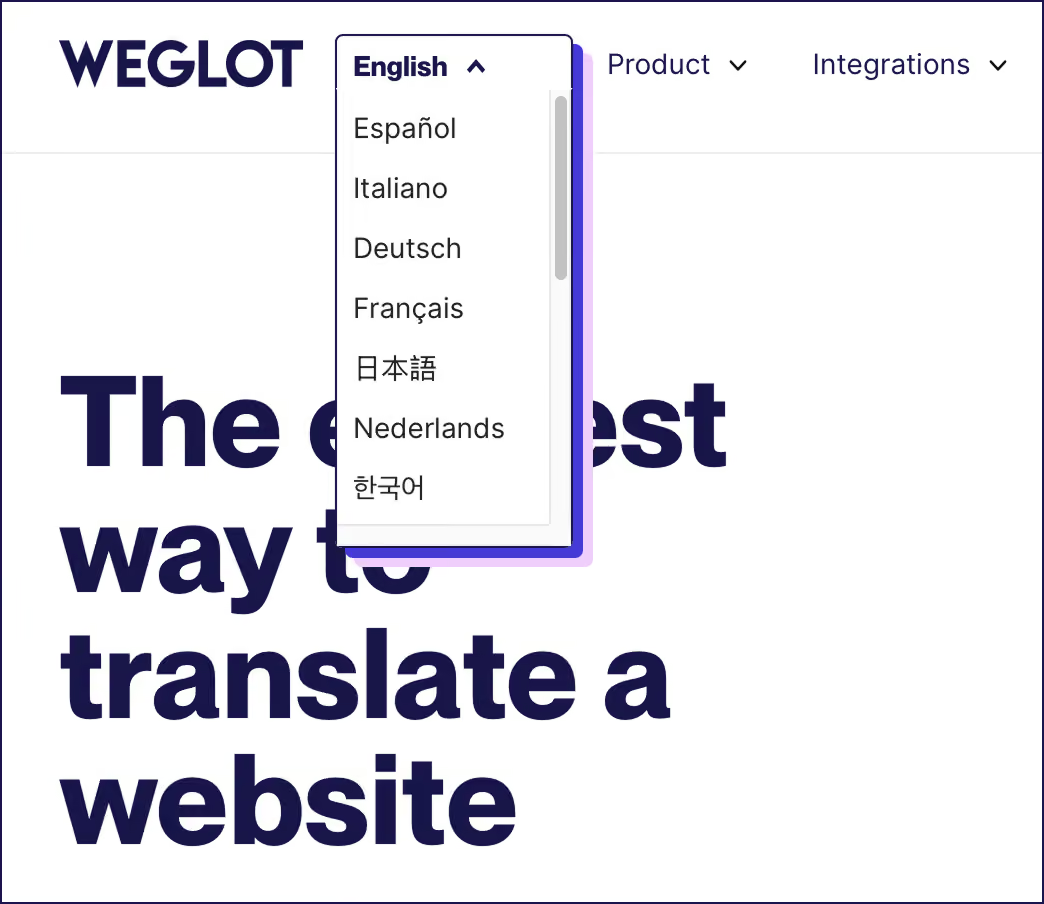
Once you’ve activated Weglot, automatic content detection scans your entire site, not just basic pages. Blog posts, product descriptions, checkout flows, pop-ups, dynamically loaded content, and even your 404 error messages get found and queued for translation. Vast product catalogs can be translated in minutes. And it’ll catch AJAX-powered filters, testimonial sliders, and any other features you have on-site.
Instant translation kicks in through your choice of DeepL, Google Translate, or Microsoft’s engine. Within seconds, your 5,000-product catalog can exist in Spanish, French, German, or more from a database of 110+ languages.
Weglot creates actual pages at example.com/es/ or example.com/fr/, complete with proper server response codes. Plus, automatic browser language detection redirects French visitors to your French pages instantly, boosting international conversion rates from day one.
So how do we compare to the free options available?

Basic GTranslate and TranslatePress offer free tiers – with overlay-only translation that’s invisible to Google. Weglot’s free tier includes 2,000 words and one language with full SEO features. It’s perfect for proving ROI before moving up a tier, and paid plans scale with your word count and languages, typically running €15-500/month depending on content volume.
Even Google has warned that machine translation may not provide exact translations. DeepL typically offers 92-98%, Google Translate follows at 85-95%, while Microsoft hovers around 88-94%.
This missing 2-15% might include a mistranslation of an innocent marketing slogan into something vulgar or offensive, alienating your international audience. Thankfully, modern tools transformed this challenge into a quick fix.
Weglot helps you increase that accuracy further with a custom AI Language Model that learns from your translation edits, your glossary, specific prompts, and, importantly, your brand guidelines and tone of voice. This helps you achieve hands-off translation quality and scale.

Plus, Weglot’s Visual Editor allows you to manually edit translations on the frontend of your site. This in-context editing beats the likes of TranslatePress’ frontend editor because you see translations exactly as visitors do, complete with your site’s styling. Alongside editing words for cultural appropriation, you can ensure that Right-to-Left (RTL) scripts and longer texts still fit your designs.
You can also enforce glossary rules to ensure translations are consistent, handy for:
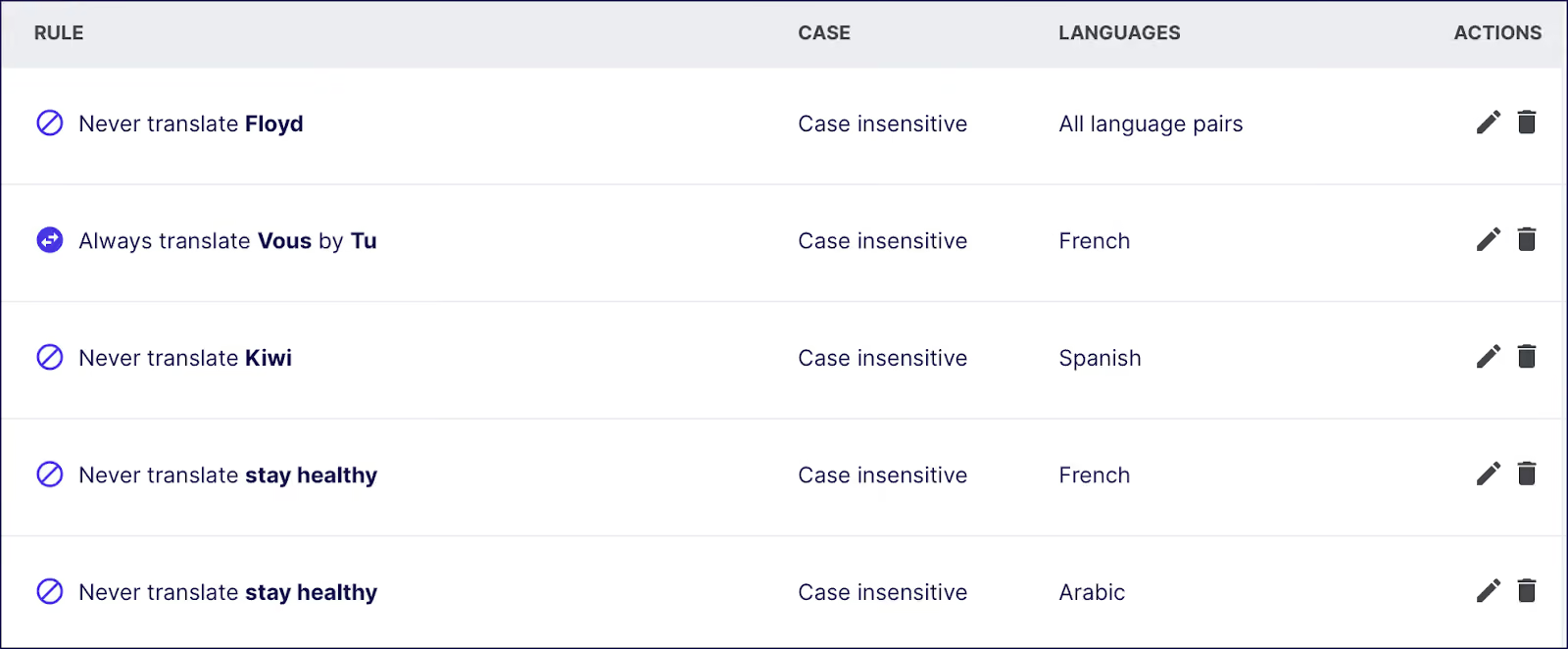
For a more traditional approach, you can also order professional translation directly from Weglot’s dashboard. Native translators can be hired to refine your AI-translated base, delivering publication-ready content without leaving the platform.
Speaking your customers’ language means giving up on invisible overlays. If search engines can’t crawl your translations, overseas buyers will never find you, greatly reducing the chances of success.
Weglot offers the perfect solution, by scanning every corner of your site, creating indexed /fr/ and /es/ pages, adding hreflang tags, translating metadata, and letting you refine translations directly on‑page. You’ll gain a digital presence in international markets, and a brand voice that stays on‑point across 110+ languages.
Join the 110,000+ sites already capturing global markets by starting your 14-day free trial with Weglot.

We’ll get your first languages live. You decide how far you want to go. Try Weglot for free today.
Trusted by 70,000+ global brands


.avif)





Weglot is tested and trusted by brands worldwide since 2016. Join them today.


The best way to understand the power of Weglot is to see it for yourself. Test it for free and without any engagement.
A demo website is available in your dashboard if you’re not ready to connect your website yet.


