

Try Weglot for free


The ability to communicate effectively across cultural and linguistic barriers is crucial for businesses that need to expand their reach and engage with diverse audiences.
As Jeanne Fricaudet, Product Manager at Weglot, puts it:
"Effective localization is not just about translating text; it's about connecting with your audience on a deeply personal level, ensuring your message resonates across different cultures."
Among the tools designed to solve such problems, Lokalise stands out as a popular solution thanks to its comprehensive features that cater to translation management and localization processes. However, while its strong capabilities have made it a go-to for many, it might not align perfectly with the unique requirements of every business.
This is why in this article, we’ll go through the most recognized Lokalise alternatives, providing a detailed comparison so you can identify the perfect solution for your business.
Let’s start with a quick overview before diving into detailed comparisons. For website translation specifically, Weglot provides tech-free setup with AI-powered customization and automatic content detection. Everything is stored in the cloud, so page speed and site performance are unaffected, no matter how big your site gets.Other alternatives to Lokalise include Crowdin, Phrase, Smartling, and Transifex for comprehensive localization platforms. WordPress users can also consider POEditor – a cloud-based system that’s great for apps and other software, or TranslatePress and Tolgee – both open-source projects with JavaScript framework integration.

Lokalise is a localization platform for software and mobile app development teams. It combines AI-powered translations with automated processes to offer a localized experience that feels natural to website visitors. This technology ensures that translations are not just accurate but also resonate with the tone, style, and nuances specific to each industry and audience.
Its best features include:
Keep in mind, however, that Lokalise doesn’t allow you to manually edit translations by yourself. Instead, you need to order professional translations from their own team which can add on top of your final spending.
Pricing for Lokalise starts at $140/month for basic plans, catering to small to medium-sized businesses. Larger businesses with more specific needs can consult Lokalise's sales team for customized solutions.
While Lokalise excels at software and mobile app localization with powerful developer tools, it's not the ideal fit for every business scenario. Several factors commonly lead teams to explore alternative solutions:
Companies seeking more flexibility in translation providers, different workflow structures, or specific integrations not available in Lokalise may benefit from exploring the diverse range of alternatives available in the market.
Lokalise is a great tool, but it might not be a perfect fit for everyone, which is why we're exploring top alternatives that offer different features and strengths.

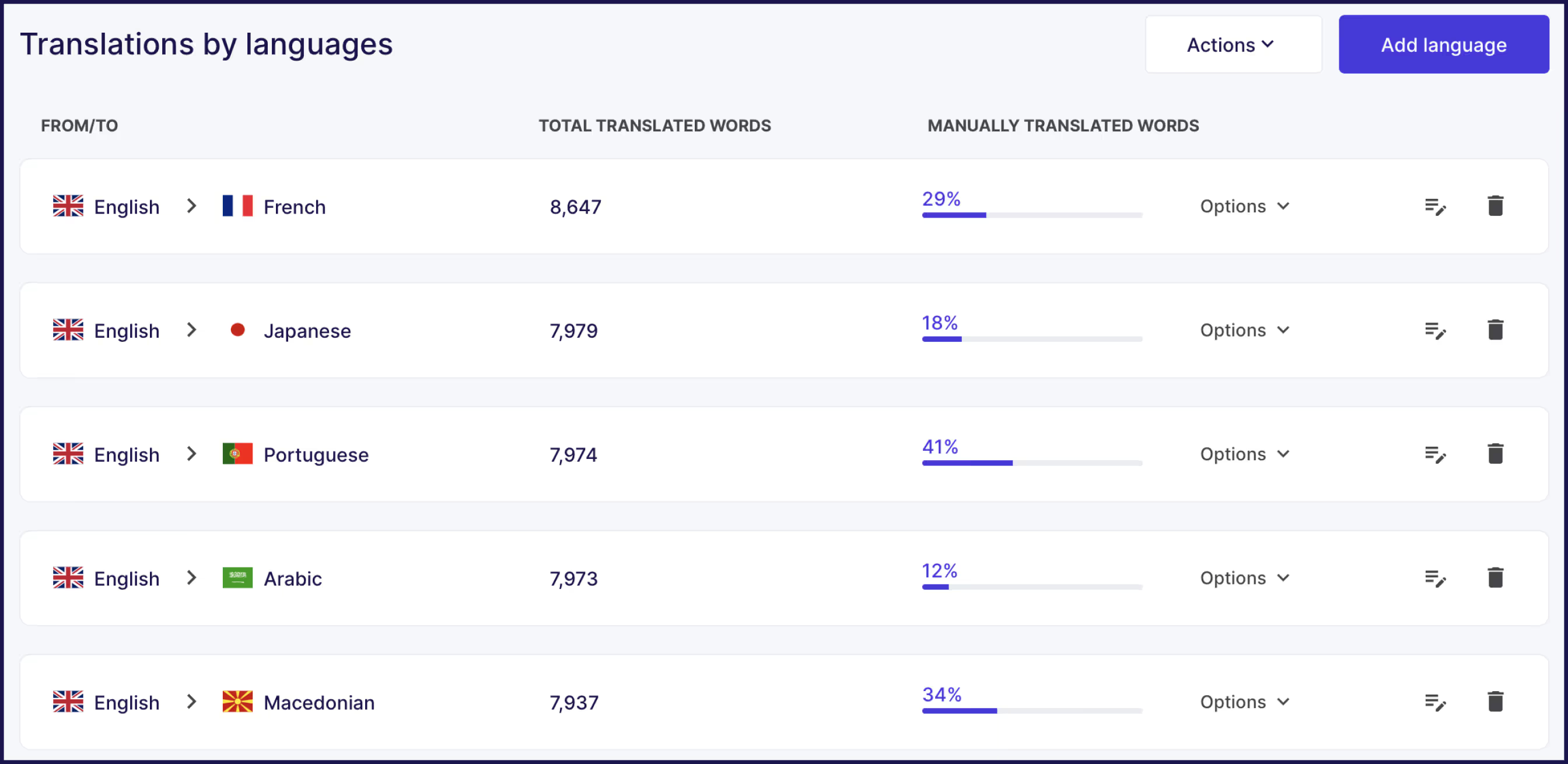
Weglot is a powerful alternative to Lokalise, offering simplicity, efficiency, and broad compatibility. It’s a versatile translation tool that requires no technical knowledge to set up and maintain a translated website.
Weglot automatically saves translated phrases for reuse in future content. The platform integrates with any CMS including WordPress, Shopify, and Webflow without code changes. Weglot's AI Language Model learns your brand voice from glossary terms and custom tone instructions. Weglot serves 111,000+ global brands including HBO, Nielsen, and IBM with 4.7/5 G2 rating.
Here’s what makes Weglot an excellent choice for businesses seeking to improve their international presence:
%20Translation%20list.png)

For businesses looking for a straightforward, efficient way to make their websites multilingual and improve their global reach, Weglot is a compelling choice. Its emphasis on ease of use, coupled with powerful SEO and language support, makes it a strong contender for those considering their options beyond Lokalise.
Weglot has a free plan to translate up to 2000 words per month with one language pair, and powerful translation capabilities like editing control, AI translation, multilingual glossary, multilingual SEO indexing, and visitor language redirection. For the full range of advanced features, you can opt for one of the paid plans, which starts at just $17/month – or why not take advantage of a full 14-day free trial, no credit card required?.
{{quote-cta-banner}}

Crowdin is a cloud-based localization platform for large-scale projects and community-driven translation workflows. Crowdin integrates with over 600 developer tools including GitHub, GitLab, and Figma for design-to-development workflows.
The platform supports localization for websites, mobile apps, games, and software products with SDKs for iOS and Android development. Crowdin has a 4.4 star rating on G2, with 600+ reviews.
Key features include:
Crowdin is an excellent option for businesses and developers looking for a collaborative, efficient, and scalable solution to their localization needs.
There is a free plan available, and pricing tiers start at $50/month, billed annually, and up to $450/month for bigger teams and more advanced features.

Phrase is a developer-focused localization platform with extensive API support and command-line tools for technical teams. Phrase handles mobile app string file management and API-driven workflows for web and mobile development. Phrase has a 4.5 star rating on G2, with more than 1,000 reviews.
Key features include:
For teams looking for a robust yet straightforward solution to their localization needs, Phrase offers a compelling mix of developer-friendly tools, efficient collaboration capabilities, and a focus on quality and consistency.
Freelancer plans start at $27/month, with pro pricing starting at $525. You can also request a custom plan by getting in touch with their sales team.

Smartling is an enterprise-grade localization platform providing advanced project management, quality assurance automation, and security features for large translation teams. With 645+ reviews on G2, the tool carries a 4.5 star rating.
Key features include:
For businesses aiming for high-quality, contextually aware translations that resonate with a global audience, Smartling can be a very helpful tool. Its emphasis on visual context, integration ease, and customizable workflows make it an attractive solution for those looking to enhance their localization efforts.
Smartling doesn’t provide pricing information for their plans, so if you’re considering this solution, you’ll need to start by requesting a demo from the website.

Transifex is a cloud-based localization platform for continuous deployment workflows with automated continuous integration and continuous delivery (CI/CD) pipeline integration. 665+ reviews have earned Transifex a 4.3 star rating on G2.
Key features include:
Transifex is a great option for businesses looking for a flexible, collaborative, and efficient way to manage their localization needs.
Pricing plans start at $120/month, billed annually for 50,000 words and important features like Translation Memory, AI, Online Editor, and Content & Design integrations (Git, Figma, Zendesk, etc.)
For specific use cases like WordPress-only sites, simpler translation management, or open-source projects, specialized alternatives provide focused capabilities. These options sacrifice breadth for targeted functionality and often lower costs.

POEditor is a web-based translation management platform for simpler localization needs without complex workflow requirements. The platform provides translation memory, glossary management, and support for over 40 file formats. 90 G2 reviews have earned POEditor a 4.5 star rating.
Key features include:
POEditor offers a free plan for small projects with paid plans starting at $12.74/month.
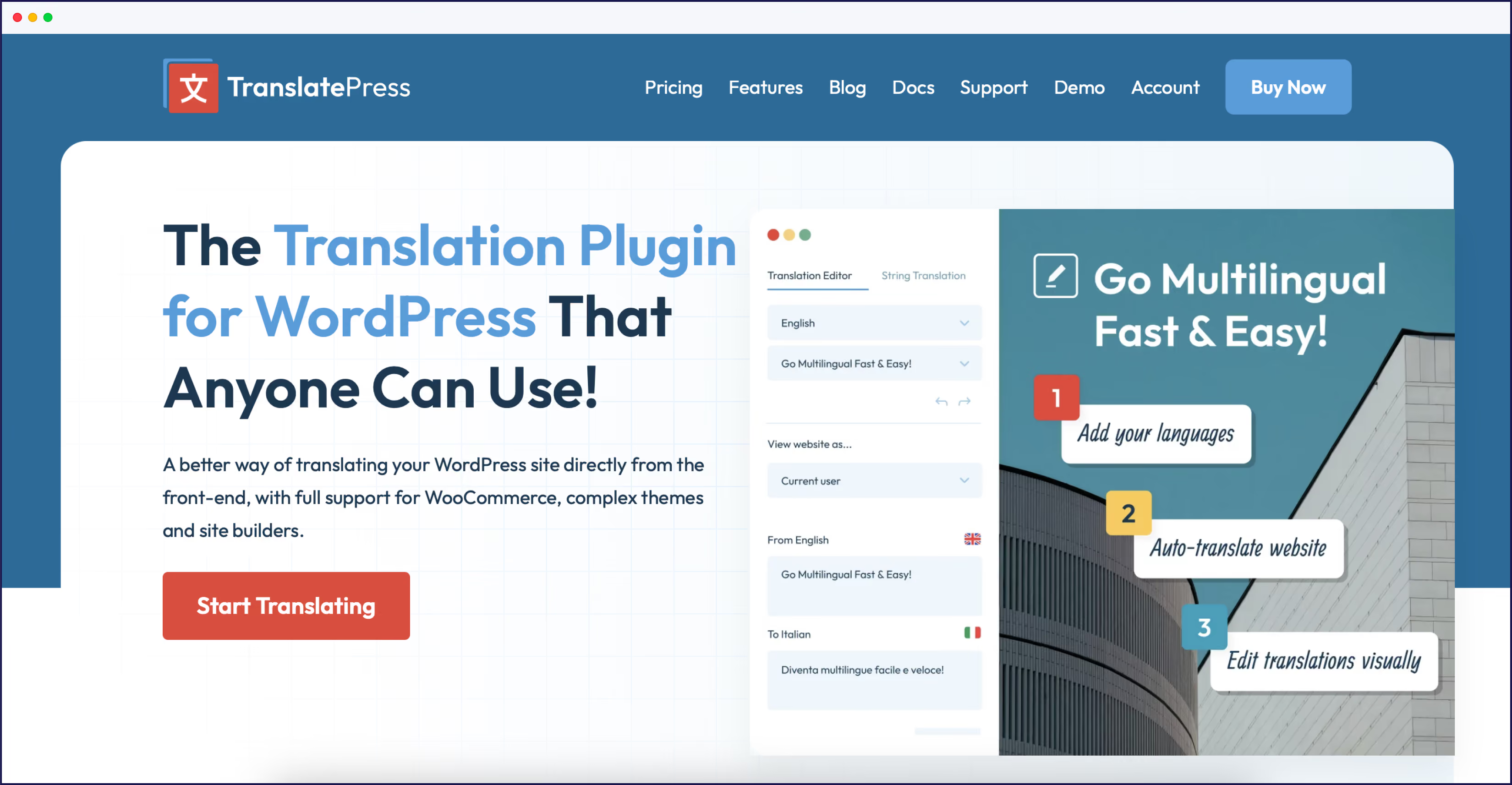
TranslatePress offers WordPress-specific translation capabilities with visual editing for users who need a dedicated WordPress-only solution. The tool integrates deeply with WordPress themes and builders, offers manual and automatic translations, and comes with SEO meta translation via its add-on pack. Prices start at $9.60/month. TranslatePress has less than 10 G2 reviews at present.

Tolgee is an open-source localization platform for developers working with JavaScript frameworks like React, Angular, and Vue. The platform provides in-context editing, translation memory, and machine translation integration for development teams. Prices start at $49/month, and Tolgee also has less than 10 reviews on G2.
Key features include:
Now, let’s take a look at these tools side by side. Remember, the best choice depends on your project's scale, complexity, and objectives.
Selecting the right localization platform depends on your primary use case, team size, technical resources, and budget constraints. Different platforms excel in specific scenarios based on their core architecture and target workflows.
Choose Lokalise if you localize software applications and mobile apps with development team workflows requiring centralized project management and mobile SDKs.
Choose Weglot if you translate websites without technical teams or coding requirements prioritizing setup speed and automatic content detection.
Choose Crowdin if you manage large-scale projects with community translators or need extensive integration with over 600 development and design tools.
Choose Smartling if you require visual context for translators to see exactly how text appears in page layouts for enterprise-scale translation accuracy.
Choose Phrase if you prioritize developer tools like extensive APIs and command-line interfaces for custom localization pipeline integration.
Choose Transifex if you integrate localization with continuous deployment pipelines requiring automated translation updates within development workflows.
Choose POEditor if you want an intuitive web-based translation management solution for simple to medium-scale localization with easy API integration.
Choose TranslatePress if you’re a WordPress site owner looking for visual translation, strong SEO, support for unlimited languages, and local data storage.
Choose Tolgee if you develop JavaScript-based applications (especially open-source) and need in-context editing within your app, for fast, developer-centric localization.
Weglot suits startups needing website translation without technical teams, offering setup in minutes with automatic content detection requiring no developer resources. The platform provides a free plan for up to 2,000 words with one language pair, allowing startups to test international markets before committing budget.
Crowdin offers a free tier for small open-source projects with basic features but requires more technical setup for full functionality.
Lokalise starts at $140/month so is better suited for funded startups with larger budgets and dedicated localization teams managing complex software projects.
Crowdin integrates with over 600 developer tools including GitHub, GitLab, and Figma for design-to-development workflows requiring version control integration.
Lokalise provides native integrations with GitHub, Jira, and Figma for collaborative workflows with mobile SDK support for iOS and Android applications.
Phrase offers extensive API support and CLI tools for custom integration within development pipelines requiring programmatic translation management.
Weglot integrates with any website platform without developer workflows or version control requirements, connecting through tech-free plugins for WordPress, Shopify, and Webflow.
Choosing the right localization solution is a crucial step for businesses aiming to expand their global reach. While Lokalise offers a comprehensive set of features for translation and localization, it's important to remember that there's no universal tool that fits every company's needs perfectly. Depending on your project's specific requirements or your business's priorities, you might find another option that aligns better with your goals.
Different business situations call for different alternatives. Teams migrating from Lokalise typically fall into these categories:
1. Moving from software localization to website-focused translation: Companies that initially built mobile apps or software products but now need simpler website translation often find Weglot's automatic content detection and visual editing more aligned with their current needs.
2. Reducing costs while maintaining quality: Startups or bootstrapped companies hitting Lokalise's $140/month minimum often migrate to Crowdin's free tier or Weglot's $17/month starter plans without sacrificing core translation capabilities.
3. Eliminating technical dependencies: Marketing teams frustrated by reliance on developers for Lokalise setup frequently switch to Weglot's tech-free approach, enabling them to manage translations independently.
4. Expanding integration ecosystems: Development teams needing specific tool integrations not available in Lokalise often choose Crowdin (600+ integrations) or Phrase (extensive API/CLI support) for their broader connectivity options.
Among the alternatives we’ve explored, Weglot is a particularly strong and versatile candidate. Its user-friendly interface, AI Language Model for brand-aware translations, and extensive language support (110+ languages) make it an appealing choice for businesses of all sizes looking to break into new markets. Weglot simplifies the translation and localization process with automatic content detection and tech-free setup, allowing you to focus on what matters most – connecting with your global audience.
If you're looking to make your website multilingual and want to explore how Weglot can help, take advantage of our free plan. It's an excellent opportunity to see firsthand how Weglot can enhance your global expansion efforts. Better still, take a 14-day free trial of any Weglot paid plan today – no credit card required.

We’ll get your first languages live. You decide how far you want to go. Try Weglot for free today.
Trusted by 70,000+ global brands


.jpg)





Weglot is tested and trusted by brands worldwide since 2016. Join them today.


The best way to understand the power of Weglot is to see it for yourself. Test it for free and without any engagement.
A demo website is available in your dashboard if you’re not ready to connect your website yet.


.avif)

